Hi Fabio,
I think we might help you with FDM as well, I had to explore few things to get it to work but you may improvise it further.
Step 1: Have the list of values in the database in a single field. In below sample I have kept all the values I plan to populate as comma separated values 'a,b,c,d,e' .

Step 2: Create an FDM using RDBMS, make sure you add the get service here as we will use it in the form for invocation. Remove the arguments list from the model properties.
Model:
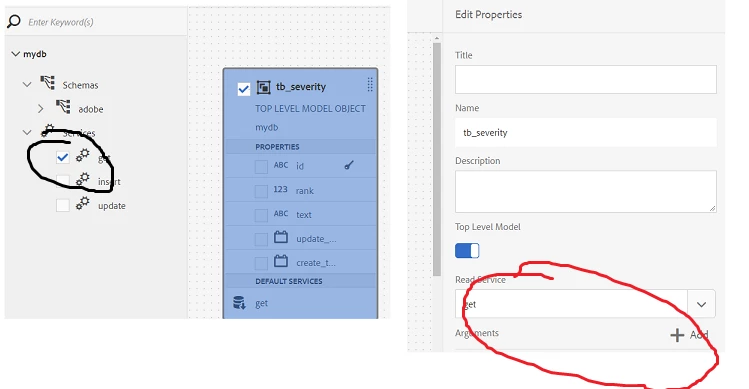
Services:
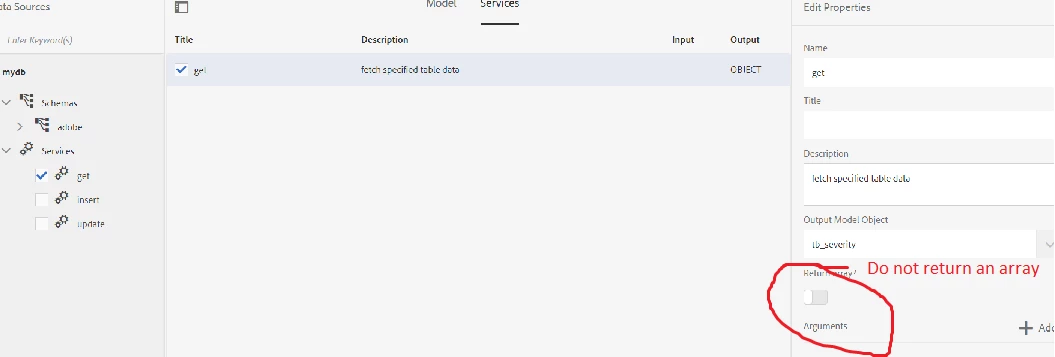
Test your service to make sure you get the response from db something like this:

Now let's move to Adaptive form:
Create an Adaptive form based on the FDM you have created earlier. Create one textfield name it textbox_0 and make it hidden. Go to root panel and create a script on initialize. You need to invoke the FDM service here and set the values coming from the response of service to the hidden field.
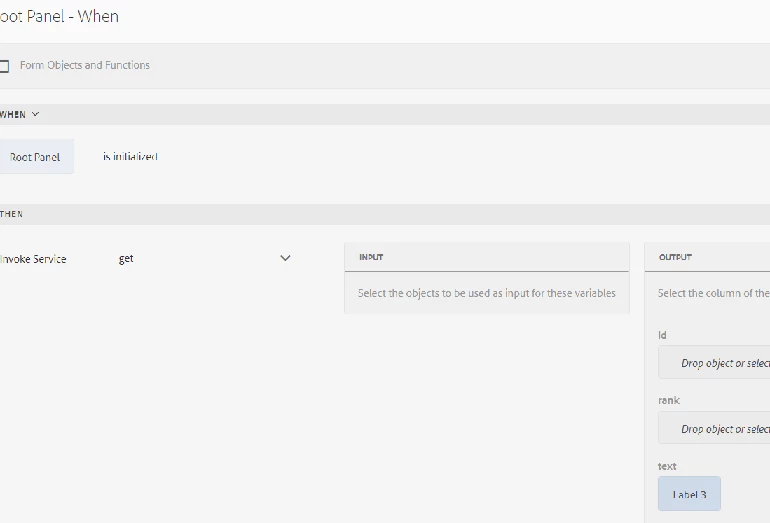
Once done with the above step you need to now set the value for drop-down. Go to the textfield which you made hidden earlier and on its value commit place the below script:
dropdownlist.items = this.value; // update thedropdownlist with your dropdownlist element name
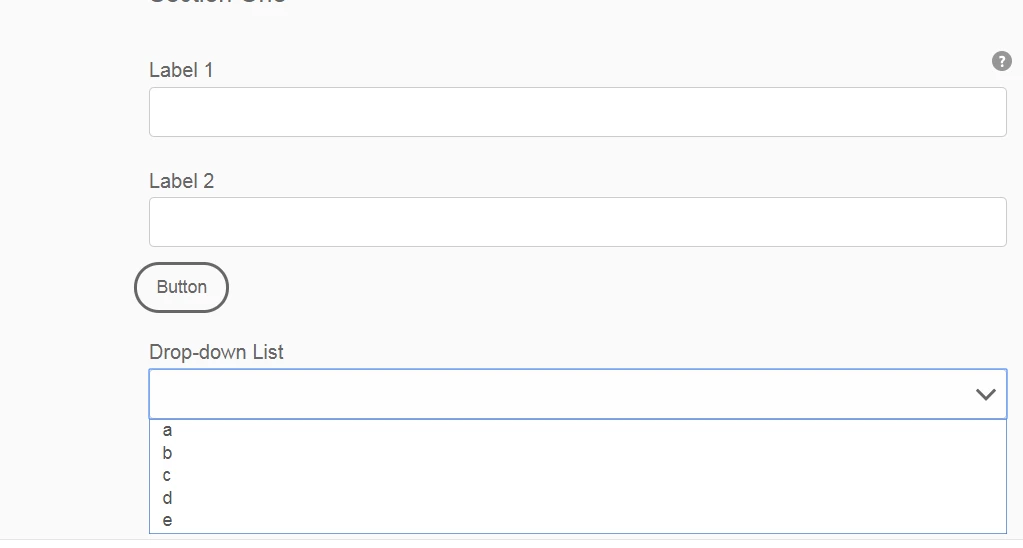
Preview the form and you would see something like this now.