Adobe Experience Manager Forms 6.5 on JEE (Document Security) | Adobe Higher Education
Skip to main content
Level 2
April 23, 2021

Adobe Experience Manager Forms 6.5 on JEE (Document Security)

  • April 23, 2021
  • 4 の返信
  • 1901 ビュー


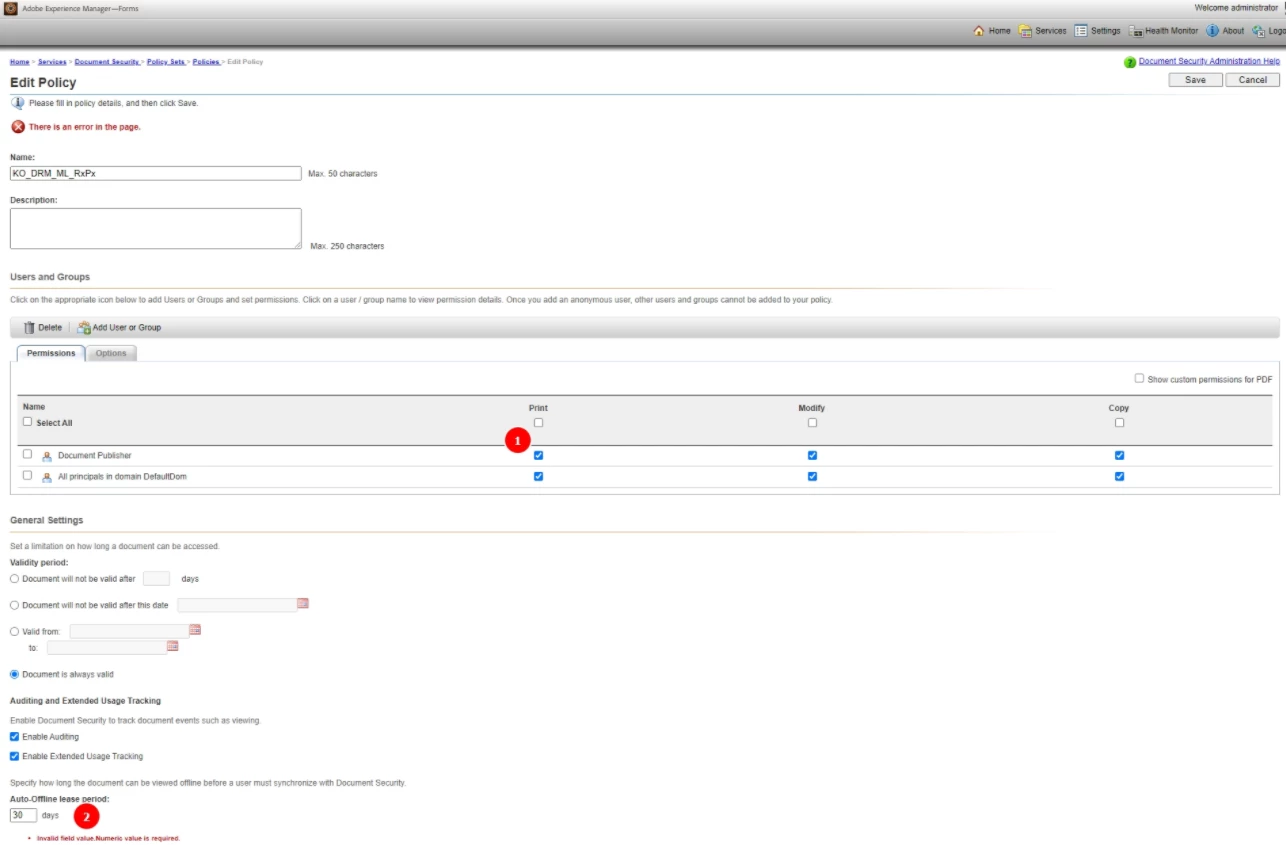
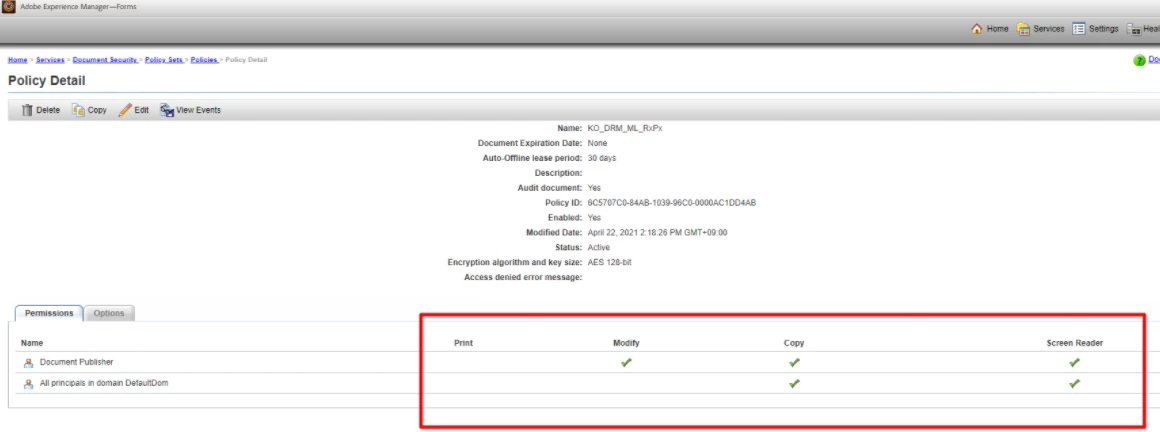
Error in setting Policy (Print, Modify, Copy) in adminui.
The checked setting value is not reflected.

Install version : 6.5.0.20200526.1.938669


============================


このトピックへの返信は締め切られました。

4 の返信

Mayank_Gandhi
Adobe Employee
Adobe Employee
April 23, 2021

@jaemyoung_r1184  Please check the roles assigned to the user trying to update the policy.

Kosta_Prokopiu1
Adobe Employee
Adobe Employee
April 26, 2021

See here for AEM Forms Permissions, look at the Rights Management permissions. The user must either be Super Administrator, or Rights Management Policy Set Administrator or Rights Management Super Administrator or must have permissions as listed further down on that page.

https://experienceleague.adobe.com/docs/experience-manager-64/forms/administrator-help/setup-organize-users/creating-configuring-roles.html?lang=en#additional-default-roles

Mayank_Gandhi
Adobe Employee
Adobe Employee
April 27, 2021

@jaemyoung_r1184 Send me the adminUI about page screenshot

Pulkit_Jain_
Adobe Employee
Adobe Employee
April 29, 2021

@jaemyoung_r1184 

This issue (along with multiple others under the Document security module) has been fixed with the latest AEM Forms 6.5.8.0. I have checked my in-house latest patched set-up, don't see these error msgs.


Release notes: https://experienceleague.adobe.com/docs/experience-manager-65/release-notes/service-pack/sp-release-notes.html?lang=en#install ; check bug details under "Document Security"

Mayank_Gandhi
Adobe Employee
Adobe Employee
May 4, 2021

@jaemyoung_r1184  There was a strut upgrade in 6.5.7 and that seems to be causing an issue with the Policy screen. Hopefully, patching will help if this is fixed already else you will have to raise a bug.