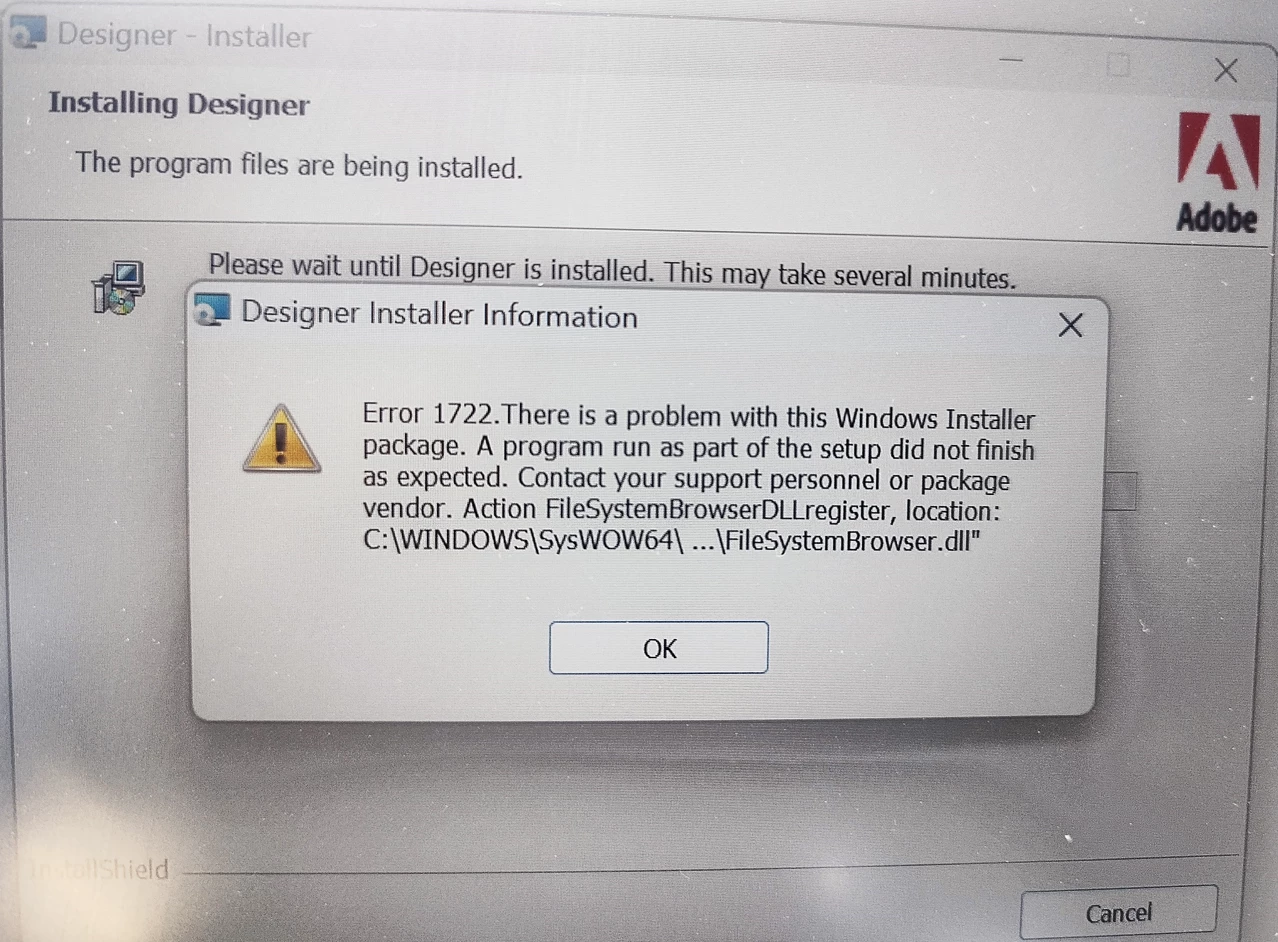
Adobe Designer installation error1722 | Community
Skip to main content
This post is no longer active and is closed to new replies. Need help? Start a new post to ask your question.
Best answer by radzmar

The solution is propably the same. You need to register the missing DLL. 

4 replies

October 14, 2024

Hi there,

This might be a pre-requisite error. I would check the Visual C++ version first.

You can check the full list of requirements here: https://experienceleague.adobe.com/en/docs/experience-manager-cloud-service/content/forms/using-communications/installing-configuring-designer


radzmar
October 14, 2024
Alex_Mouton
October 15, 2024

Hi Radzmar,

Thank you for sending the link. From my understanding, you are providing steps to uninstall Designer. This is a brand-new install on a new machine. When trying to install, it gives us Error 1722. 

Can you provide steps to fix that?

Thanks. 

radzmar
radzmarAccepted solution
October 15, 2024

The solution is propably the same. You need to register the missing DLL. 

Pulkit_Jain_
Adobe Employee
Adobe Employee
October 15, 2024

@alex_mouton 

With error 1722, the Designer installation is in an inconsistent state, so it's better to uninstall and then reinstall the software.

  1. Make sure you have installed the 2010 VC runtime 32-bit latest update (Microsoft Visual C++ 2010 redistributable package x86), 2012 and 2013 VC runtimes (32-bit) 
  1.  Open CMD in Administrator mode and run the following commands:
  • C:\Windows\SysWOW64>regsvr32.exe " C:\Program Files (x86)\Adobe Experience Manager forms Workbench\Designer\FileSystemBrowser.dll"
  • C:\Windows\SysWOW64>regsvr32.exe " C:\Program Files (x86)\Adobe Experience Manager forms Workbench\Designer\ImageFileBrowserIDL.dll"
  1.  Uninstall Designer now.

Once uninstalled, you can reinstall the Designer software. 

If you still have issues, you can raise a support ticket and DM the ticket number. We can then get on a call to discuss them further.

Alex_Mouton
October 15, 2024

Thank you Pulkit. I appreciate your feedback.

Please advise how I would log a support ticket?

Pulkit_Jain_
Adobe Employee
Adobe Employee
October 15, 2024

@alex_moutonyou can log in to the "Adobe Admin Console" link: https://adminconsole.adobe.com/ and follow the steps specified in the document below to create support cases.

Please let me know if you see any challenges.https://experienceleague.adobe.com/en/docs/customer-one/using/home#submit-ticket


Did you follow the above-mentioned steps? Are you facing any issues still?

January 26, 2025

Hi,

I tried all the solutions with registering DLLs and that did not solve the issue.

I have all the VC++ redistributables installed.

I did see an error that said icuuc40.dll was not found.

Luckily I had another windows 10 PC that Designer worked on.  I searched for  icuuc40.dll and found it in my Adobe Photoshop Elements 2018 install.

I installed Adobe Photoshop Elements 2018 on my new PC and was then able to install Designer 6.5.18.

Note that I also used Revo Uninstaller to remove the corrupted install of Designer before reinstalling Designer.

So looks like the PC needs to have icuuc40.dll.  Not sure which MS updates have that but Adobe Photoshop Elements 2018 fixed it for me.