Viewer Presets don't appear | Community
Skip to main content
February 12, 2021
Solved

Viewer Presets don't appear

  • February 12, 2021
  • 3 replies
  • 1496 views

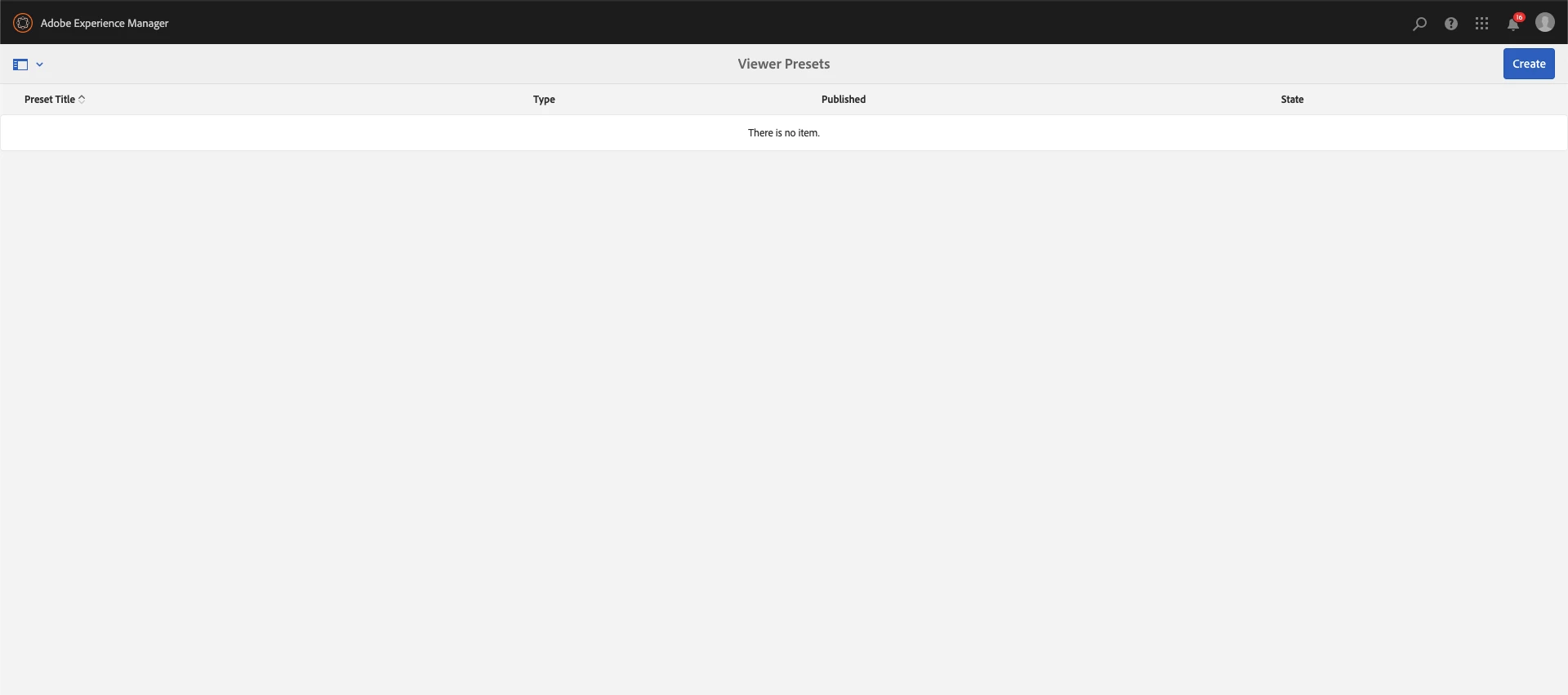
I'm trying to create or edit a Preset Viewer, but I can't do either.


To have the default list is it necessary to be connected to the Experience Cloud?


This post is no longer active and is closed to new replies. Need help? Start a new post to ask your question.
Best answer by diksha_mishra

In order to be able to utilize Scene7/Dynamic Media Viewers, you must have a DM configuration in place.

This is a separate license that integrates with AEM and provides additional dynamic viewing capabilities to your images/videos.

More info here: https://experienceleague.adobe.com/docs/experience-manager-64/assets/dynamic/managing-viewer-presets.html?lang=en#viewer-support-for-responsive-designed-web-pages


3 replies

diksha_mishra
Community Advisor
diksha_mishraCommunity AdvisorAccepted solution
Community Advisor
February 16, 2021

In order to be able to utilize Scene7/Dynamic Media Viewers, you must have a DM configuration in place.

This is a separate license that integrates with AEM and provides additional dynamic viewing capabilities to your images/videos.

More info here: https://experienceleague.adobe.com/docs/experience-manager-64/assets/dynamic/managing-viewer-presets.html?lang=en#viewer-support-for-responsive-designed-web-pages


Adobe Employee
February 16, 2021

Please try re-configuring the AEM DM instance and ensure that you have the publish set to immediately for the first time, once setup is complete, you can make changes as per your liking. After completion you should see the "/conf/global/settings/dam/dm/presets/viewer" in crx/de.


After which you can go to tools > Assets > viewers card and create a viewer of your choice.


Here is a help document for your reference: https://experienceleague.adobe.com/docs/experience-manager-64/assets/dynamic/managing-viewer-presets.html?lang=en#keyboard-accessibility-for-viewers

Adobe Employee
March 3, 2021

When you configure dynamic media cloud service, OOTB viewer presets present under /libs/settings/dam/dm/presets/viewer get copied to /conf/global/settings/dam/dm/presets/viewer after which they are seen on the viewer presets page. So, please check that you have created DM cloud configuration.


You can also trigger the copy of viewer presets manually as given in - https://experienceleague.adobe.com/docs/experience-manager-64/assets/dynamic/config-dynamic.html?lang=en#optional-migrating-dynamic-media-presets-and-configurations-from-to-zero-downtime 

kautuk_sahni
Community Manager
Community Manager
March 11, 2021
@gurpreetsingh, Thank you for post solution with AEM Community. This helps in posterity. Keep the wonderful contribution going (both as learner and contributor).
Kautuk Sahni