Updating an asset file | Community
Skip to main content
October 16, 2024
Solved

Updating an asset file

  • October 16, 2024
  • 1 reply
  • 714 views

Hello, 


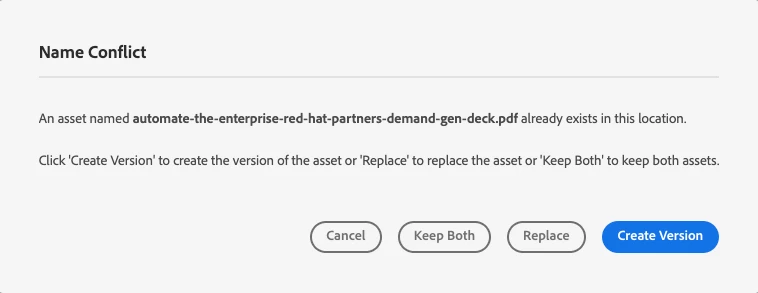
When updating an asset file, I used the same file name so that it would link to the old asset. However, I accidently selected "replace" instead of "create version". Which deleted the old asset and created a new one. Now that it is published, the old asset no longer exists at that URL (a new UUID was generated). Has this happened to anyone, is there a solution or loophole? The asset is linked in many places (websites, assets, etc.), so it is ideal that the asset keeps the original URL (UUID)


This post is no longer active and is closed to new replies. Need help? Start a new post to ask your question.
Best answer by khamat_bn

Hello @elw23 ,


if the Asset name is the same then the part of it should not change, Please confirm on that. 

That is correct if you replace then it will treat it as a new asset only, its not the loophole but its the same behavior in any of our systems even in our windows system as well.

If you already published this asset, then package it from the publish env. and install it back in the author, you might need to fix some metadata.

1 reply

khamat_bn
khamat_bnAccepted solution
Level 4
October 19, 2024

Hello @elw23 ,


if the Asset name is the same then the part of it should not change, Please confirm on that. 

That is correct if you replace then it will treat it as a new asset only, its not the loophole but its the same behavior in any of our systems even in our windows system as well.

If you already published this asset, then package it from the publish env. and install it back in the author, you might need to fix some metadata.