Setup issue of asset share commons | Community
Skip to main content
Level 6
June 29, 2022
Solved

Setup issue of asset share commons

  • June 29, 2022
  • 1 reply
  • 762 views

Hi All,

I am trying to setup the asset share commons in my local author instance(6.5.0) for this I downloaded acs-aem-commons-4.9.0 version, asset-share-commons-ui.apps-1.2.0, asset-share-commons-ui.content-1.2.0. acs commons bundle is active but  aem-commons-assetshare-core isnt active due to this dependency org.apache.sling.xss,version=[1.2,2) -- Cannot be resolved

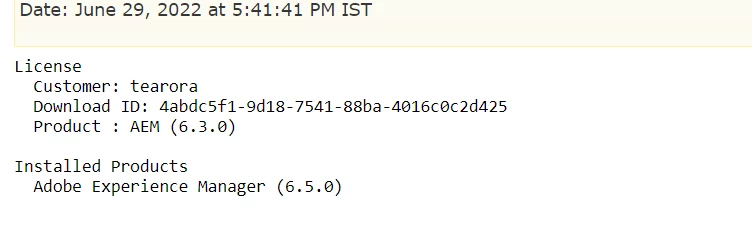
Please find the attachements of error and service pack I am having and help me to fix this.



Thanks,

Vani

This post is no longer active and is closed to new replies. Need help? Start a new post to ask your question.
Best answer by Vani1012

Hi @lukasz-m


I downloaded 1.9.4 its working fine, thank you.


Thanks,

Vani.

1 reply

lukasz-m
Community Advisor
Community Advisor
June 29, 2022

Hi @vani1012,

It looks you are using AEM 6.5.0. I think the problem is that Asset Share Commons 1.2.0 is to old to be used with AEM 6.5.0. This version of Asset Share Commons has been released in February 2018, so before AEM 6.5.0 has been released.

I was able to see the same issue on AEM 6.5.0 with Asset Share Commons 1.2.0, to fix it please use newer version.

Solutions

  1. If for any reason you would like to use 1.x version you can use 1.9.4 - this is the last 1.x version. I was able to install it without any issue on AEM 6.5.0. If want other version than 1.9.4 you have to just download it and try on your own.
  2. In case you could upgrade your AEM 6.5.0 to AEM 6.5 SP7 (6.5.7) or greater (you can find SP under Software Distribution), you will be able to install latest version which is 2.3.4 - this could require some other version of ACS Commons and/or Core Components - all information can be found here
Vani1012AuthorAccepted solution
Level 6
June 30, 2022

Hi @lukasz-m


I downloaded 1.9.4 its working fine, thank you.


Thanks,

Vani.