Limit upload size to DAM - Solution Issue | Community
Skip to main content
Level 2
August 23, 2017
Solved

Limit upload size to DAM - Solution Issue

  • August 23, 2017
  • 14 replies
  • 6726 views

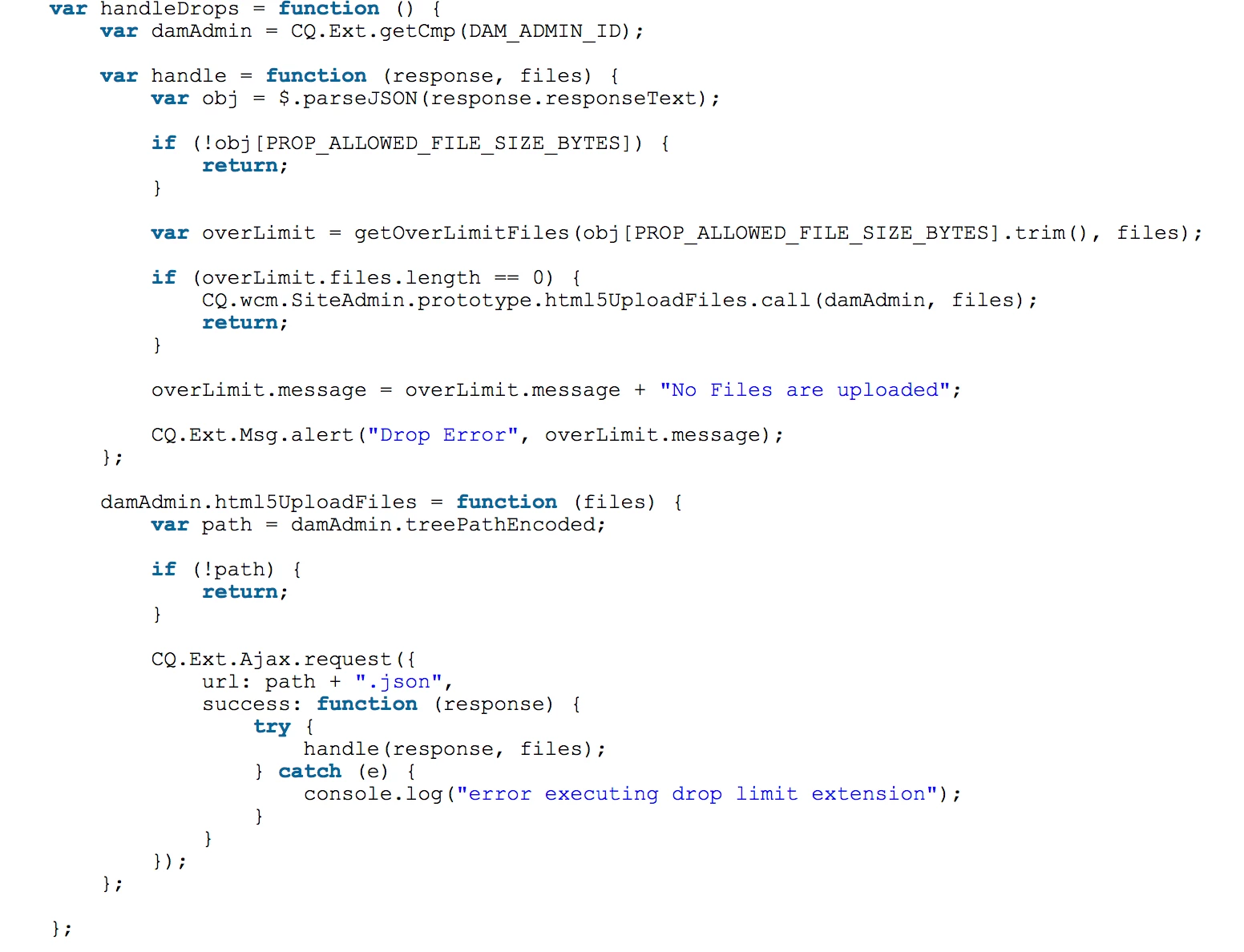
I am following the solution recommended by Experience AEM (Experiencing Adobe Experience Manager - Day CQ: AEM 6 SP1 - Classic UI Restrict Large or Small Files Upload ) to limit file upload size to the DAM in Classic UI. It works as described when authors use the new button to upload asset, however after deploying this code disables the drag-and-drop functionality in the DAM. I tested in new AEM install to make sure issue wasn't related to my code base. Does anyone know why and have any recommended solutions? Thank you.

This post is no longer active and is closed to new replies. Need help? Start a new post to ask your question.
Best answer by andres-holland

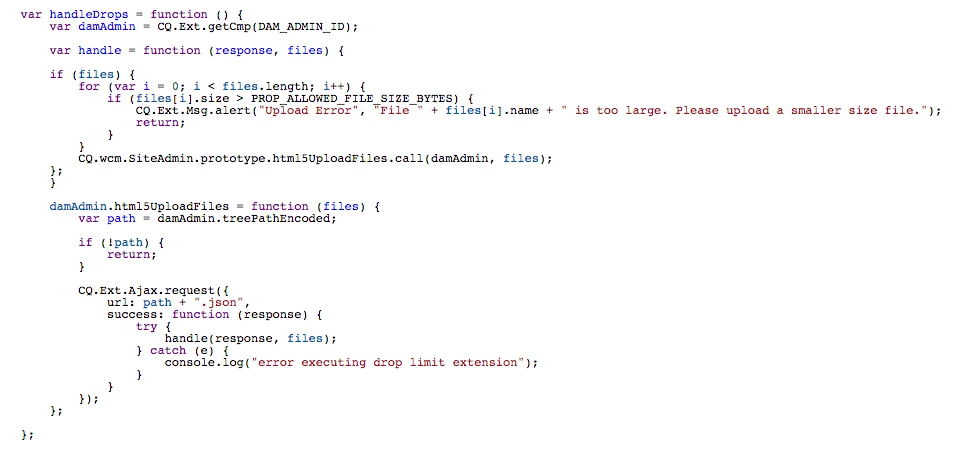
Hi everyone. I was able to find a solution which restores drag/drop functionality and continues to limit file uploads by size. Just replace the code I posted in the screenshot above with the following code. Thanks.

14 replies

smacdonald2008
Level 10
September 5, 2017

Author Post. There is something wrong if you get that behaviour.

Adobe Employee
September 6, 2017

If you are not on latest Service Pack and Cumulative Fix Pack on 6.1 we recommend one as we have done lot of improvements in this area specially in Touch - UI. You might want to review this - Adobe Experience Manager Help | Release Notes: AEM 6.1 Cumulative Fix Pack

Thanks,

Gaurav

Level 2
September 18, 2017

Hi Gaurav,

This is related to classic UI, we do not use the Touch UI yet. I've narrowed the problem down to this section of the code.

andres-hollandAuthorAccepted solution
Level 2
September 20, 2017

Hi everyone. I was able to find a solution which restores drag/drop functionality and continues to limit file uploads by size. Just replace the code I posted in the screenshot above with the following code. Thanks.