Issue using Command Line DAM Workflow | Community
Skip to main content
meb31677641
November 20, 2017

Issue using Command Line DAM Workflow

  • November 20, 2017
  • 2 replies
  • 3227 views

I like to execute a command line programm as a DAM workflow. I tried to implement the ImageMagic example from here: Best Practices for Configuring ImageMagick :

I addded a new Workflow Model,

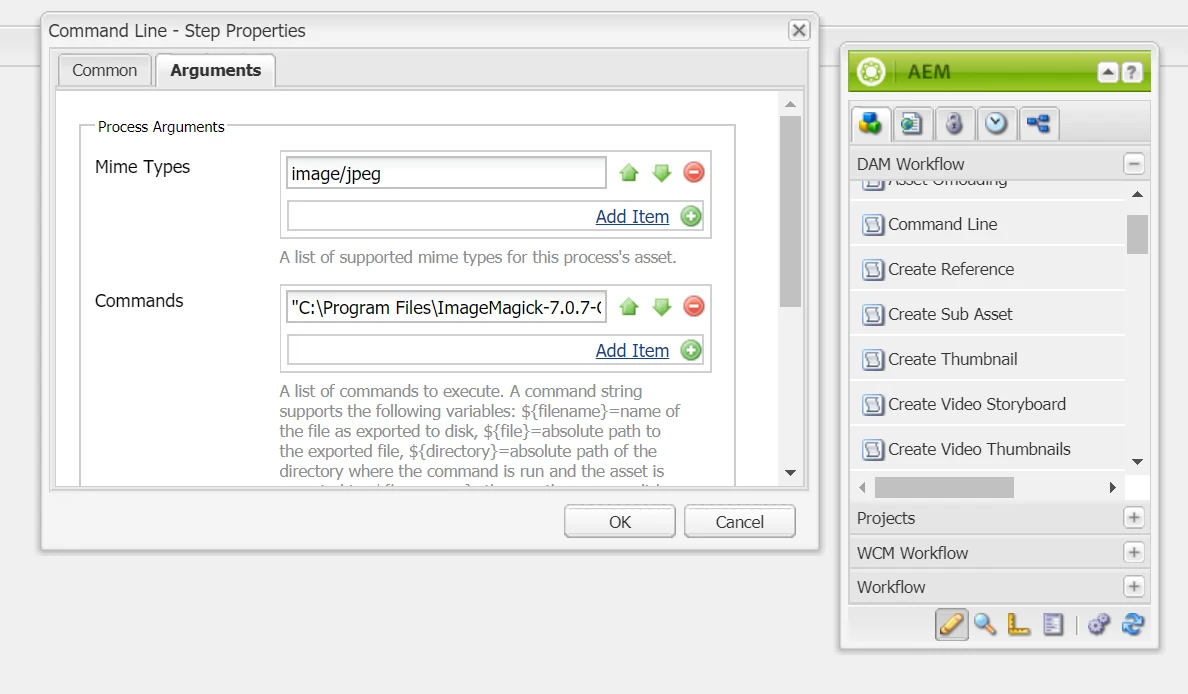
added "command line" from the "DAM Workflow" list.

In the Argument tab set Mime type to "image/jpeg" (even tried wihtout Mime type)

and in Commands: `"C:\Program Files\ImageMagick-7.0.7-Q16\magick.exe" convert ${file} -flip ${file}-flipped.jpg` (instead of `magick convet ...` because in another discussion using an absolute path instead of global name helped people Re: CommmandLineProcess : ImageMagick)

I then added a luncher. And uploaded an Image to the DAM.
In the workflow > instances overview, i see that the workflow was started, it's running and the command line job is set to active.

Unfortunantly this state is never chnaged and no new asset is generated via imageMagic.
I even tried replacing the command with something simple like "ren C:\test\foo.txt bar.txt" which renames a local file. The chnage never happend either.

My question is what am i doing wrong, and how can i debug / find the command outputs? in \crx-quickstart\logs i couldn't find any logs regarding CommandLineProcess.

Thanx
This post is no longer active and is closed to new replies. Need help? Start a new post to ask your question.

2 replies

smacdonald2008
November 20, 2017

Did you follow all the instructions here -- Best Practices for Configuring ImageMagick

meb31677641
November 21, 2017

i tried, but dind't had the same options to pick from, e.g I couldn't find the "Web enabled rendition" step. I uploaded a screen shot. (i'm using AEM 6.1 and 6.2)

smacdonald2008
November 21, 2017

So in your experience - the documentation does not line up with AEM version you are using?

November 24, 2017

Hi meb31677641 ,

I tried replicating steps on AEM 6.2, and could find "Web Enabled Image" tab in the "command line workflow step".

There's no workflow step with this name, only a tab within command line workflow step.

Can you please elaborate more on your AEM setup (Any SP and cfp installed on the vanilla instance)? Also, share the "command line" command you are using to generate rendition.

smacdonald2008
December 8, 2017

Just heard back from the team - they replied:

The docs have been verified and the steps simplified independent of the customer issue. Here are the publish links:

https://helpx.adobe.com/experience-manager/6-2/assets/using/best-practices-for-imagemagick.html

https://helpx.adobe.com/experience-manager/6-3/assets/using/best-practices-for-imagemagick.html
