Issue using Command Line DAM Workflow
I like to execute a command line programm as a DAM workflow. I tried to implement the ImageMagic example from here: Best Practices for Configuring ImageMagick :
I addded a new Workflow Model,
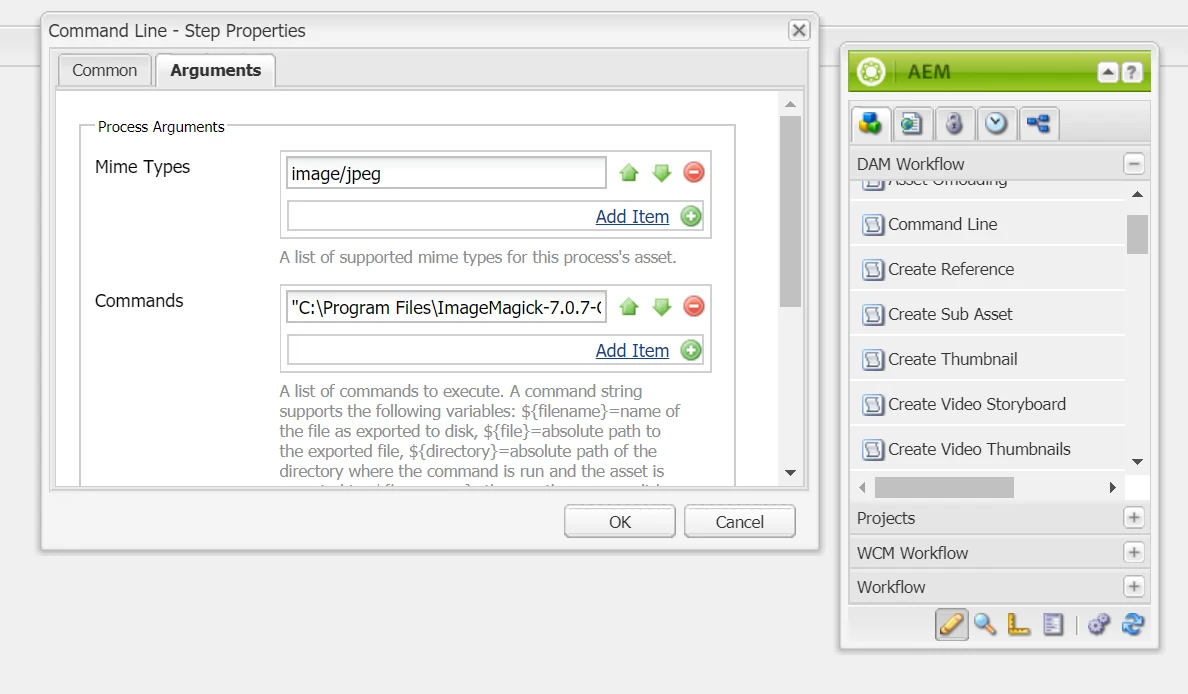
added "command line" from the "DAM Workflow" list.
In the Argument tab set Mime type to "image/jpeg" (even tried wihtout Mime type)
and in Commands: `"C:\Program Files\ImageMagick-7.0.7-Q16\magick.exe" convert ${file} -flip ${file}-flipped.jpg` (instead of `magick convet ...` because in another discussion using an absolute path instead of global name helped people Re: CommmandLineProcess : ImageMagick)
I then added a luncher. And uploaded an Image to the DAM.
In the workflow > instances overview, i see that the workflow was started, it's running and the command line job is set to active.
Unfortunantly this state is never chnaged and no new asset is generated via imageMagic.
I even tried replacing the command with something simple like "ren C:\test\foo.txt bar.txt" which renames a local file. The chnage never happend either.
My question is what am i doing wrong, and how can i debug / find the command outputs? in \crx-quickstart\logs i couldn't find any logs regarding CommandLineProcess.
Thanx