how to get user menu when click on menu icon on header component | Community
Skip to main content
Level 6
July 6, 2022
Solved

how to get user menu when click on menu icon on header component

  • July 6, 2022
  • 1 reply
  • 613 views

Hi,

In asset share commons package the user menu, some property filters are appearing when we click on menu icon of header component. I created a search template in my project and in structure policy I added asset share commons-structure components to root layout container then I added header component at template level and I unlocked the component.I checked in page whe I click on menu I am getting blank.


I found in some of the articles the usermenu component is giving that hello administrator part in addition to that there are some property filters, date range filters components also there. I didnt understand where they added user menu component, and some filter components. Can anyone help me on this.
 

This post is no longer active and is closed to new replies. Need help? Start a new post to ask your question.
Best answer by lukasz-m

Hi @vani1012,

Below I've explained in details Looking into original Search Template shipped with Asset Share Commons, you can observer that:

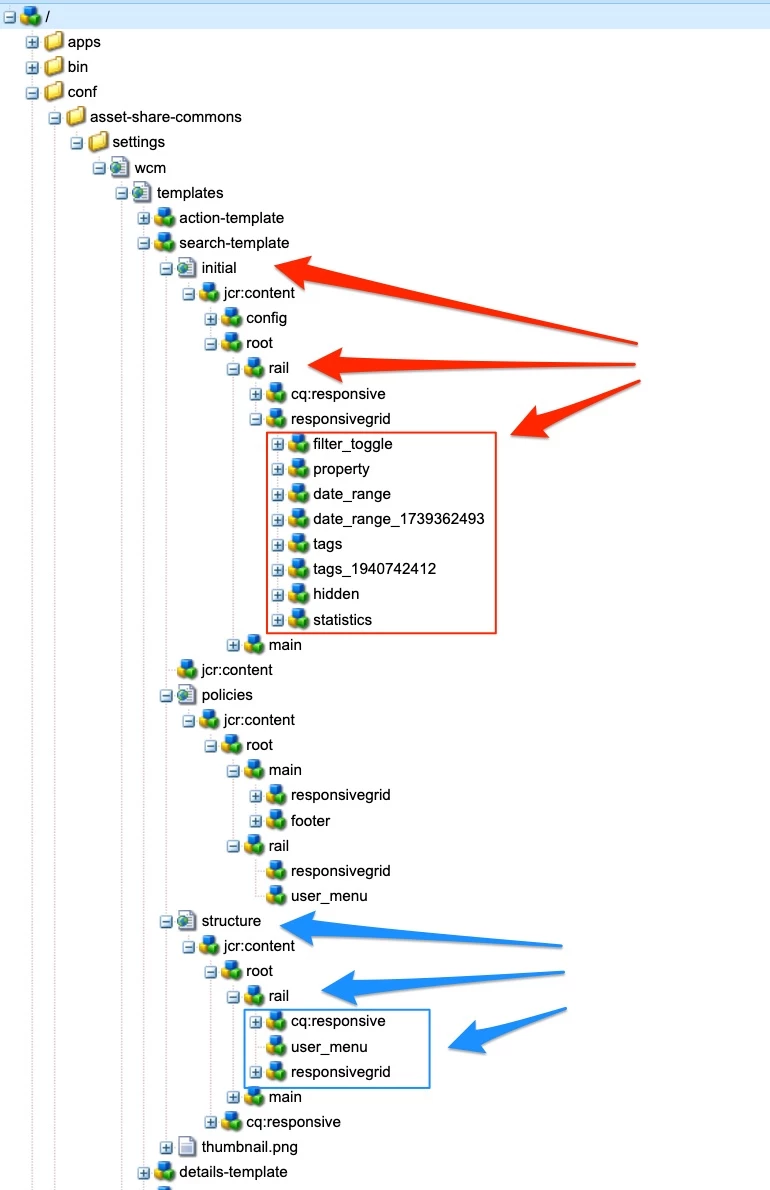
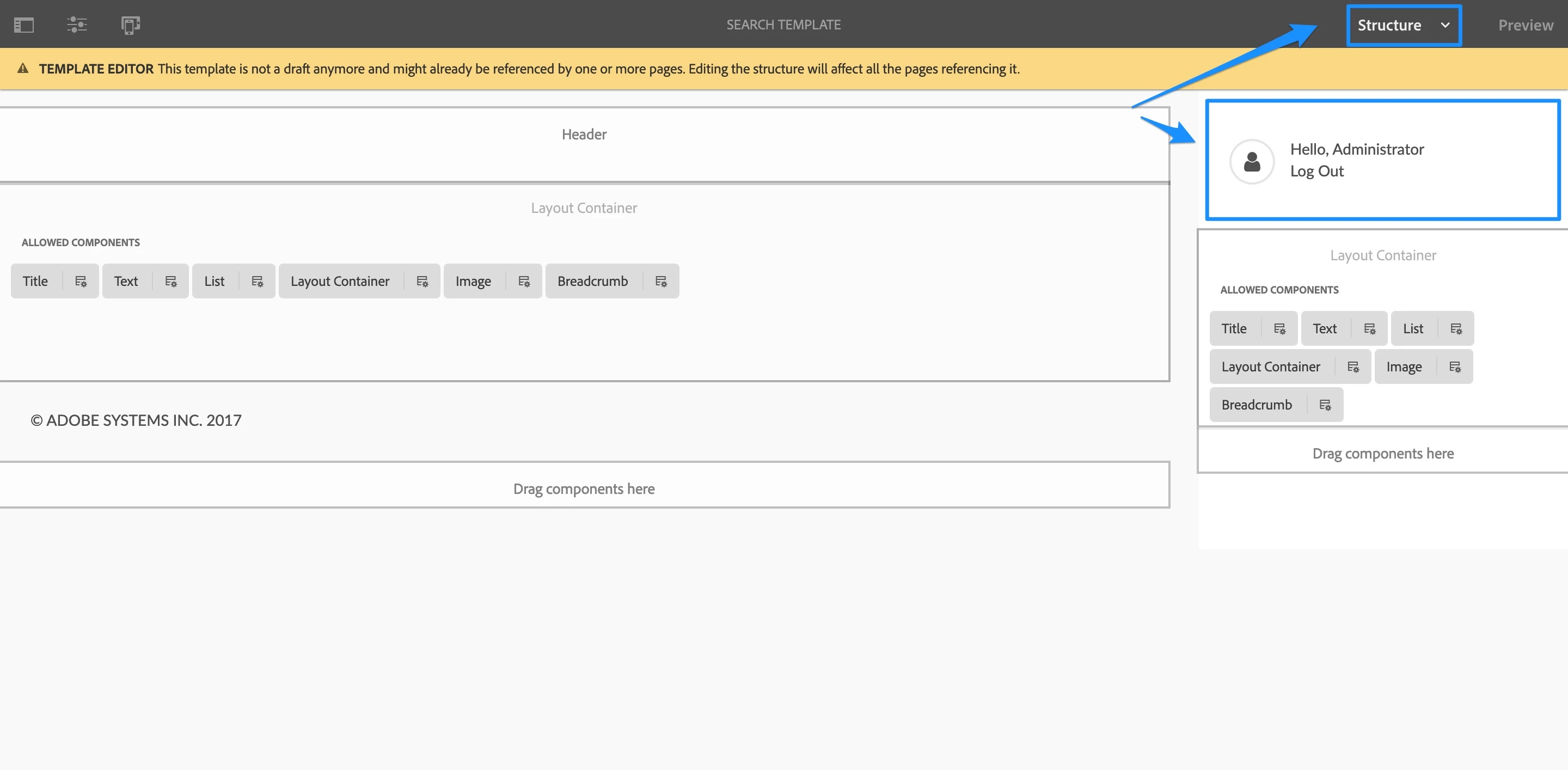
  • user menu component is added under Structure section of Search Template
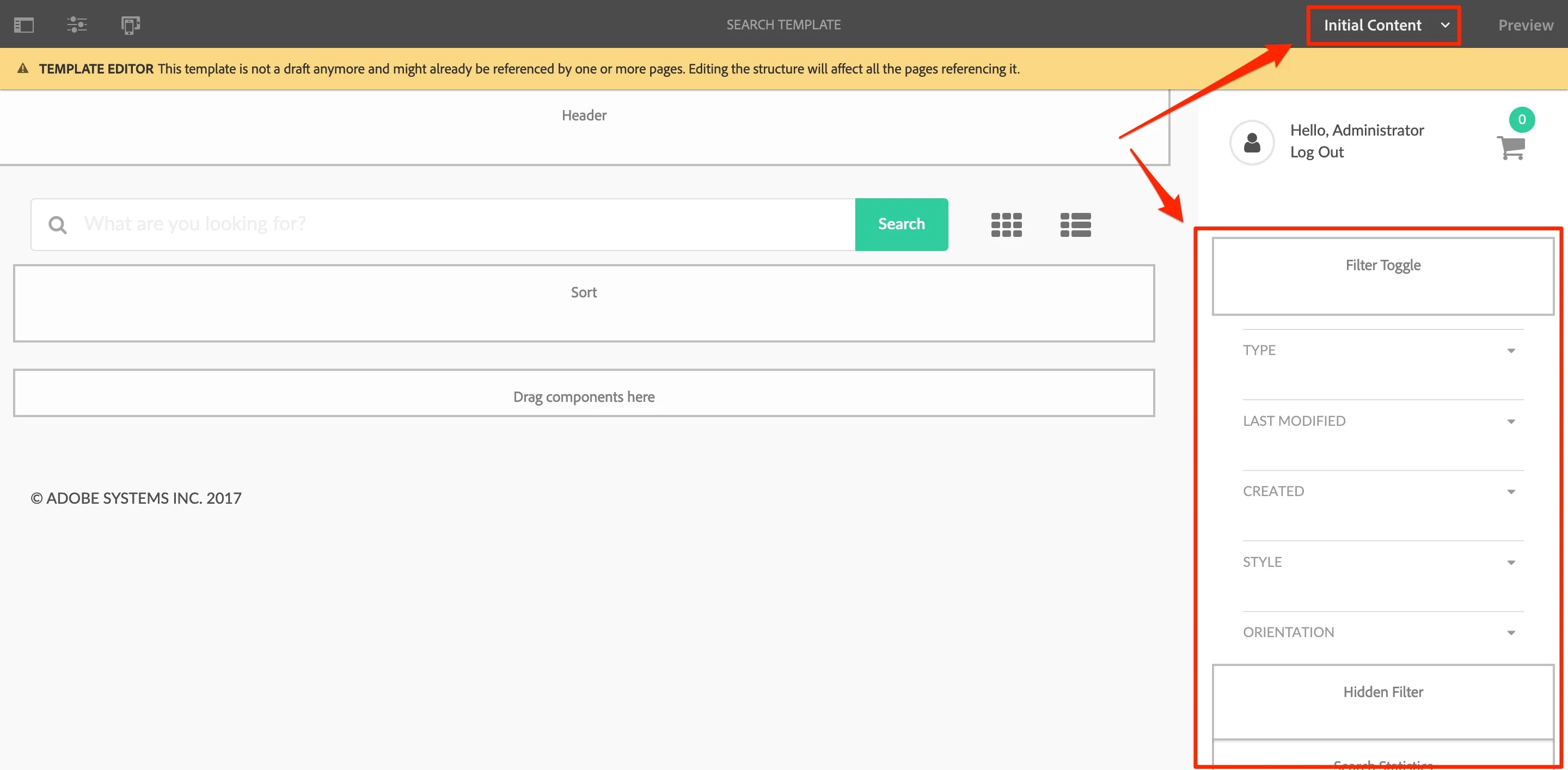
  • filter components are added and configured as Initial Content of Search Template
  • both user menu and filters are added into right hand side layout container - please be aware that this container is not visible on screens with lower resolution - sometimes to make it visible, it is needed to hide AEM side panel to  (that contains list of components, assets, content tree option etc)

This is how above looks for original template:

  • CRX level:
  • Template editor - Structure view
  • Template editor - Initial Content view

In other words you have add user menu and filters components in proper place -described above - to get the same result like the one you can observe on page created using template provided by Asset Share Commons.

If you are doing your own version of templates, I would suggest to always refer to original ones.

Some references to documentation:

1 reply

lukasz-m
Community Advisor
lukasz-mCommunity AdvisorAccepted solution
Community Advisor
July 9, 2022

Hi @vani1012,

Below I've explained in details Looking into original Search Template shipped with Asset Share Commons, you can observer that:

  • user menu component is added under Structure section of Search Template
  • filter components are added and configured as Initial Content of Search Template
  • both user menu and filters are added into right hand side layout container - please be aware that this container is not visible on screens with lower resolution - sometimes to make it visible, it is needed to hide AEM side panel to  (that contains list of components, assets, content tree option etc)

This is how above looks for original template:

  • CRX level:
  • Template editor - Structure view
  • Template editor - Initial Content view

In other words you have add user menu and filters components in proper place -described above - to get the same result like the one you can observe on page created using template provided by Asset Share Commons.

If you are doing your own version of templates, I would suggest to always refer to original ones.

Some references to documentation: