create a new version on project | Community
Skip to main content
June 19, 2021
Solved

create a new version on project

  • June 19, 2021
  • 1 reply
  • 1458 views

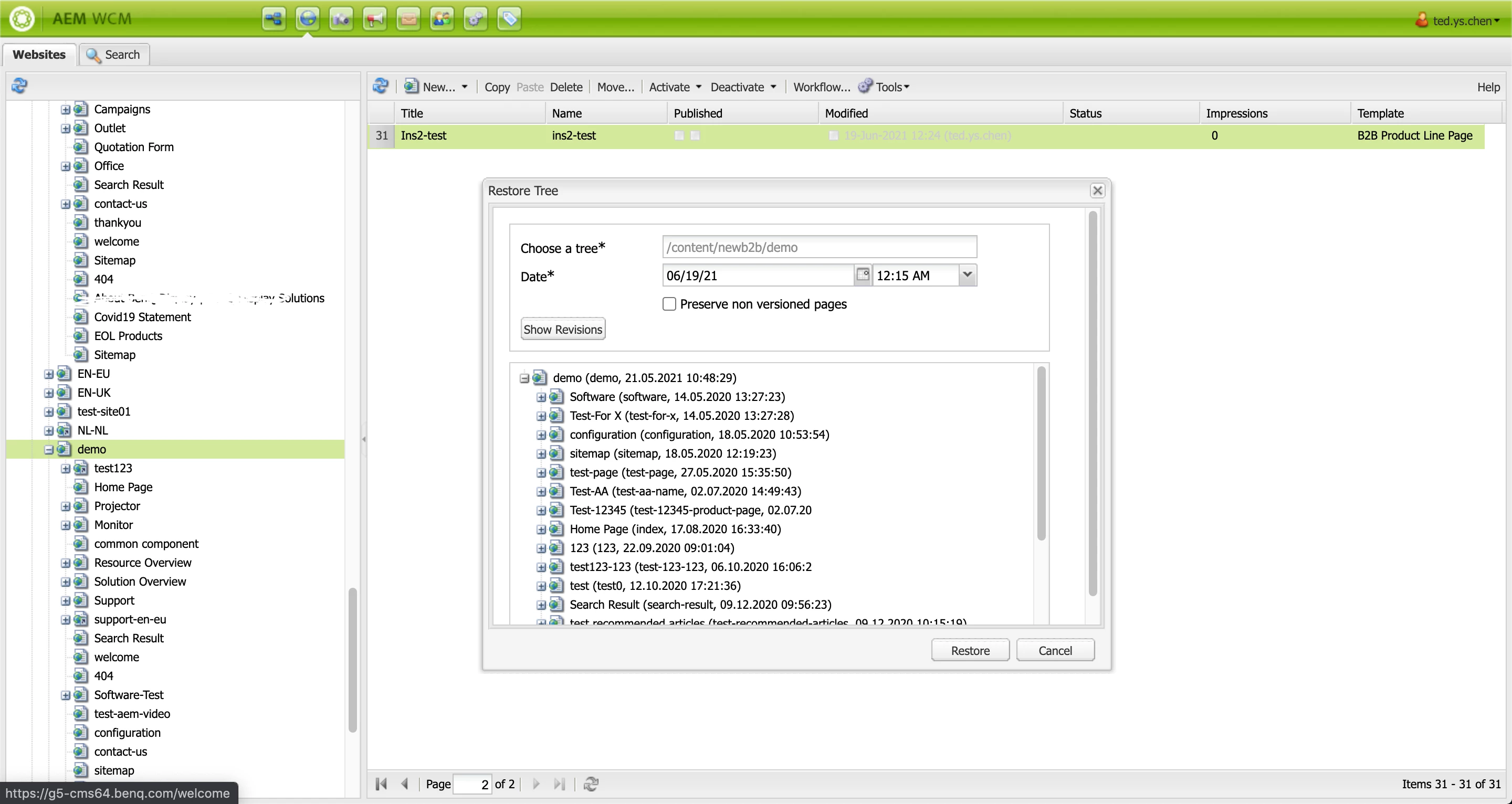
Due to some internal change of the backstage settings, it back to older version. we find out that seems like restore function on picture 2.
But we didn't know how to create a new version.  @_@@


picture 1


picture 2
This post is no longer active and is closed to new replies. Need help? Start a new post to ask your question.
Best answer by Dipti_Chauhan

Hi @ted09261993 

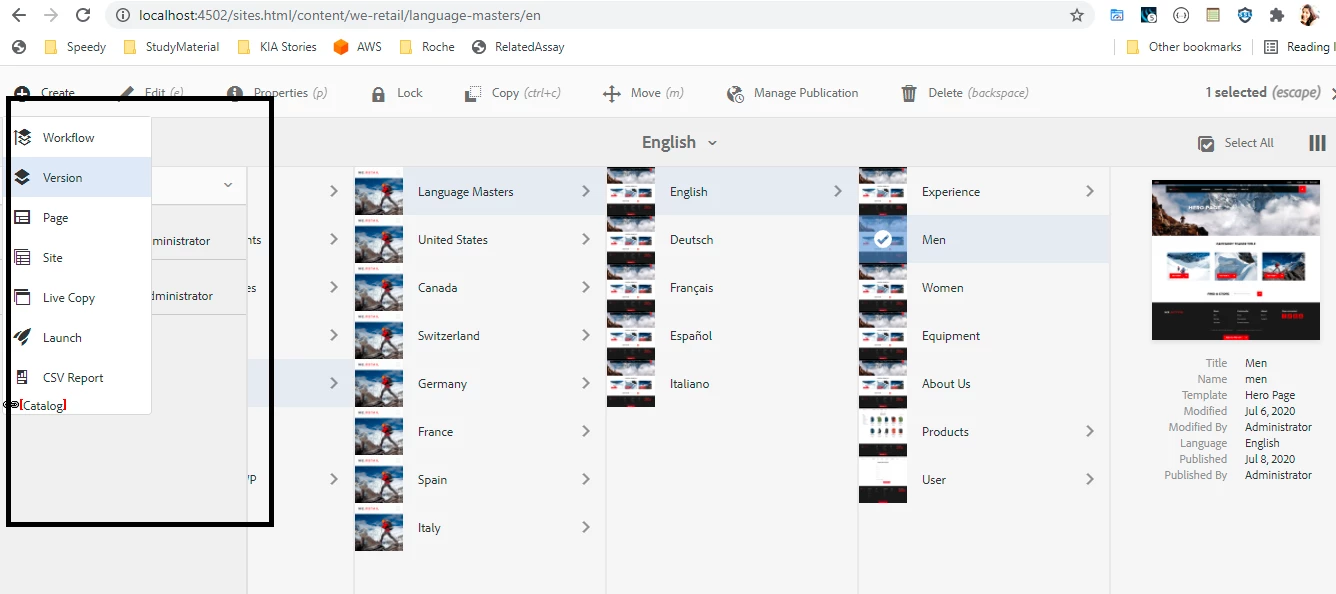
 If you are using touch UI then on left you will find create version option. Please see below attached image


if you are using classic UI , then go to the page directly and on sidekick you will find create version option


Thanks

Dipti Chauhan

1 reply

Dipti_Chauhan
Community Advisor
Dipti_ChauhanCommunity AdvisorAccepted solution
Community Advisor
June 30, 2021

Hi @ted09261993 

 If you are using touch UI then on left you will find create version option. Please see below attached image


if you are using classic UI , then go to the page directly and on sidekick you will find create version option


Thanks

Dipti Chauhan