Asset not visible for selection while adding images in image set. | Community
Skip to main content
Community Advisor
December 15, 2021
Solved

Asset not visible for selection while adding images in image set.

  • December 15, 2021
  • 2 replies
  • 1559 views

Hello community,

I uploaded asset in DAM. Asset is processed successfully. Now when I try to create an image set and try to add the uploaded image in image set from image set editor, I don't see that asset in the list.

What could be the reason for this?

Thanks in advance...!!!

This post is no longer active and is closed to new replies. Need help? Start a new post to ask your question.
Best answer by vikram1285

Hi Swapnil,

Thank you for your response

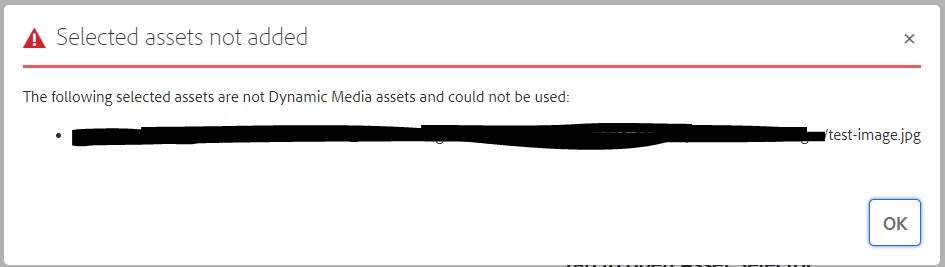
That message generally appears, when asset is not synced with Dynamic Media.

Are those newly uploaded assets or recently updated?

Have you tried running "DAM Update Asset" workflow on one of those images?

Regards,

Vikram Gaur

2 replies

diksha_mishra
Community Advisor
Community Advisor
December 16, 2021

@salamswapnil please check if the asset update workflow has finished processing from Tools> Workflow> Instances.

Since a day has passed, can you please try creating the imageset again and post the results here? 

If the issue still occurs, it might be due a possible Scene7/Dynamic Media integration issue.

Community Advisor
December 17, 2021

Hi @diksha_mishra 

Thanks for the reply..!!

Yes DAM Update Asset workflow has finished processing successfully and it still isn't showing asset in the list.

I noticed one thing, that old assets which were uploaded in past and showing in list for creating image set has "dam:s7damType" property on their jcr:content node with value as "Image"

I added this property on my newly uploaded asset and it started showing in the list for creating image set but when I am selecting it, it is throwing below error.

Adobe Employee
December 17, 2021

Hi,

Welcome to AEM Community !!

What is the exact version of your AEM Author instance?

Do you have Dynamic Media configuration on your AEM Author?
if yes, what run mode is used (dynamicmedia or dynamicmedia_scene7)

Thanks,

Vikram Gaur

Community Advisor
December 17, 2021

Thanks @vikram1285 for reply...!!

We have AEM version 6.5.10. 

Yes, we have Dynamic Media Configuration on author and the run mode set is dynamicmedia_scene7.

vikram1285Adobe EmployeeAccepted solution
Adobe Employee
December 21, 2021

Hi Swapnil,

Thank you for your response

That message generally appears, when asset is not synced with Dynamic Media.

Are those newly uploaded assets or recently updated?

Have you tried running "DAM Update Asset" workflow on one of those images?

Regards,

Vikram Gaur