AEM Full Text Search | Community
Skip to main content
Level 2
September 3, 2024

AEM Full Text Search

  • September 3, 2024
  • 5 replies
  • 1394 views

Hi,

We have a requirement to do full text search while we search from the AEM Assets Search Console

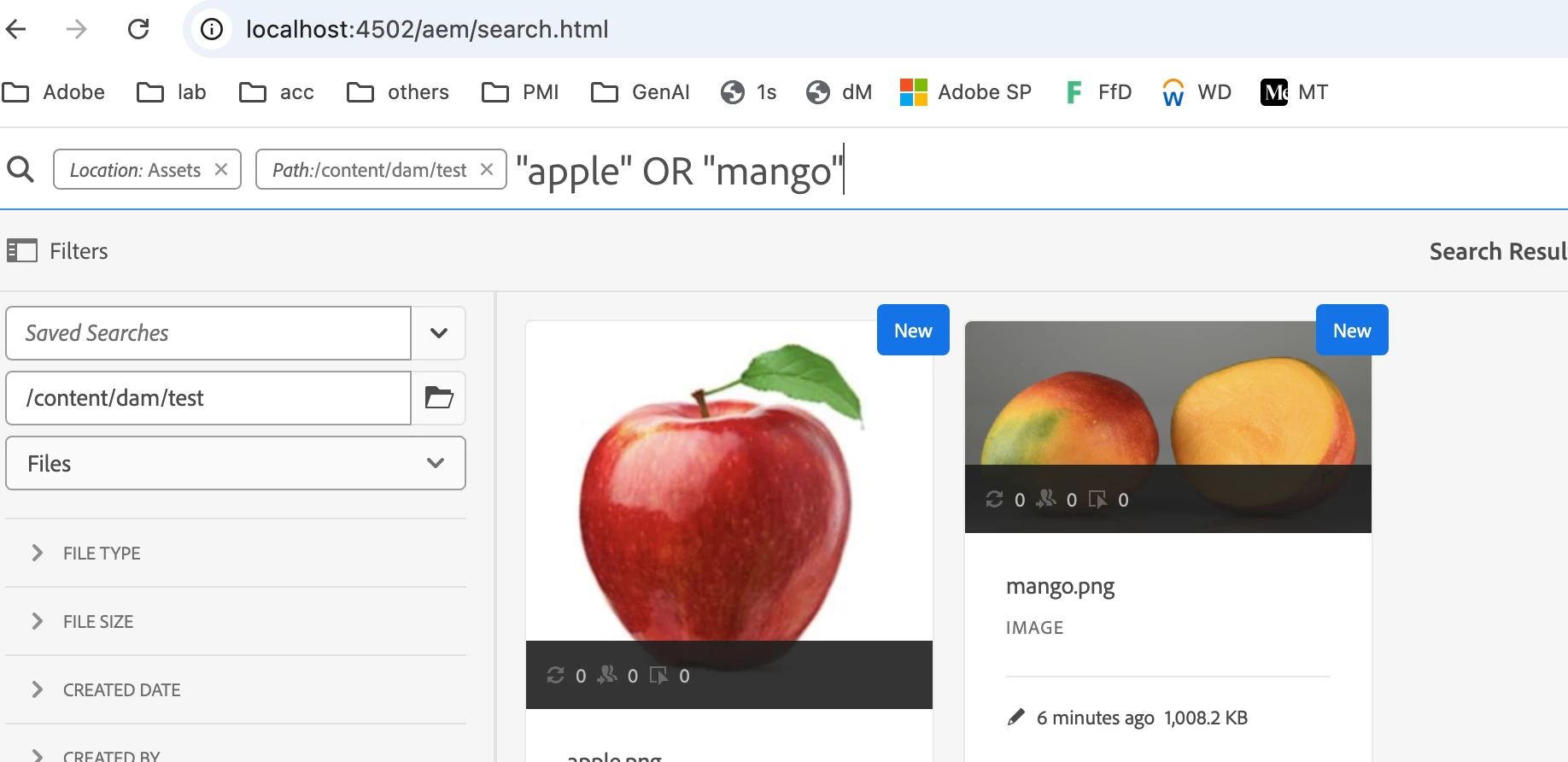
Example: Suppose I search with key word "apple" it would result me 10 assets, ifI search with key word "mango" it would result me 10 assets.

If i search with "apple mango" it is resulting 0 assets but it should result 20 assets.

How to perform this using OOTB features


Regards,

Devi



@arunpatidar @estebanbustamante 

This post is no longer active and is closed to new replies. Need help? Start a new post to ask your question.

5 replies

arunpatidar
Community Advisor
Community Advisor
September 3, 2024
diksha_mishra
Community Advisor
Community Advisor
September 4, 2024

@devis1 please follow the OR operation as Arun mentioned. Additionally, you can modify the following config:

  • Go to Tools > Operations > Configuration Browser in AEM.
  • Look for the configuration related to com.day.cq.search.eval.FulltextPredicateEvaluator.
  • Adjust the fulltext.relaxed property to true.

This makes the search less strict by allowing partial matches or combining multiple terms with an "OR" condition rather than an "AND".


DeviS1Author
Level 2
September 4, 2024

Hi @diksha_mishra ,


Thanks for the response.

Could you let us know the steps to follow for AEMaaCS to configure fulltext.relaxed property to true.


Regards,

Devi


Adobe Employee
September 4, 2024

If more than one keyword is used, AND is the default operator between the keywords, thus, it considers a search for ‘apple mango’ to be ‘apple AND mango’. For results having both terms use apple OR mango

https://experienceleague.adobe.com/en/docs/experience-manager-cloud-service/content/assets/best-practices/search-best-practices


The search results that match all search terms in metadata fields are displayed first, followed by the search results that match any of the search terms in the smart tags. The approximate order of display of search results is:

  1. Matches of apple mango the various metadata fields.
  2. Matches of apple mango in smart tags.
  3. Matches of apple or of mango in smart tags.  This search only includes Assets which contain the specified terms together. The search criteria look like - "apple mango"
kautuk_sahni
Community Manager
Community Manager
September 4, 2024

@devis1 Did you find the suggestions helpful? Please let us know if you require more information. Otherwise, please mark the answer as correct for posterity. If you've discovered a solution yourself, we would appreciate it if you could share it with the community. Thank you!

Kautuk Sahni
DeviS1Author
Level 2
September 9, 2024

Hi,


Apart from using OR, AND operators or wild cards how to achieve this particulaty with search facets using OOTB functionality.


@arunpatidar @diksha_mishra @digarg17 
Can you help in this.


Regards,

Devi