AEM Asset Smart Crop Ratio List | Community
Skip to main content
Sady_Rifat
Community Advisor
Community Advisor
September 8, 2025
Solved

AEM Asset Smart Crop Ratio List

  • September 8, 2025
  • 5 replies
  • 810 views

I am working on AEM Assets(AEMaaCS) with AEM Sites(AMS), where I have connected AEM Assets to AEM Sites via the Dynamic Media Open API.

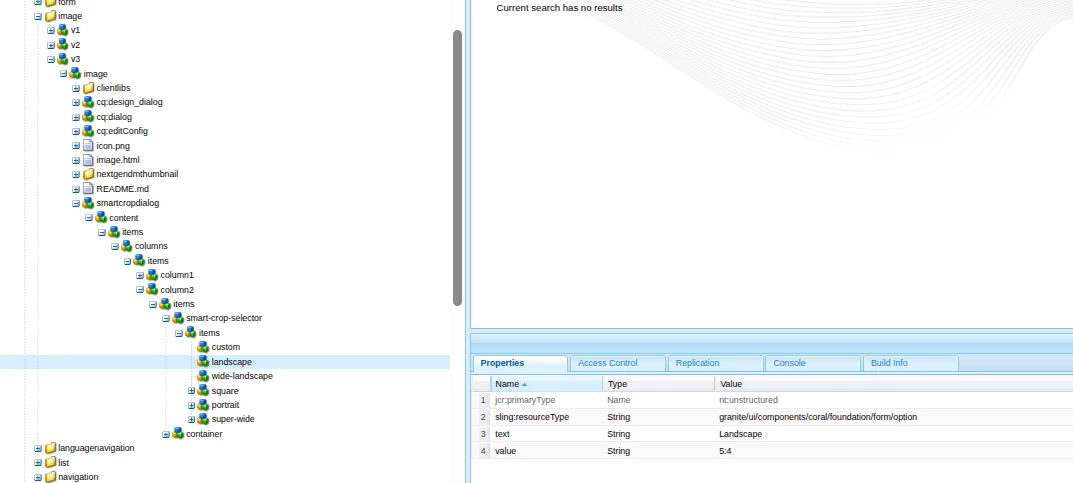
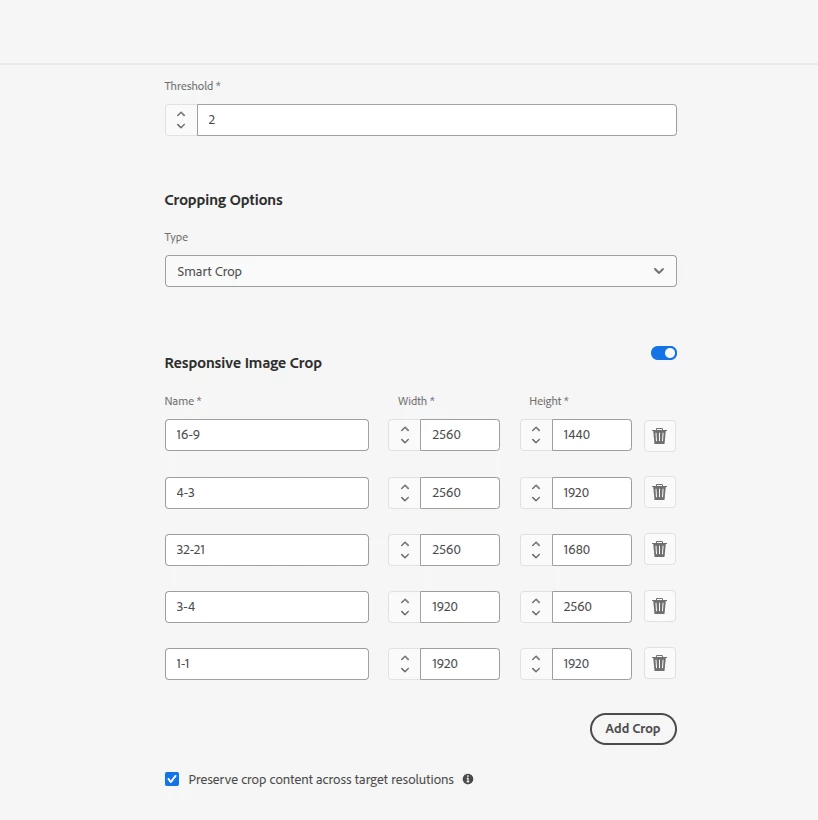
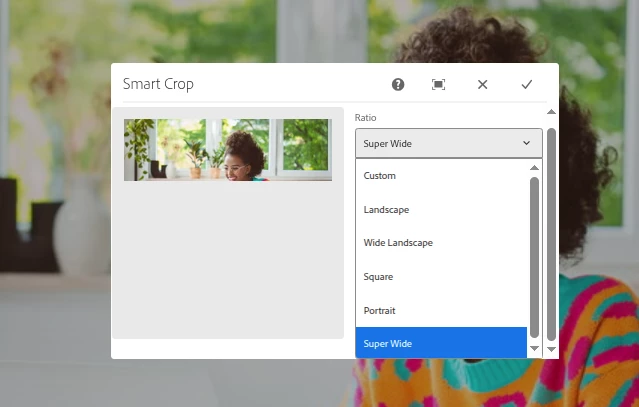
I added the Image V3 component to a page, and in the Smart Cropping section, I see a list of ratios. The issue is that this list is coming from the Image V3 component and is hardcoded. However, I want this list to be generated dynamically from AEM Assets.

How can I achieve this?


Best answer by vikasbharti

To make the Smart Cropping ratio list dynamic in your Image v3 component, fetch the smart crop profiles directly from AEM assets dynamic media rather than relying on the hardcoded list. Try querying the asset’s metadata, using either the AEM assets metadata API, the DAM JCR metadata (/content/dam/<asset>/jcr:content/metadata.1.json), or DMwoAPI endpoints. Update your dialog to populate options from these profiles, so authors always see the current smart crops defined in Assets.

5 replies

Level 4
September 24, 2025

Hi @sady_rifat ,

I tried to check it, indeed it is hard coded in the dialog. I would suggest to raise this with Adobe in a support ticket.


Thanks!

vikasbhartiAdobe EmployeeAccepted solution
Adobe Employee
September 25, 2025

To make the Smart Cropping ratio list dynamic in your Image v3 component, fetch the smart crop profiles directly from AEM assets dynamic media rather than relying on the hardcoded list. Try querying the asset’s metadata, using either the AEM assets metadata API, the DAM JCR metadata (/content/dam/<asset>/jcr:content/metadata.1.json), or DMwoAPI endpoints. Update your dialog to populate options from these profiles, so authors always see the current smart crops defined in Assets.

Level 4
January 21, 2026

@Sady_Rifat ,


Is this solved for you? Wondering what direction you took.


Thanks!

Vishal_Anand
Level 5
February 4, 2026

@Sady_Rifat  You’ll need to populate the Image v3 Smart cropping options from Assets by storing the ratio definitions in DAM and exposing them via a dynamic datasource (servlet or content endpoint). Then point the Image v3 dialog (or a wrapped/custom Image component) to that datasource so the list is generated at authoring time.
 

Steps to follow:

  • Create ratio config in DAM
    Store a JSON or content node under /content/dam (for example image-ratios.json or a folder with metadata) that lists ratios (id, label, width:height).

  • Expose a read-only endpoint
    Implement a Sling Servlet or Content API endpoint (e.g., /bin/myproject/image-ratios) that reads the DAM asset, parses JSON/metadata and returns a lightweight options payload suitable for a Coral UI datasource. On AEMaaCS, map the servlet to a service user (Sling Service User Mapper) and scope it read-only.

  • Wire the Image dialog to the datasource
    Extend the Image v3 dialog (don’t modify core—extend or wrap the core component). Replace the hardcoded select with a datasource that calls your endpoint so the dropdown is populated dynamically in the editor.

  • Sling model / rendering (optional)
    If you need those ratios on publish runtime (for client-side UI or analytics), expose the same data via the component’s model or an exporter.

  • Operational concerns
    Cache responses (CDN / HTTP cache headers) and invalidate appropriately when DAM config changes. Ensure ACLs and CORS are safe. Prefer content stored in DAM so authors can edit ratios without dev changes.

Hope this helps. 
 

@kautuk_sahni 

kautuk_sahni
Community Manager
Community Manager
February 17, 2026

@Sady_Rifat Following up to see if this has been resolved. If you’ve found the answer, whether through the suggestions here or through your own troubleshooting, feel free to post the solution so others can benefit. If any reply helped along the way, marking it as accepted ensures the most useful information is easy to find. Thanks for helping close the loop!

Kautuk Sahni