View N linked schemas in List Configuration. | Community
Skip to main content
chan2111
Level 4
November 6, 2019
Solved

View N linked schemas in List Configuration.

  • November 6, 2019
  • 5 replies
  • 3791 views

1.How to view the linked schemas in List Configuration, is there any separate configuration needed to be done while creating the schemas?

This post is no longer active and is closed to new replies. Need help? Start a new post to ask your question.
Best answer by SatheeskannaK

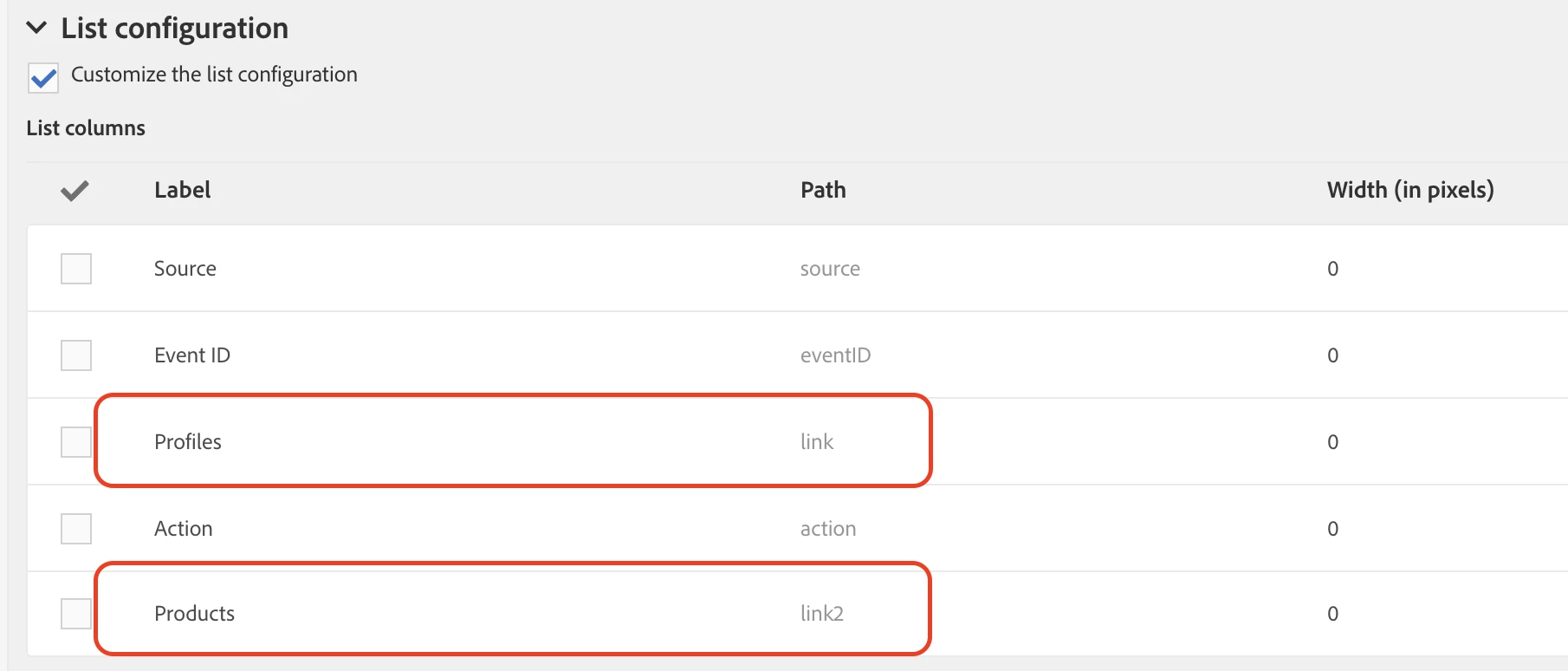
At any time you can make changes to List configuration, screen configuration etc. and publish it. Incase, if you are adding new field after initial setup make sure to add them under list/screen configuration if required. This is how it will look like if you're looking to show custom resource linked with profile & products.
Thanks!

5 replies

SatheeskannaK
Community Advisor
Community Advisor
November 7, 2019

Hi,

When you create list configuration under screen definition of the custom resource you will have to choose profile link. This will help to show the data linked to profiles based on link and cardinality defined.

Let me know if this helps.

Thanks!

Thanks, Sathees
chan2111
chan2111Author
Level 4
November 7, 2019

I have done this before and did not see it in the list configuration.Do we need to publish the DB again? I do not see any modifications when published.

SatheeskannaK
Community Advisor
Community Advisor
November 7, 2019

Yes, you will have to publish again even if it's a screen configuration, list configuration etc. And you won't be seeing this changes on any preview publication but still have to publish.

Thanks

Thanks, Sathees
chan2111
chan2111Author
Level 4
November 8, 2019

Thank you, but dint help not sure why. I am able to see the linked schema in delivery activity while choosing personalization fields but in List configuration I am not seeing it. Is this a one time activity which need to be created once when the schema is created? As I have added the screen definition after initial publish probably in the 5th or 6th time when I published.

SatheeskannaK
Community Advisor
SatheeskannaKCommunity AdvisorAccepted solution
Community Advisor
November 8, 2019

At any time you can make changes to List configuration, screen configuration etc. and publish it. Incase, if you are adding new field after initial setup make sure to add them under list/screen configuration if required. This is how it will look like if you're looking to show custom resource linked with profile & products.

Thanks!

Thanks, Sathees