Using a variable to dynamically change the Delivery Template reference in "New, created from a template" | Community
Skip to main content
solva87
Level 2
January 31, 2019
Solved

Using a variable to dynamically change the Delivery Template reference in "New, created from a template"

  • January 31, 2019
  • 2 replies
  • 4301 views

Hi there,

Would really appreciate if someone who knows could let me know if its possible and how to change the reference of the Delivery Template that is used in the "New, created from a template" option of a delivery Activity by using the script tab.
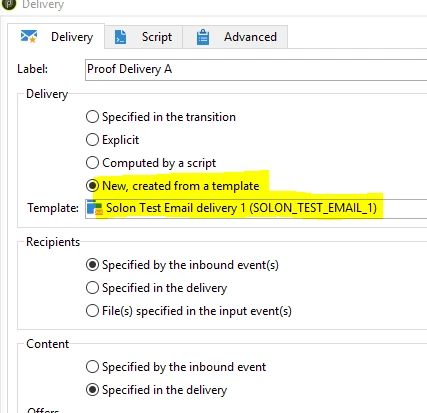
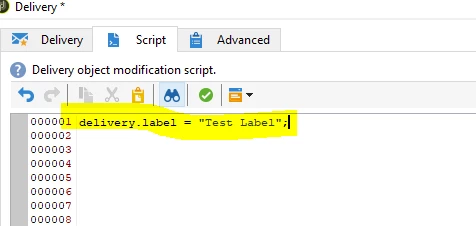
Is it possible to override this field in the script tab, similar to how you can, for example, override the delivery label?

Example:
Thank you for your consideration,

Sol

This post is no longer active and is closed to new replies. Need help? Start a new post to ask your question.
Best answer by vraghav

Hi Sol,

You can achieve that by dynamically modifying the Initialization Script of the delivery activity.

As you can see here I've provided the primary ID of the delivery template I wish to employ.

You can define a JS activity in the workflow where you can perform queryDef to get the delivery template primary key based on say Internal name/label.

Regards,
Vipul

2 replies

vraghav
Adobe Employee
vraghavAdobe EmployeeAccepted solution
Adobe Employee
February 1, 2019

Hi Sol,

You can achieve that by dynamically modifying the Initialization Script of the delivery activity.

As you can see here I've provided the primary ID of the delivery template I wish to employ.

You can define a JS activity in the workflow where you can perform queryDef to get the delivery template primary key based on say Internal name/label.

Regards,
Vipul

solva87
solva87Author
Level 2
February 5, 2019

Hi Vipul,

Worked perfectly, thank you for your assistance.

Solon