Use of variable in continuous delivery, how to do ? | Community
Skip to main content
Level 2
June 12, 2017
Solved

Use of variable in continuous delivery, how to do ?

  • June 12, 2017
  • 20 replies
  • 17831 views

Hi all,

I'm using continuous delivery, and I would like to personalize data in the message with variables. My data are not linked to the recipient dimension. I tried to use variable defined in the delivery (delivery properties, variables tab) but I'm not able to assign a value to my delivery variable in my workflow. I don't find the syntax to use in the initialization script of my continuous delivery.

Could someone help me with this ?

Best regards,

Celine

This post is no longer active and is closed to new replies. Need help? Start a new post to ask your question.
Best answer by Marcel_Szimonisz

Hello,

The error is okey

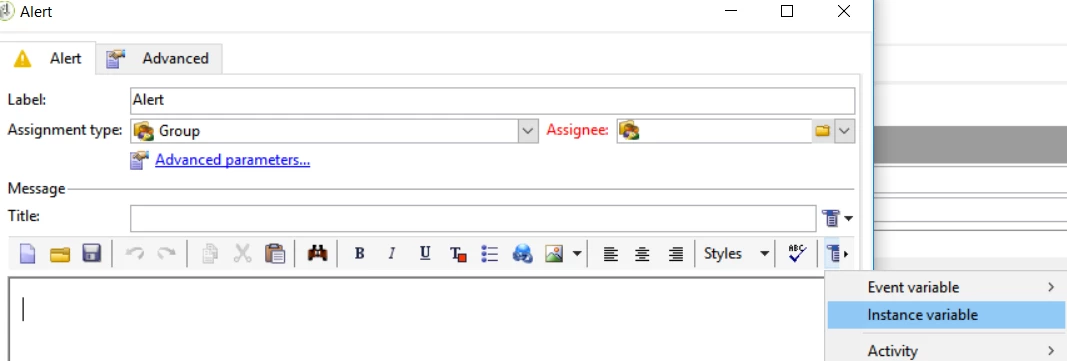
but make sure you are using the right instance variable and actually it is better to use alert activity instead of delivery.

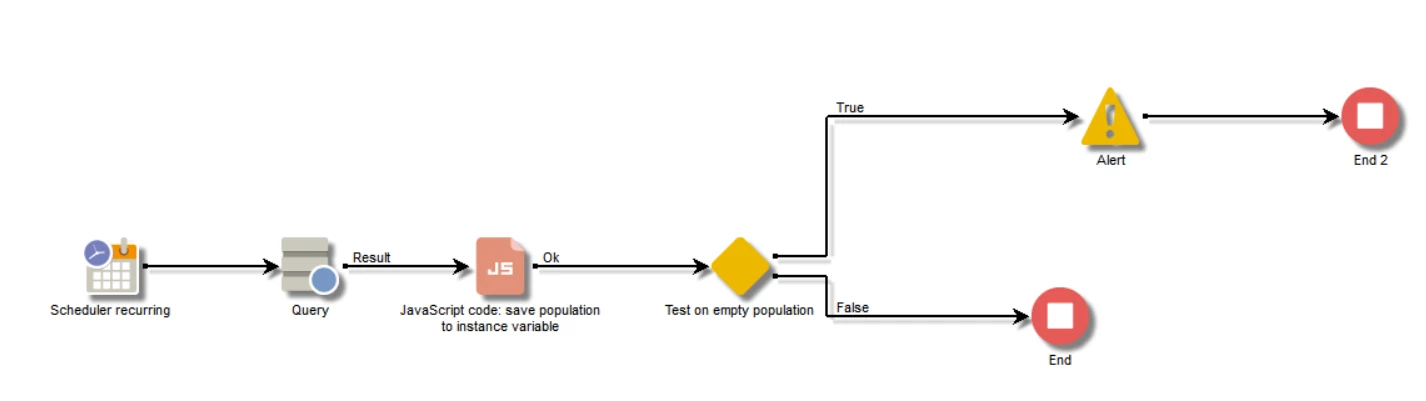
The workflow can look like the one below:

where:

- query population you want report on

- java script activity where you save population from query to the instance variable

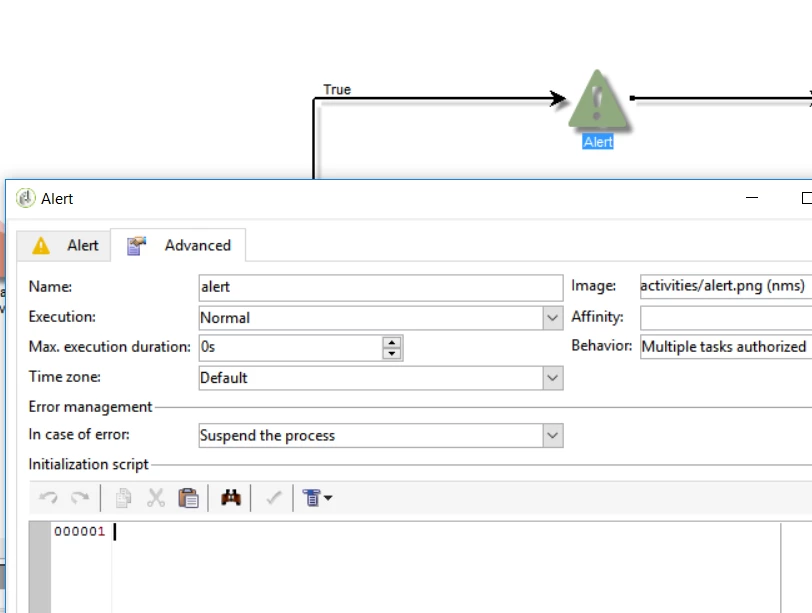
  • also you can write this code into the initialization script of the alert activity instead of having JS activity in the workflow

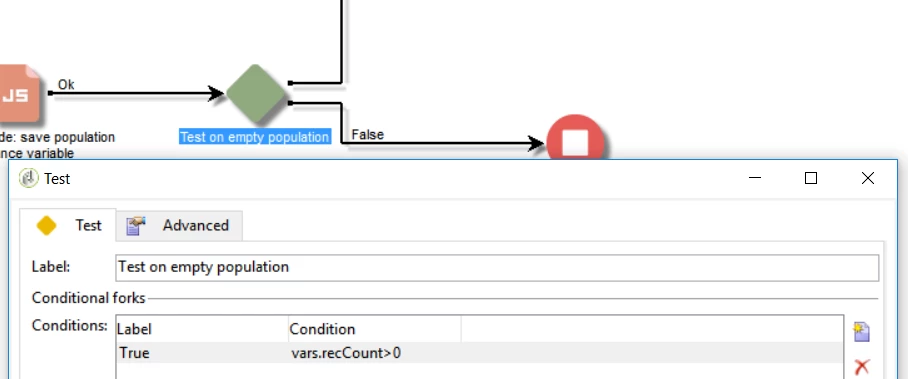
- test activity is checking population count > 0 in which case it will send alert message to any operator or group

- alert where you loop over the population and make e.g table from it, which will be send alert to operator

Marcel

20 replies

davidh2892249
Level 5
July 14, 2017

Hi Amit,

Yes, that makes sense - the xpath needed now makes sense to me and adding data/using alias can simplify this.

David

davidh2892249
Level 5
August 23, 2017

Hi marcel.gent.86

I've been using this example a lot, it's really great :-)

I have just been trying to implement a solution where I loop in information from the delivery schema (I'm also aggregating recipient delivery log data and adding to the temp schema using enrichment).

I have what I believe should be a working solution (I did a similar much simpler example with recipient data + recipient tracking log data that worked) however, when my workflow gets to the alert activity it errors and gives me the following message in the log:

Failed to load delivery ID 3611 into the cache: This delivery does not exist, has been deleted or the login does not have the required rights.

Firstly, all the deliveries that i want to loop into my alert exist and are visable when viewing "display target" of the temp schema.

Secondly, the delivery ID reference doesn't make sense to me - usually a longer number?

Could you shed any light on what this alert could be or how i could remedy?

Thanks

David

Marcel_Szimonisz
Community Advisor
Community Advisor
October 19, 2017

Hello David,

You probably have solved this but I would try to remove proofs from the query --> FCP == "1"  as the logs for these are purged. (I thnk they are deleted after you execute the campaign for real)

Marcel

Level 2
February 2, 2018

Hello,

Apologies to revive a thread that appears to be tied up, but I've followed this example of query > Javascript > Delivery and I get the same error in the Delivery that the instance is not defined. Are you able to assist with this at all?

The code in my JS element is:

var query = xtk.queryDef.create(

    <queryDef schema="temp:query" operation="select">

      <select>

       <node expr="event"/>

       <node expr="count"/>

      </select>

     </queryDef>

  );

  instance.vars.items = query.ExecuteQuery();

  logInfo( instance.vars.items);

The code in my HTML is:

<!DOCTYPE HTML PUBLIC "-//W3C//DTD HTML 4.0 Transitional//EN">

<HTML><HEAD>

</HEAD>

<BODY><%@ include view='MirrorPage' %>

<P><%

for each (var item in instance.vars.items) {

%> <%= item.event %> <%= item.count %> <%

}

%>

<P></P></BODY></HTML>

Thank you in advance, if possible!

** EDIT **

Just to add, I tried the secondary option. which Marcel explained in great detail, but I then get the error that xtk is not defined.

Marcel_Szimonisz
Community Advisor
Community Advisor
February 3, 2018

Hello Andy,

i did not mention this (i did not know this.. see comment from celine) that instance variables can hold strings only. If you have queried target population in JS and saved results in instance vars you need make XML from it again in the delivery.

var items = new XML(instance.vars.items);

PS: also I have found that vars.targetSchema will refer to activity name.. which is very useful when having multiple queries in the pipeline (works only with query and readGroup!)

  • schema={vars.targetSchema}

BR,

Marcel

Level 2
February 5, 2018

Hello Marcel,

Thank you for the further update on this. My code is now essentially identical to the examples provided, yet I'm *still* getting an error of the following:

The code in the JS activity is:

I have now also amended the HTML to add the line you (and Celine) mentioned above:

Am I missing something stupid here?

Thanks in advance!

Andy

Marcel_Szimonisz
Community Advisor
Community Advisor
February 5, 2018

Hello Andy,

thats adobe's stuff you can ignore that error or move the js code to the delivery itself. But why you use delivery activity and not alert activity?

Marcel

Amit_Kumar
Level 10
February 5, 2018

Hi Andy,

what you are doing will not work in delivery activity.

Reason: An instance is an object of the workflow, so your instance variable or variable is only available in the workflow execution instance. These variable are not available to MTA(while preparing email delivery personalization) that's why you are getting this error.

Option 1 you can define a new variable at the delivery label and store this variable in the delivery variables.

option 2: use alert activity and you will be able to use your code as is

option 3: add this value as new personalization object in delivery visa delivery advanced properties.

Option 2 will be easy to implement.

Regards,

Amit

Level 2
February 5, 2018

Hi Amit,

Thanks very much for the update on this. Of course!

To address your point, and a very valid one Marcel asked when he also kindly responded, I'm currently working on a very new instance and the Alerts are currently not working. While this is due to be fixed by Adobe within the next couple of weeks, I was looking to implement a work around.

Thanks again, I will see if I can make use of one of the options above. Option 2 (the alerts) was my preference and something I've successfully used in the past so it's a shame it's not currently available to me.

Kind regards,

Andy

Level 2
February 5, 2018

Option 1 did the trick. Thank you very much Amit (and Marcel) for your assistance!