Problem with aggregate function in ACS | Community
Skip to main content
pierre-yvesm520
December 6, 2018
Solved

Problem with aggregate function in ACS

  • December 6, 2018
  • 11 replies
  • 9158 views

Hello, I have a problem using aggregate function in ACS.

When I add an additionnal data wich is based on the SUM() function in a simple query activity, I get a PostgreSQL Error : column "n1.irecipientid" must appear in the GROUP BY clause or be used in an aggregate function.

I can't do any aggregate, could you help me please.

Thanks

This post is no longer active and is closed to new replies. Need help? Start a new post to ask your question.
Best answer by asish_kumarp599

Thanks for sharing the screenshots! Here are my comments:

  • I think you are using the avg function available in the 'Expression Editor'?  Unfortunately, these Aggregate functions available in query editor are not quite efficient in the 'Additional data' section of query editor . Also, to fulfill your requirement there is no Group By function with Aggregate function here.
  • However, these Aggregate functions works quite well in 'Extract file' activity. You can use the Avg function in the output column section and the use Transfer file activity to export the data. I am not sure this works for you but I see this is only way to get the avg function work.

11 replies

asktam1410
December 11, 2018

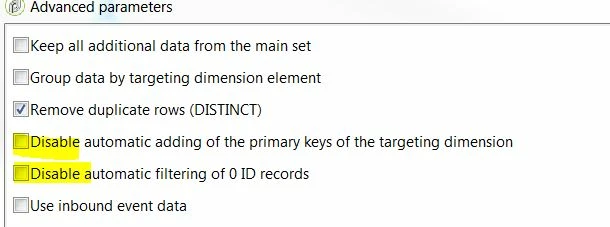
did you select group by enabled in the output cololums as well as  enable the following options under advanced parameters.

pierre-yvesm520
December 11, 2018

Hello,

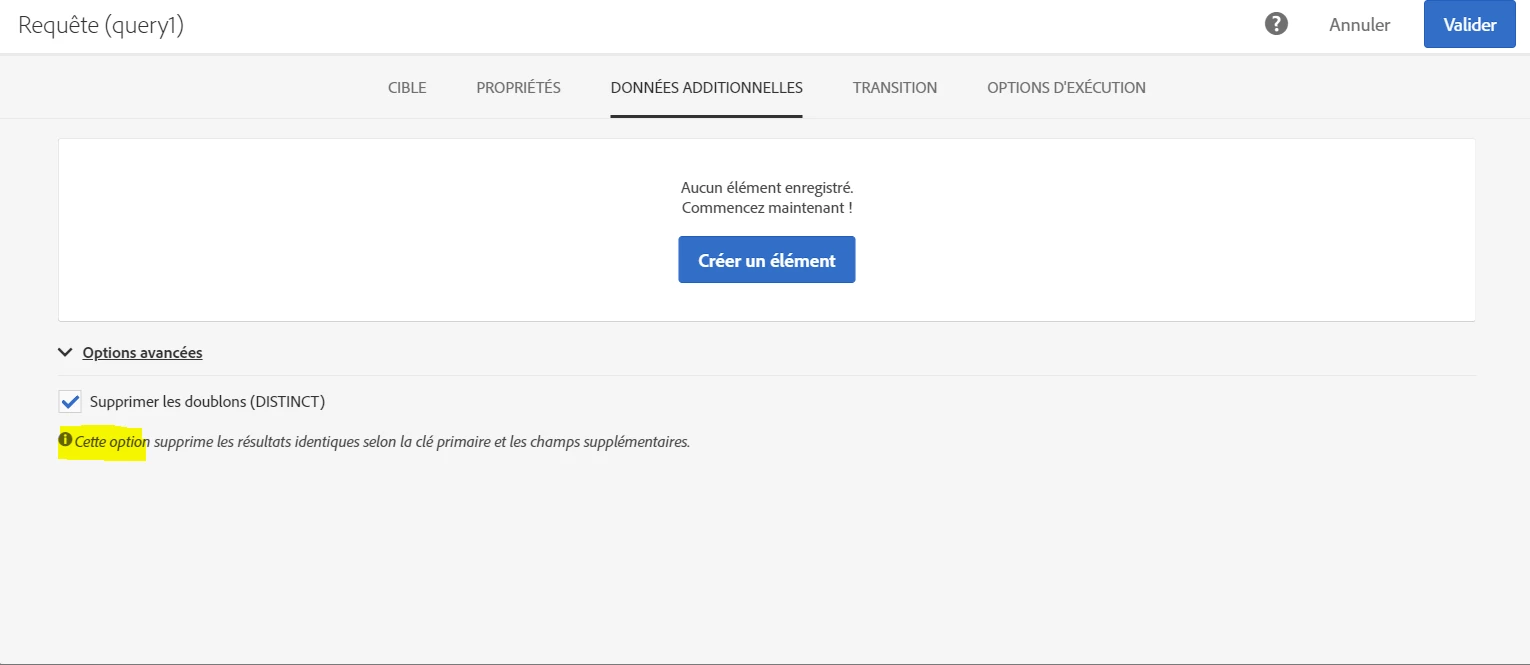
I dont have such options, I working on Adobe Campaign Standard (ACS) and the only option avaliable is to remove duplicate rows :

(The screenshot is from a french version)

asktam1410
December 11, 2018

Post the query which you are trying

pierre-yvesm520
December 12, 2018

Hello,

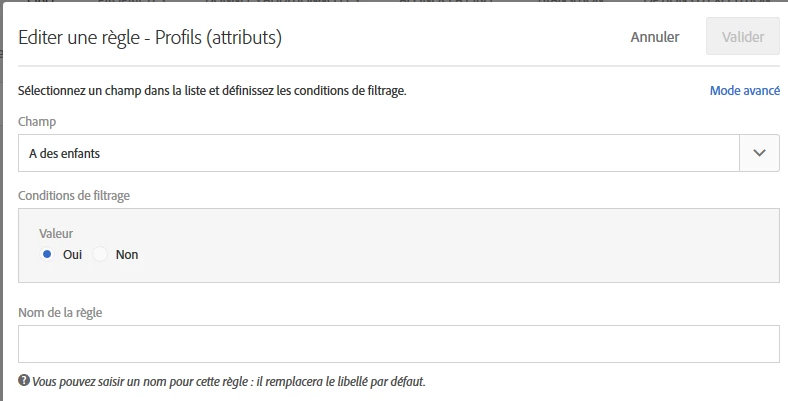
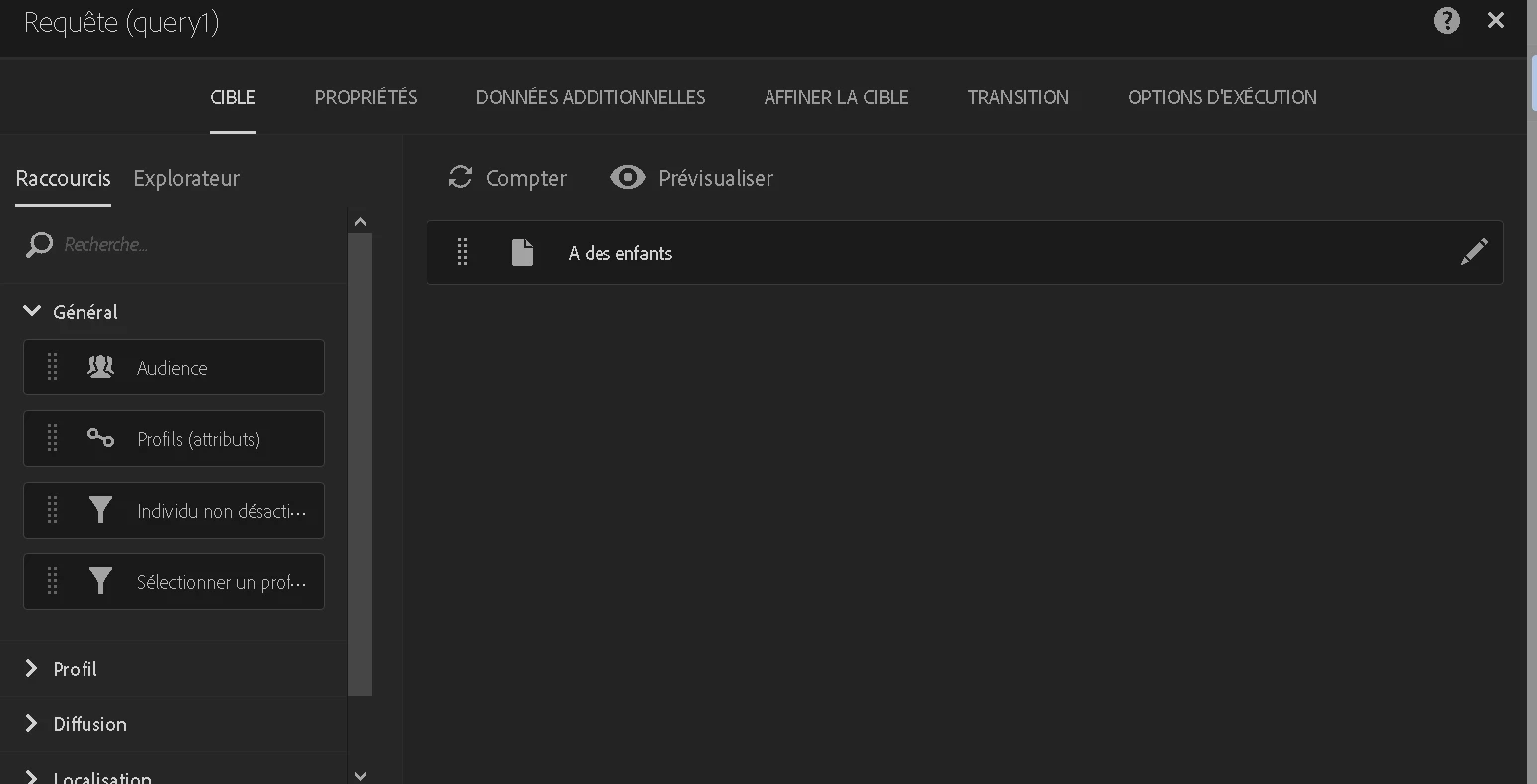
The query in on profiles for example, see below.

- Profile : Has children = Yes

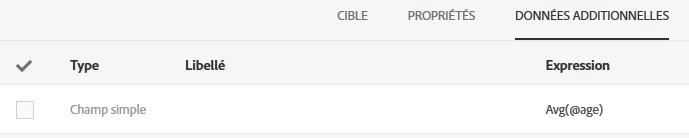
And in additionnal Data :

- Average(age)

This cause an error in the query  :

I hope my post is detailed enough.

Thanks in advance

asish_kumarp599
December 15, 2018

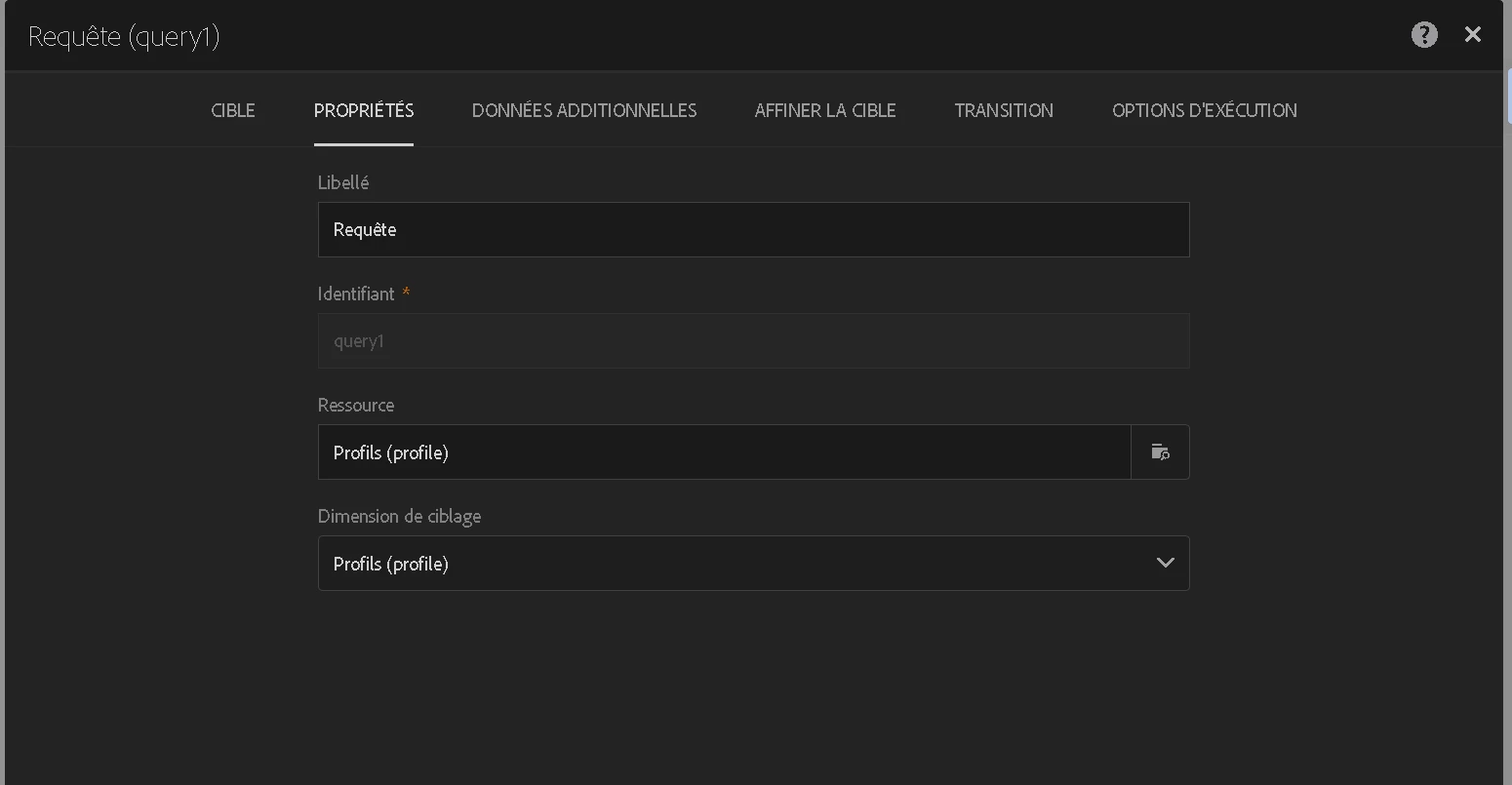
Can you please share the Screenshot of your Properties & General tab. It may occur if your targeting dimension is not Profile.

pierre-yvesm520
December 16, 2018

pierre-yvesm520
December 16, 2018

asish_kumarp599
asish_kumarp599Accepted solution
December 16, 2018

Thanks for sharing the screenshots! Here are my comments:

  • I think you are using the avg function available in the 'Expression Editor'?  Unfortunately, these Aggregate functions available in query editor are not quite efficient in the 'Additional data' section of query editor . Also, to fulfill your requirement there is no Group By function with Aggregate function here.
  • However, these Aggregate functions works quite well in 'Extract file' activity. You can use the Avg function in the output column section and the use Transfer file activity to export the data. I am not sure this works for you but I see this is only way to get the avg function work.
December 17, 2018

Salut Pierre-Yves,

Pour un besoin similaire, j'ai configuré la même Query que toi. ça semble logique, mais j'ai pris le temps de comprendre pourquoi ça ne fonctionne pas, avant de trouver une solution de contournement que je partage volontiers en anglais :

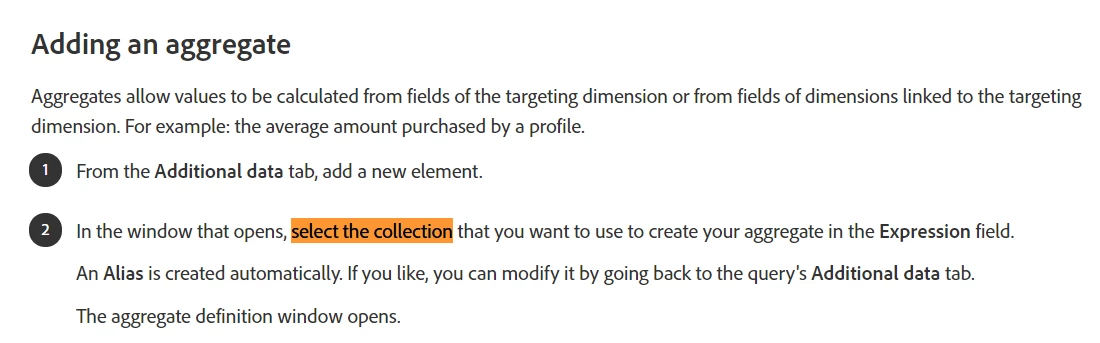
The aggregate functions don't work with simple fields, only with collections :
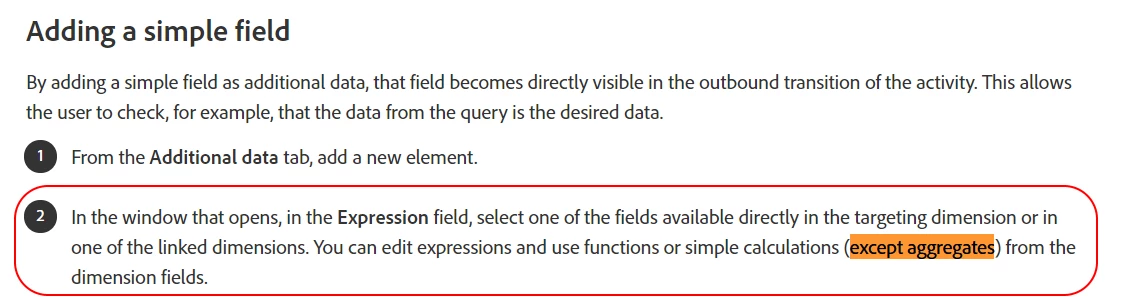
The average profile age can be calculated by creating a Profile collection using Additional data in the main query and the Enrichment activity :

  • In your main query add as an additional data a constant text field labeled 'Collection Link' :
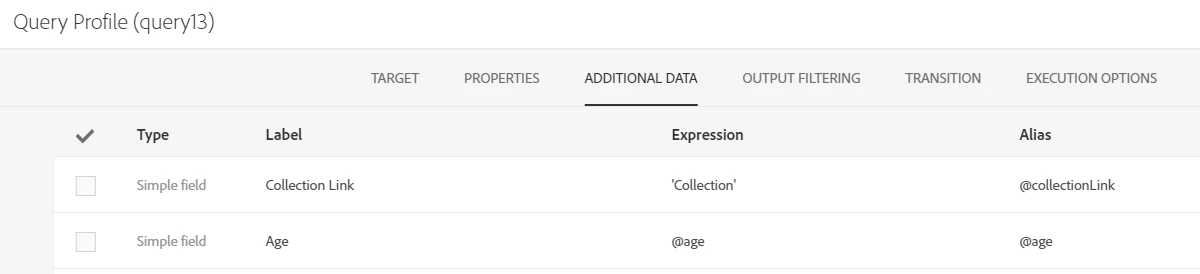
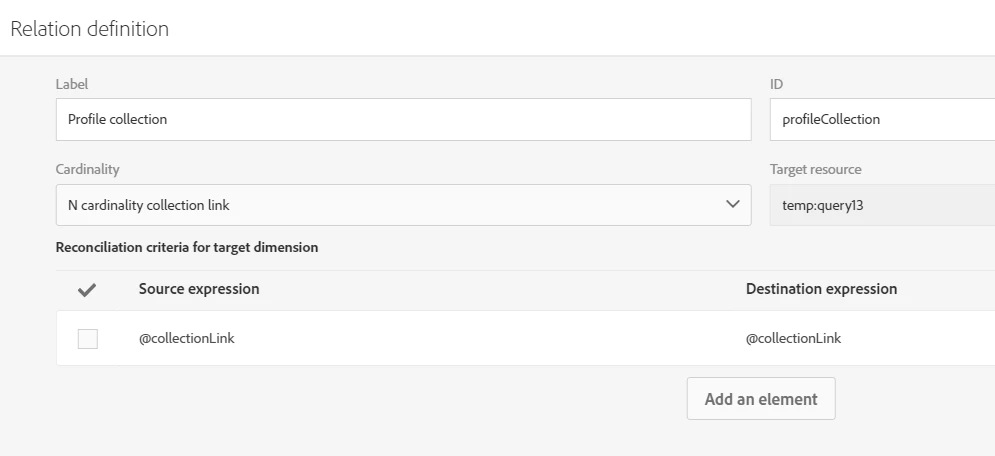
  • Add an Enrichment activity. In advanced Relations, Add an element with this definition :
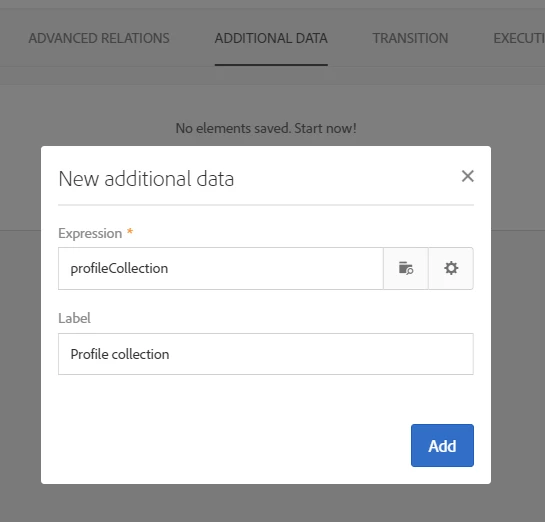
  • Add new additional data with the profile collection we just created :
  • In the new window that pops up, go to Data and Create Element as follow :
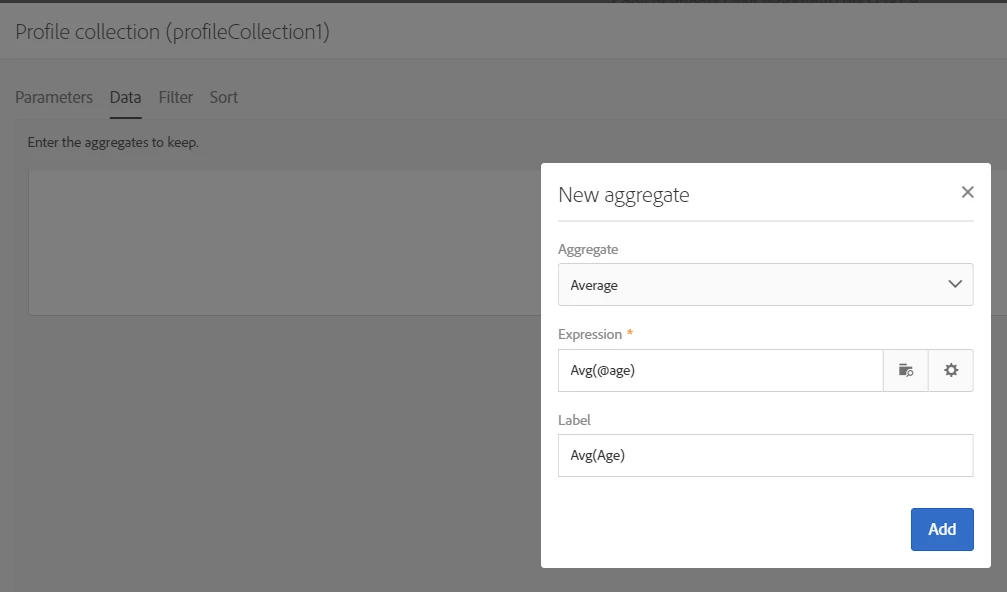
Confirm all and run workflow. The field Avg(Age) should be added to Profile Collection.

October 20, 2022

I've been coming back to this post many times but it hasn't been before now that I really understood and could make us of that solution. In my use case I wanted to aggregate and SUM on a specific contactID so I used that as the "GROUP BY" in the enrichment activity followed by a dedup activity.

pierre-yvesm520
December 17, 2018

OK Thanks to both of you for your answers.

asish kumarp59945245  : I'll find a way to perform the calculation I need without using the agregate functions on the advanced expression editor then.

anasso21228396​ : I could effectively use the collections to perform agregate calculations (but i'll have to adapt my workflow before)