pressure Typology rules | Community
Skip to main content
Level 4
January 15, 2018
Solved

pressure Typology rules

  • January 15, 2018
  • 5 replies
  • 4957 views

Hi

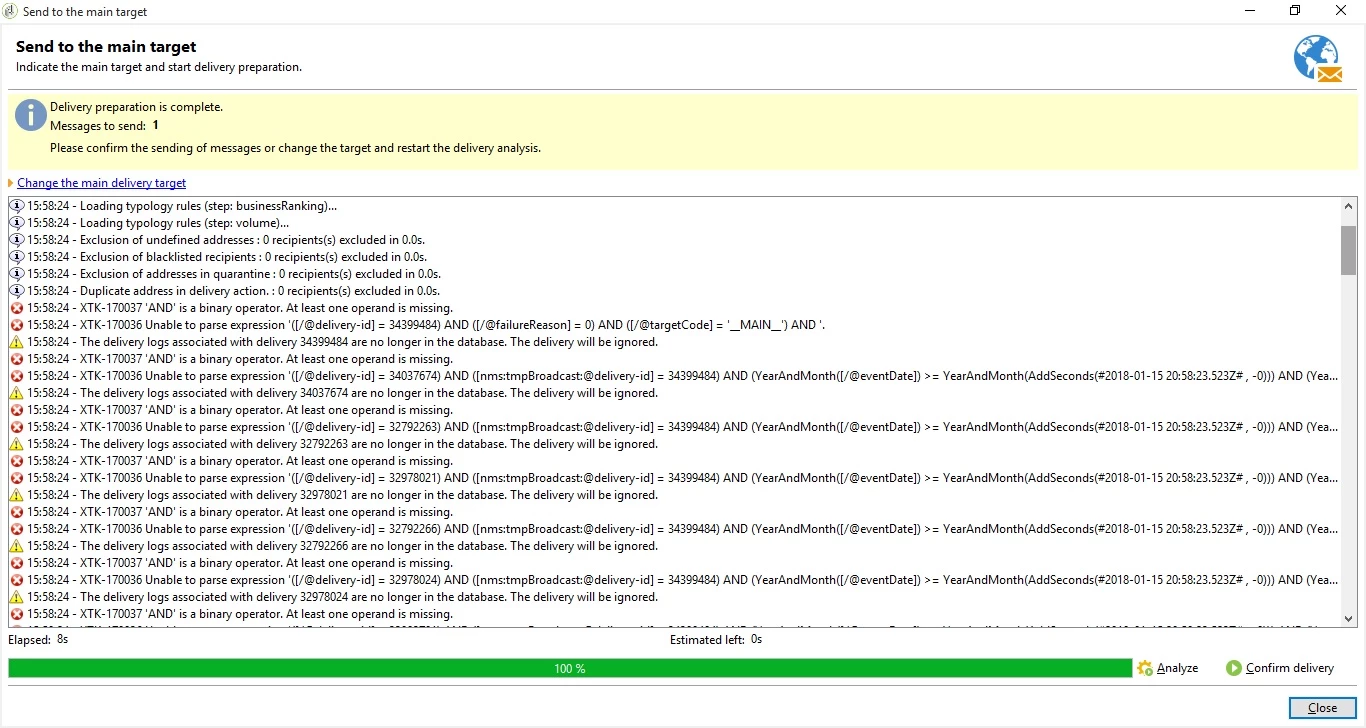
I been having some exception when I analyze a delivery ( before sending the email out).

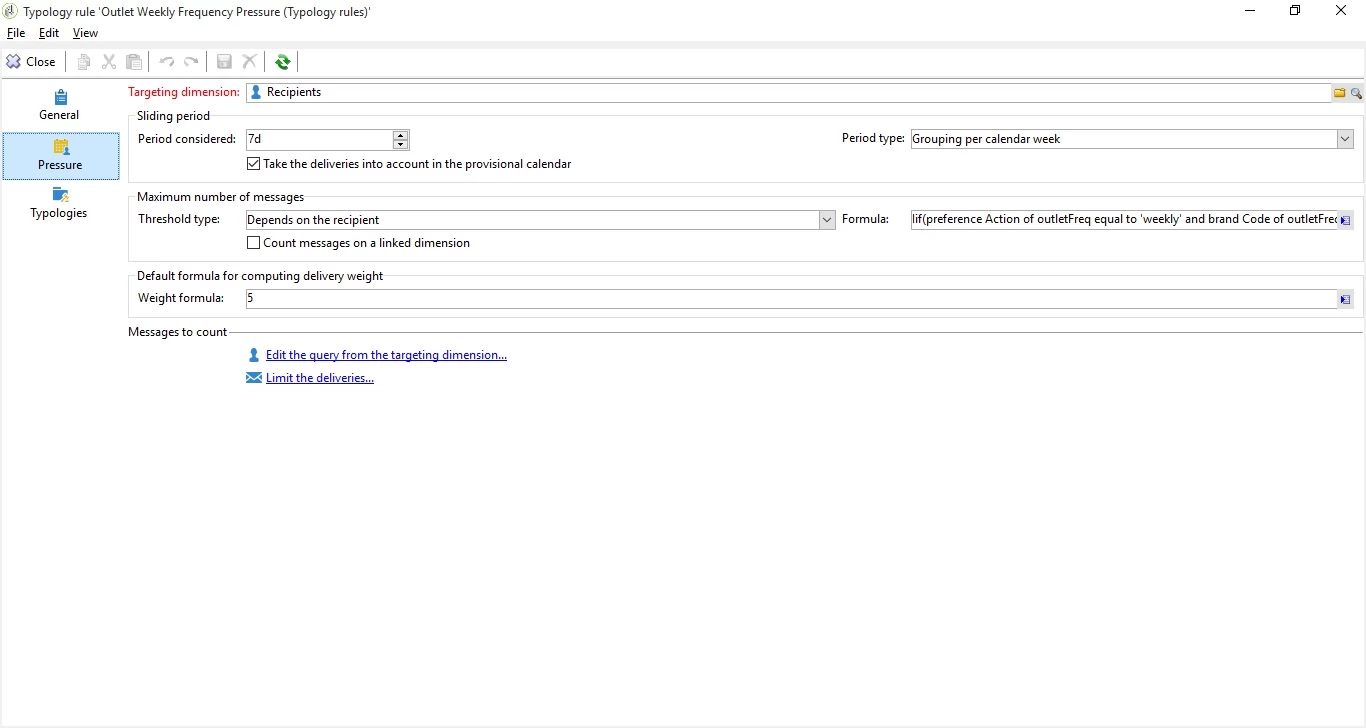
here is the formula that I am applying on pressure rules

Iif([outletFreq/@PrefAction]='weekly' and [outletFreq/@brandCd] ='OUT',[outletFreq/@Frequency],100)

Rules screen
here is the exceptions that I see. Any Idea what is happening?
This post is no longer active and is closed to new replies. Need help? Start a new post to ask your question.
Best answer by vendimb15716755

Thanks Vipul

I figure out the issue. It was complaining on Count messages on linked dimension option. I had a count link expression there . For somehow looks like the  is a bug with Pressure UI . If you have a count link expression when you check the liked dimension you have to remove the expression first save it then uncheck the count messages on linked dimension and save in order to have your changes take effect. if you dont do on that orders your changes rolls back to original ..

I got rid of the error

thanks

5 replies

vraghav
Adobe Employee
Adobe Employee
January 16, 2018

Hi vendimb15716755 ,

Is the error actually happening because of pressure rule? Can you try and anlyze another delivery which is not using this typology rule and see if you still get the error

Level 4
January 16, 2018

Hi Vipul

when I move the Typology rules from the email template I dont get the error. The strange thing is that the pressure rule is getting applied is just those errors I dont get it what they mean.

Level 4
January 16, 2018

here is a screen shot that shows that the rule is working. just dont get it what are those exceptions

vraghav
Adobe Employee
Adobe Employee
January 16, 2018

I'll suggest to log a support case as someone needs to get on call with you and review the configuration.

If you check the error it speaks of a formula in which after the last AND there is no entity which is the root cause of error.

Why is it happening so is something to be determined.

vendimb15716755AuthorAccepted solution
Level 4
January 16, 2018

Thanks Vipul

I figure out the issue. It was complaining on Count messages on linked dimension option. I had a count link expression there . For somehow looks like the  is a bug with Pressure UI . If you have a count link expression when you check the liked dimension you have to remove the expression first save it then uncheck the count messages on linked dimension and save in order to have your changes take effect. if you dont do on that orders your changes rolls back to original ..

I got rid of the error

thanks