Predefined Filters | Community
Skip to main content
Level 2
January 9, 2018

Predefined Filters

  • January 9, 2018
  • 3 replies
  • 9620 views

Hi,

I would like to create a predefined filter where i can able to reuse the filter in many workflows with different values. 

For ex: In first workflow, condition is email domain = gmail.com and country = USA and in second workflow, condition is email domain = yahoo.com and country = HK.

Is that possible to reuse the one filter in many places? If so, can we able to achieve the above scenario. Please help me to get this solved and guide me to achieve the same.

Thanks,

Moseen

This post is no longer active and is closed to new replies. Need help? Start a new post to ask your question.

3 replies

Pabst_dk
Level 2
January 9, 2018

Hi Moseen,

Which version of Adobe platform are you working at?

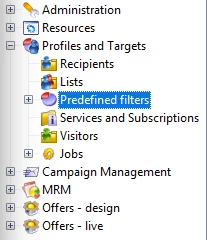
I haven't worked on the standard version with this, but on AC Classic you will have a folder for the predefined filters in your three structure (where you will be able to create subfolders) where you can place these filters to be reused in your workflows.

See AC classic documentation on the subject - Creating predefined filters

Also found this documentation on AC standard Adobe Campaign Help | Step 4: Define filters

Best,

Jonas

Level 2
January 9, 2018

Hi Jonas,

Thanks for the reply!!

Client Version : 6.1.1 build 8705

Server Version: 6.1.1 build 8705

I wanted to use one filter in multiple places by passing the different values to the attributes.

Thanks,

Moseen

Pabst_dk
Level 2
January 10, 2018

Hi Moseen,

Sounds like you want One predefined filter, and pass different values into that filter, for each of the workflows you insert it into.

Correct?

Then we can create the filter with parameters instead of the values and then in the workflows you should have a JavaScript code, before your Filter, where these parameters will have a value assigned to them.

e.g.

A good idea is to have these values shown in your log, so you have an overview of these are being set correct

Best,

Jonas

Pabst_dk
Level 2
January 19, 2018

Hi Moseen,

Sorry for the delay on my answer,

I'm afraid there is no possible way to pass different values in for the same parameters to be used in the several filters.

To do what you need to be using it for, you can duplicate the filter, and set the parameters variables with a numeration eg.

Filter1: emailDomain1 and city1

Filter2: emailDomain2 and city2

Filter3: emailDomain3 and city3

Then in your WF you will set the different parameter values from your script, just like when you had one filter with parameters.

I know that you were looking for a way to only use the single filter to avoid the duplicates, but I'm afraid there is no possible solution for this to work as you need it to.

Best,

Jonas

Pabst_dk
Level 2
January 31, 2018

Hi Moseen,

Did this solve your issue?

Do you have any further comments on this?

Please mark the question as solved if so

Best,

Jonas

Level 2
January 31, 2018

Hi Jonas,

It is partially helpful, thanks for all your help on this and you can close this ticket.

Thanks,

Moseen