How to target profiles who subscribed to a service 7 days ago? (AC Standard) | Community
Skip to main content
Level 2
August 22, 2017
Solved

How to target profiles who subscribed to a service 7 days ago? (AC Standard)

  • August 22, 2017
  • 2 replies
  • 2488 views

Hi!

I want to send an email 7 days after a user subscribes to a service. I'm using Adobe Campaign Standard. In my workflow I have an incremental query targeting all service "X" subscribers but how do I define the "7 days ago" part? I would also like to include that it wouldn't get any older subscriptions than max. 10 days ago. So it would be something like "subscribed before 7 days ago" and "after 10 days ago."

Should I use Subscription history and Date for targeting? Or do I need to create this in Advanced mode?

Thanks in advance,

Br,

Sonja Luoto
This post is no longer active and is closed to new replies. Need help? Start a new post to ask your question.
Best answer by elliottja-1

If you're using the incremental query you shouldn't need to include the older subscriptions part of the filter once you've run it the first time. I'll describe how to create your 7 days ago filter and you can expand this as required.

Assuming you started by selecting Shortcuts > Subscription menu, then dragged Subscriptions onto the filtering canvas and selected your service from there...

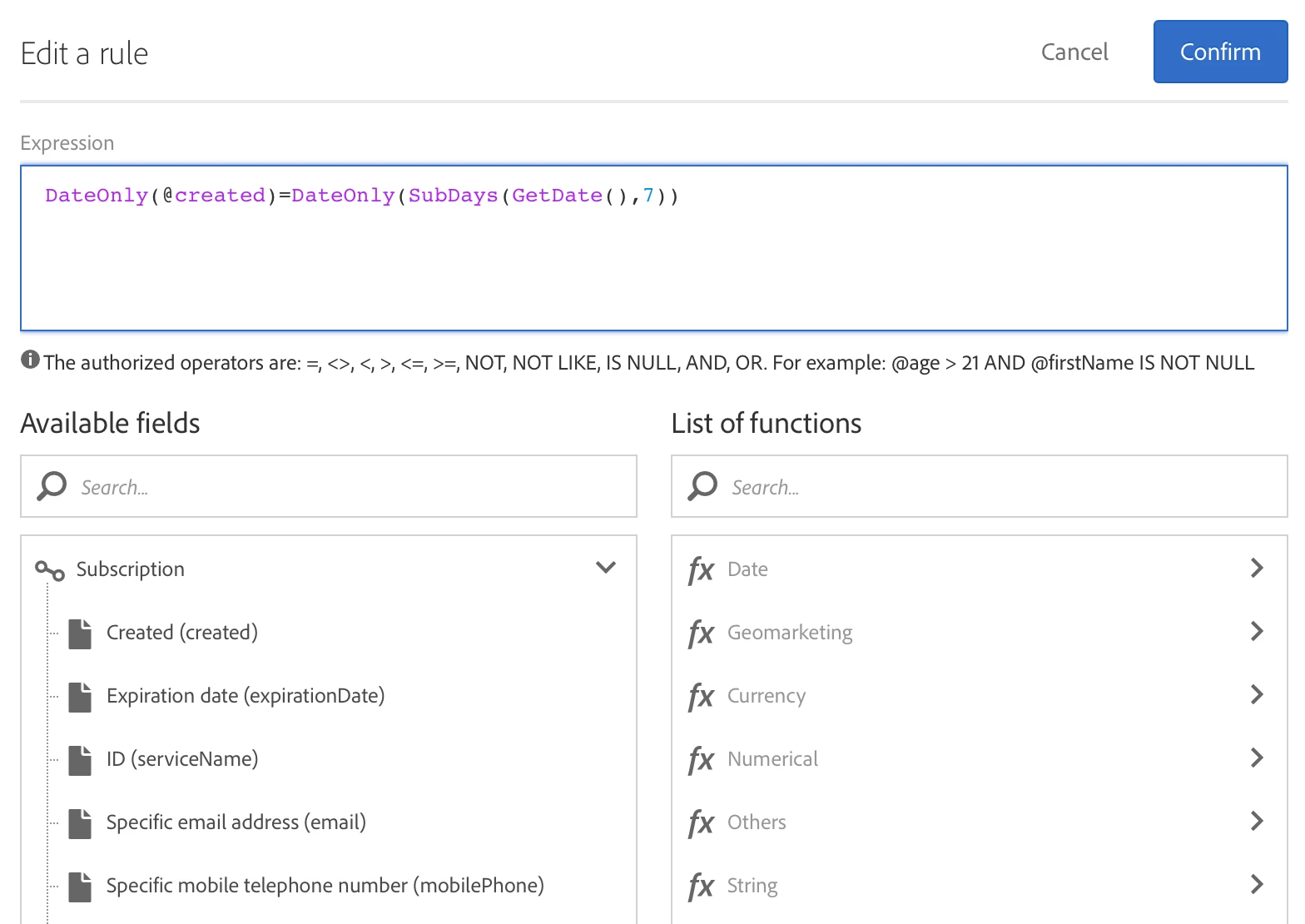
You can add another filtering criteria and use Advanced mode as follows:

For copy+paste purposes: DateOnly(@created)=DateOnly(SubDays(GetDate(),7))

Or you could use: DateOnly(@created)=DateOnly(DaysAgo(7)) and get the same result.

Note that the created date and GetDate() are both datetime fields, so I've had to use the DateOnly function.

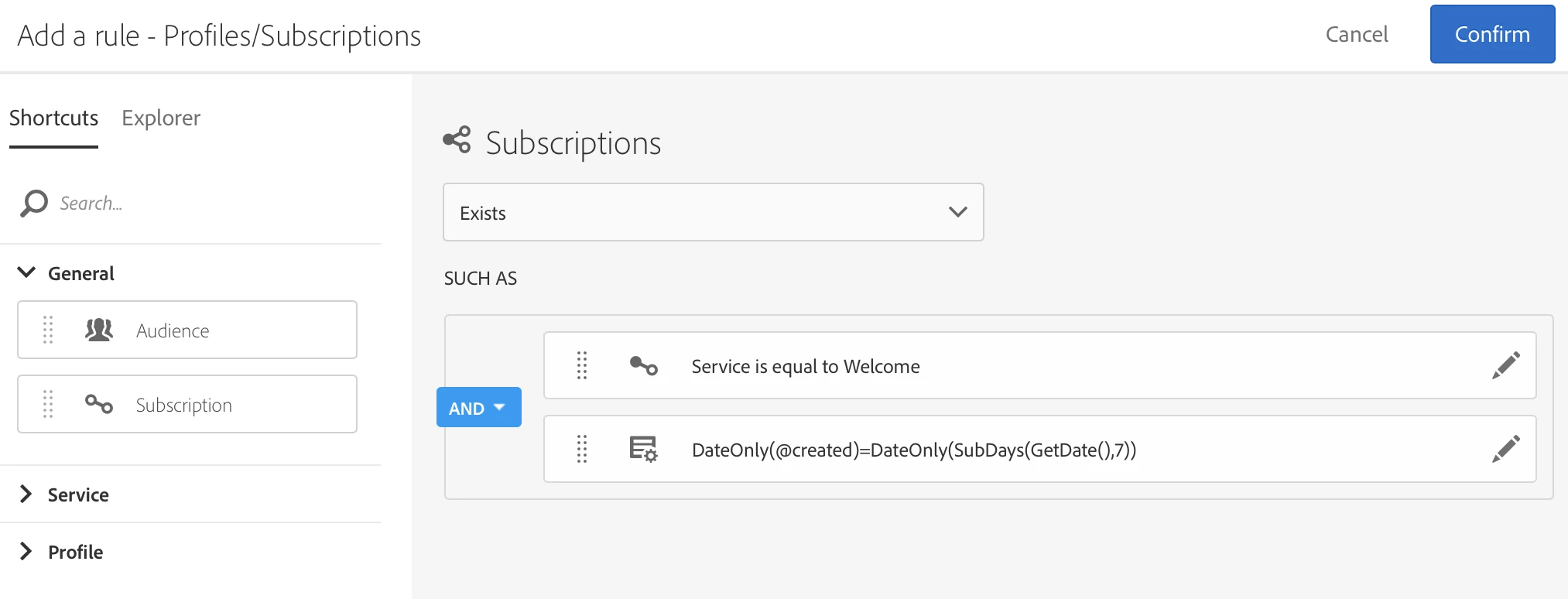
My final incremental query looks like this:

You can save this filter to make it easier for other users of the platform.

2 replies

elliottja-1Adobe EmployeeAccepted solution
Adobe Employee
August 23, 2017

If you're using the incremental query you shouldn't need to include the older subscriptions part of the filter once you've run it the first time. I'll describe how to create your 7 days ago filter and you can expand this as required.

Assuming you started by selecting Shortcuts > Subscription menu, then dragged Subscriptions onto the filtering canvas and selected your service from there...

You can add another filtering criteria and use Advanced mode as follows:

For copy+paste purposes: DateOnly(@created)=DateOnly(SubDays(GetDate(),7))

Or you could use: DateOnly(@created)=DateOnly(DaysAgo(7)) and get the same result.

Note that the created date and GetDate() are both datetime fields, so I've had to use the DateOnly function.

My final incremental query looks like this:

You can save this filter to make it easier for other users of the platform.

Level 2
August 28, 2017

Thanks for your help!