How to add Delivery ID to email delivery | Community
Skip to main content
April 14, 2021
Solved

How to add Delivery ID to email delivery

  • April 14, 2021
  • 2 replies
  • 1241 views

Hi

I would like to pass Delivery ID through the email delivery itself (within the html body). When using ESPs in the past, I have used ampscript but I'm not sure what to reference to make it happen. 


Any help would be great 

Thanks
This post is no longer active and is closed to new replies. Need help? Start a new post to ask your question.
Best answer by SatheeskannaK

Hi @nicolechan,


You can include delivery id within email delivery by doing following:

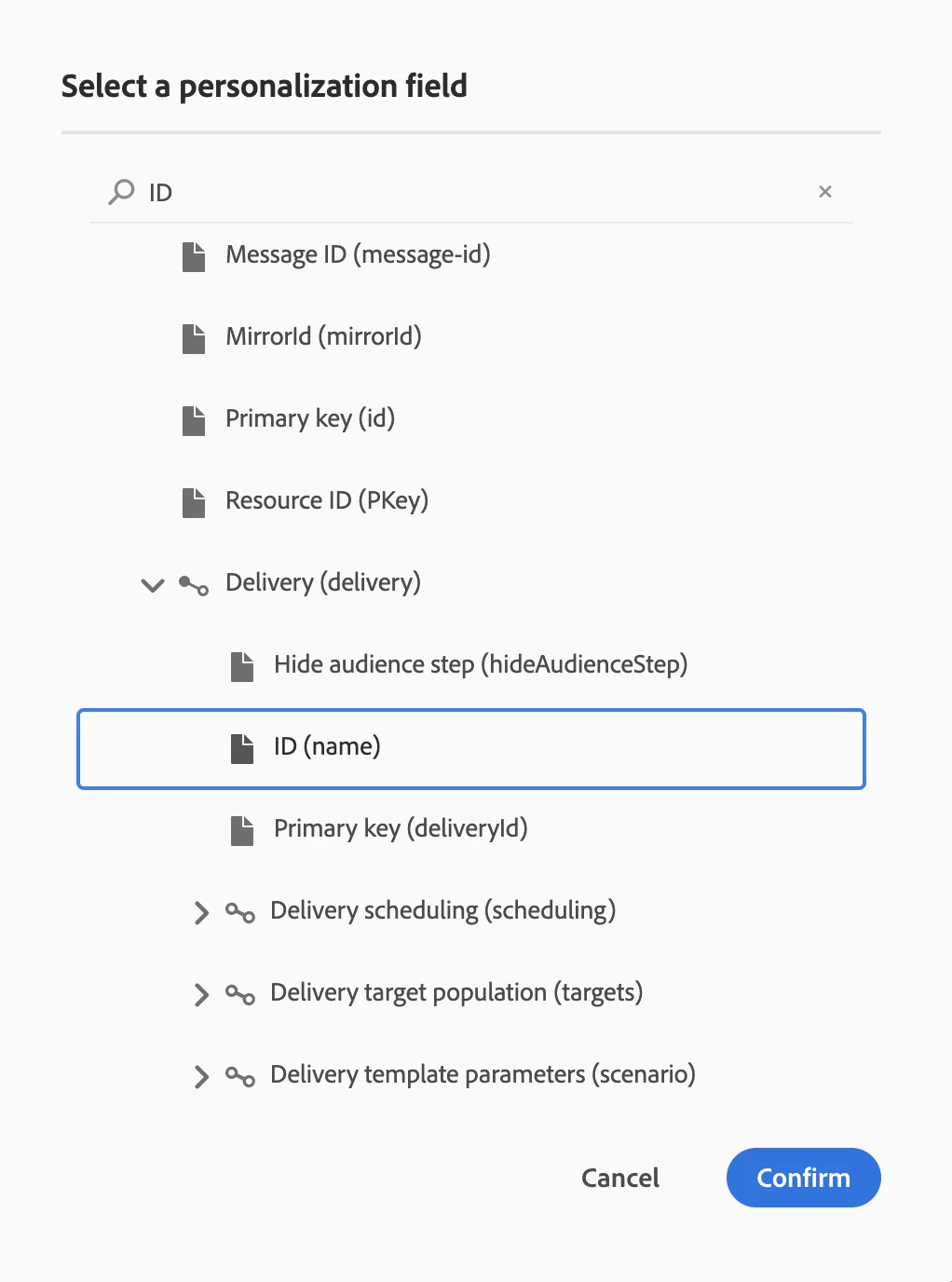
1. Select the personalization option in delivery template and expand delivery will provide all the data available to use from delivery table. Select delivery ID (Name) as highlighted below.


Let me know if you have any questions.


Thanks

2 replies

SatheeskannaK
Community Advisor
SatheeskannaKCommunity AdvisorAccepted solution
Community Advisor
April 15, 2021

Hi @nicolechan,


You can include delivery id within email delivery by doing following:

1. Select the personalization option in delivery template and expand delivery will provide all the data available to use from delivery table. Select delivery ID (Name) as highlighted below.


Let me know if you have any questions.


Thanks

Thanks, Sathees
April 15, 2021

Hi @satheeskannak , 

Sorry, I should have been more specific. I can add it as a personalised field but I want to add it as part of a 1x1 pixel so inside the html. It shouldn't be passed in a way that's visible to the user. I don't think that's possible using the personalisation option. 


SatheeskannaK
Community Advisor
Community Advisor
April 16, 2021
Still you will be able to adjust the pixel size for personalized content using email designer or use <%= context.delivery.name %> directly within email delivery and adjust the pixel size.
Thanks, Sathees