Hide OOTB Content Templates | Community
Skip to main content
Level 2
November 10, 2020
Solved

Hide OOTB Content Templates

  • November 10, 2020
  • 2 replies
  • 2690 views

We are working on finishing our setup for Adobe Campaign Standard, but cannot figure out how to hide/remove all of the OOTB templates that come with the system by default since they are all locked. Without having edit access to these templates, we cannot change them, remove them, or hide them through an Org Unit and security.


We were advised by our support team that we would need to write a workflow to force them in to an Org Unit and just make sure none of our users have access to that Org Unit. We set up an org unit of 'adobe_defaults' that we are trying to force them in to using a workflow, but no matter what we do, the workflow just errors out. 


Has anyone had to do this? If so, what is the best method to get rid of the OOTB content templates from our Production instance? We have a Dev instance where we will keep all of them so we have a base to work from if we ever need templates like the ones Adobe has already built.


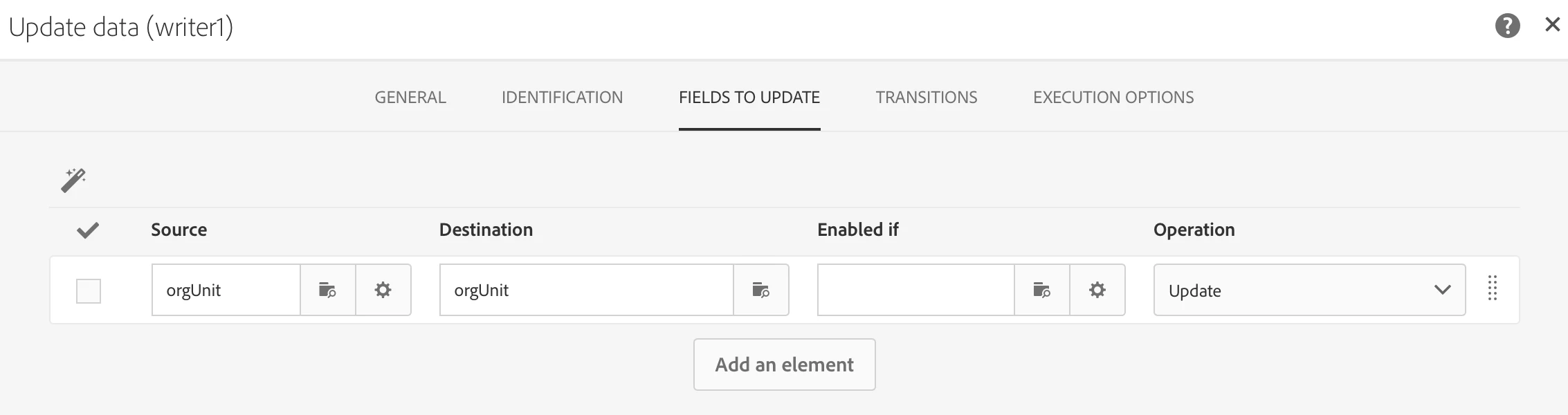
To hopefully help, here's the workflow step to update the template and the error:

 

This post is no longer active and is closed to new replies. Need help? Start a new post to ask your question.
Best answer by bisswang

Yes, using a technical workflow to assign them to another org unit would be an option to hide it.

Note: a new ACS release may revert this assignment, so you may need to rerun it from time to time or e.g. just schedule to run it once a week.


Workflow design:

  • Query which is fetching the content templates to hide
    • Resource = contentModel
    • Query
      • Org Unit = all
      • AND builtin = yes
    • Additional data
      • Add a constant field @orgUnitName with the name of the org unit
  • Reconiliation activity
    • Link to org unit
    • lookup @orgUnitName = name of the org unit
  • Update data
    • assign the orgUnit result from the reconiliation task to the orgUnit property of the contentModel resource

2 replies

shelly-goel
Adobe Employee
Adobe Employee
November 10, 2020

Hello @jchapman-cc-82 

Are you getting the same error everytime? Do you mind sharing the error you’re getting?


Level 2
November 10, 2020
I just added screenshots to the post. I couldn't figure out how to add them when I posted the first time.
bisswangAdobe EmployeeAccepted solution
Adobe Employee
November 12, 2020

Yes, using a technical workflow to assign them to another org unit would be an option to hide it.

Note: a new ACS release may revert this assignment, so you may need to rerun it from time to time or e.g. just schedule to run it once a week.


Workflow design:

  • Query which is fetching the content templates to hide
    • Resource = contentModel
    • Query
      • Org Unit = all
      • AND builtin = yes
    • Additional data
      • Add a constant field @orgUnitName with the name of the org unit
  • Reconiliation activity
    • Link to org unit
    • lookup @orgUnitName = name of the org unit
  • Update data
    • assign the orgUnit result from the reconiliation task to the orgUnit property of the contentModel resource
shelly-goel
Adobe Employee
Adobe Employee
November 21, 2020

@bisswang- I'm trying the steps provided, however getting below error in "Update Data" activity

I've set the source orgUnit with the orgUnit from reconciliation and destination orgUnit is in the contentModel


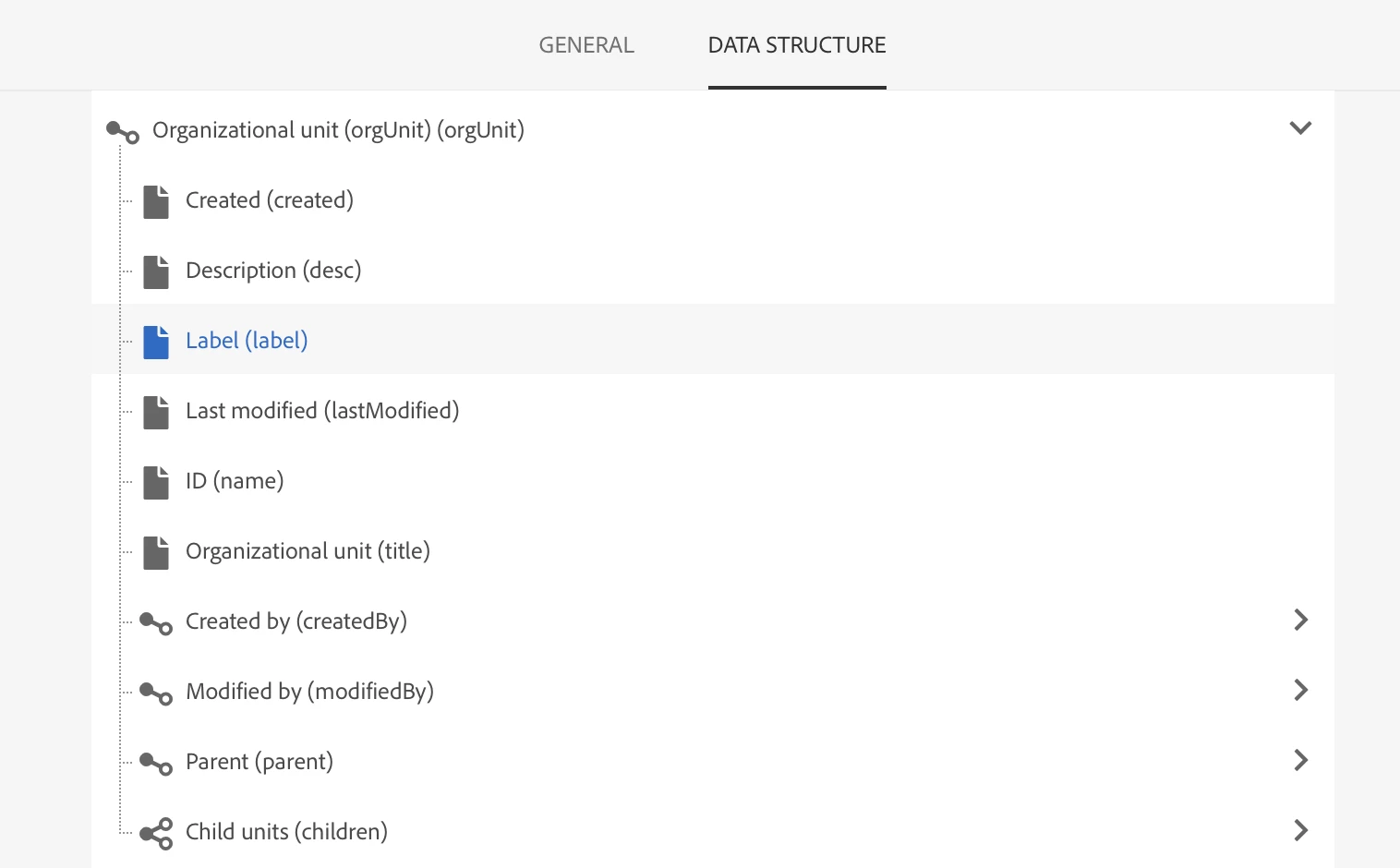
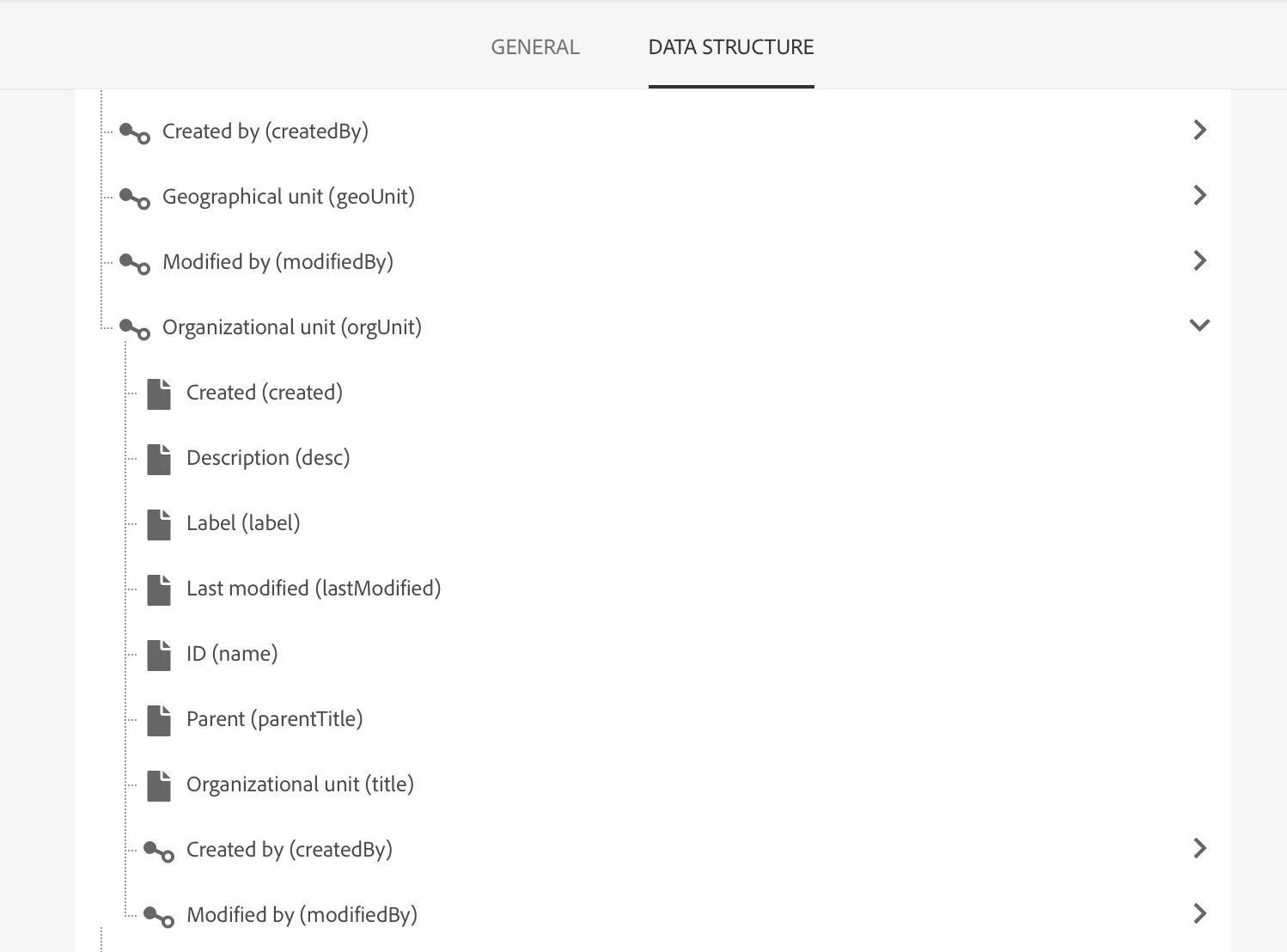
When I check the data structure for these two orgUnit, there is a slight difference in parent field as see below. Can this be the reason for the error or am I missing something?


orgUnit structure

structure of orgUnit within contentModel