Getting Error while generating Access Token (ACS- API) | Community
Skip to main content
August 4, 2017
Solved

Getting Error while generating Access Token (ACS- API)

  • August 4, 2017
  • 20 replies
  • 29727 views

Hi ,

I am trying to Test the transactional messaging via Adobe Campaign Standard through API call.

We have gone through the following references regarding usage of Adobe Campaign Standard APIs:

https://helpx.adobe.com/campaign/kb/working-with-acs-api.html

https://console.adobe.io/integrations

https://www.adobe.io/apis/cloudplatform/

https://docs.campaign.adobe.com/doc/standard/en/api/ACS_API.html

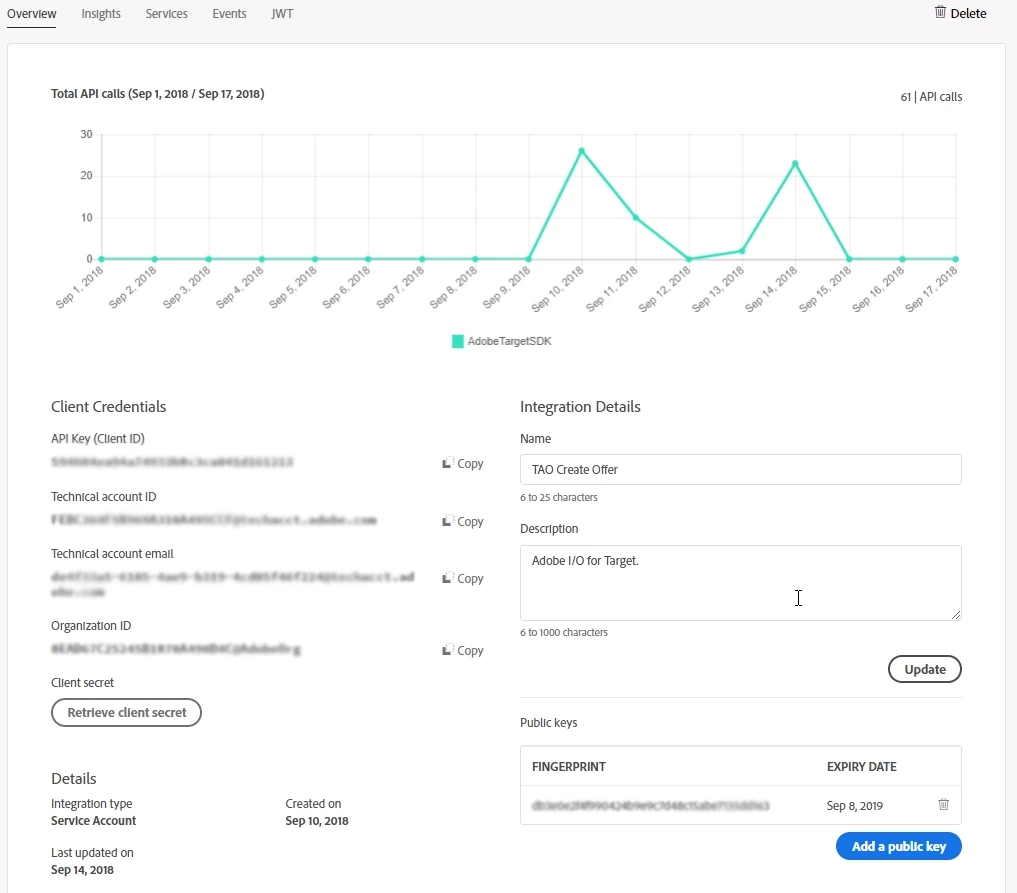
  • We have done the integration with ACS using Adobe I/O and have got the API Key (Client ID), Technical account ID, Technical account email, Organization ID, Client secret.
  • Using these values we generated a JWT Token (Java).
  • Further with the JWT Token, we were able to generate the values Access Token, Token Type, and expires_in(Java).
  • Finally, we were able to invoke the event in ACS, following which we received an Email.

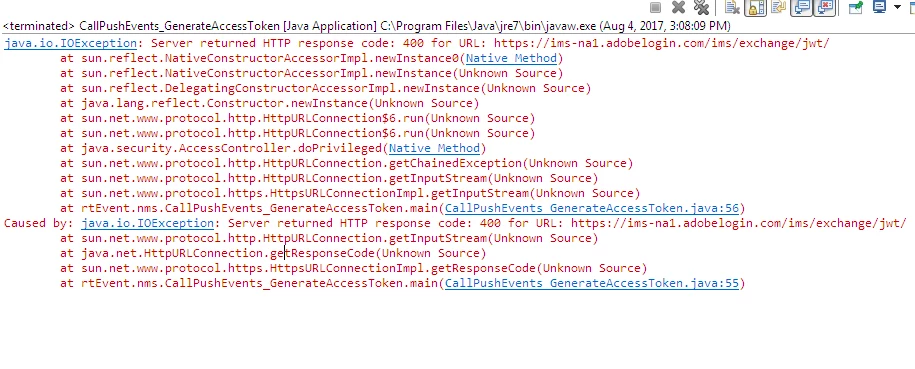
Now the issue that we are facing is that We are receiving this error while trying to generate the access token using JWT and payload.

Server returned HTTP response code: 400 for URL: https://ims-na1.adobelogin.com/ims/exchange/jwt/
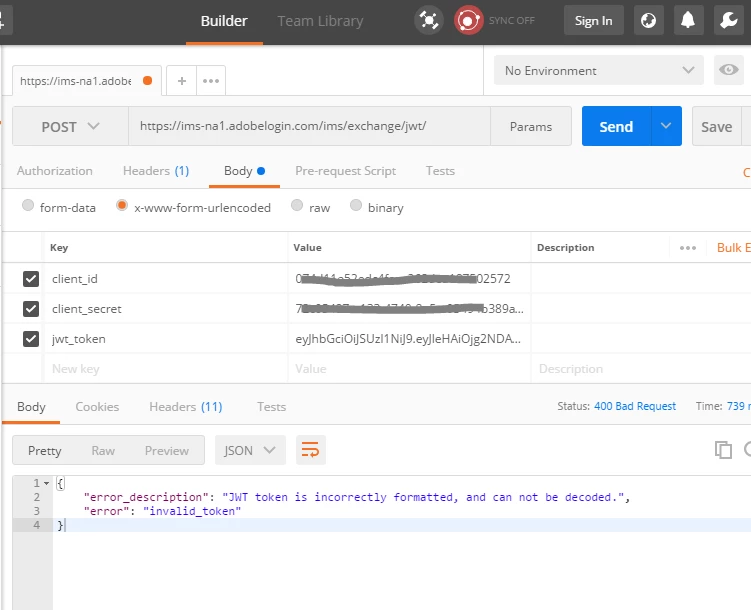
We checked it using POSTMAN. We are getting the below error. But using the Same JWT token we were able to generate access token earlier. We did not change anything in our code.
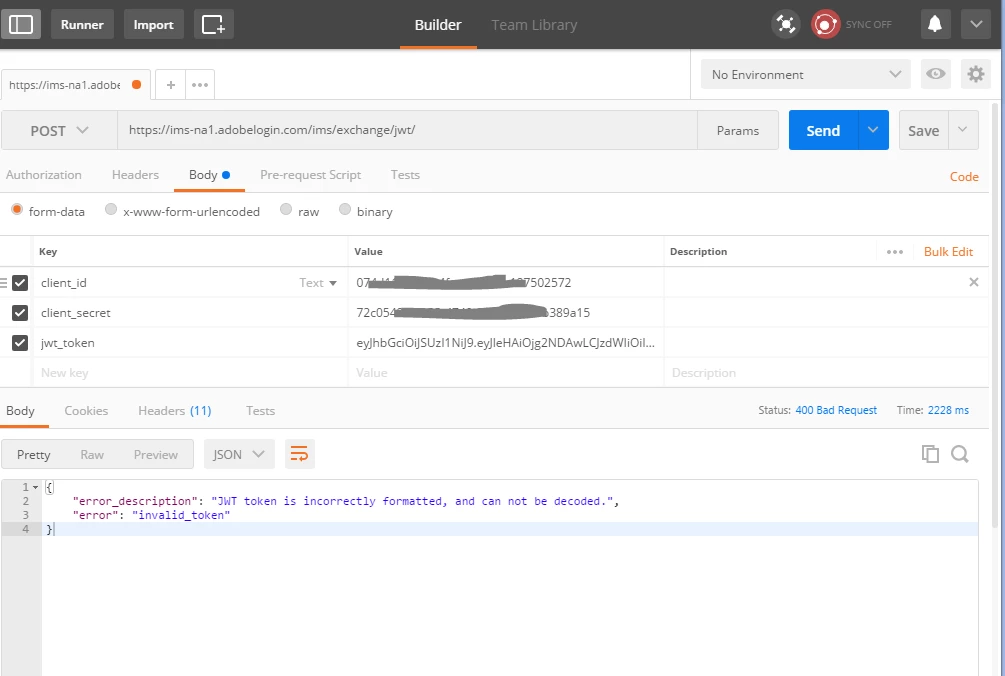
Any guess, what might be wrong here? W are stuck on this .

Any suggestion/help would be great.

Thanks

Senthil
This post is no longer active and is closed to new replies. Need help? Start a new post to ask your question.
Best answer by Senthil24

Hi Florent,

The issue is resolved now. I opened a case with spphelp@adobe.com. They helped us with this.

While trying to create the JWT Token in Adobe IO console. I was copying the key without the following(only the key part of it ).

------BEGIN PRIVATE KEY-----

-----END PRIVATE KEY-----

So it turns out that the entire content of the private key has to be copied in order to generate the JWT Token.I am able to generate it now.

Though the issue of JWT token is resolved via Adobe IO console. The initial issue is still not resolved.

When I am programmatically generating the JWT token, on further using this to generate the access token it is giving me errors.

Note : JWT token generated through Adobe IO console is different from the JWT Token generated via a java program. ( Ref. Adobe document,

Service Account Integration )

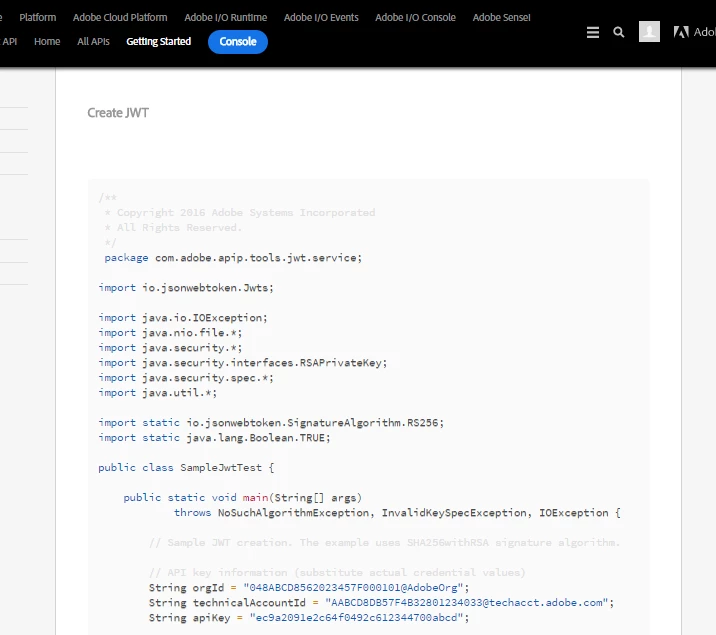
It's under the topic Create JWT. Adding a snip for reference. Please let me know if there is any update on this.

20 replies

Senthil24Author
August 14, 2017

Hi Vipul,

Thanks for the reply.

I changed the form content type from form-data to x-www-form-urlencoded and tried it again. Now also the JWT Token error is persisting.

Note: It's programmatically generated (which by the way worked the first time we did it ), access token got generated and events were being called/invoked as well.

Then I came across the way to generate JWT token by using Adobe IO JWT tab.

Since the error in postman is telling us that the jwt token is incorrectly formatted. I thought I should generate the JWT token from there instead of creating it myself(which anyway is not generating the access token).

JWT token is not getting generated through Adobe IO console too.

Is there anything else that might be wrong ?

Regards

-Senthil

florentlb
August 14, 2017

Hi Senthil,

You should definitely have an RSA key pair if you used the given command so the fact that yours doesn't mention it should not be a problem. This is maybe due to the conversion to DER format.

I used an old key that I had generated some time ago the first time I integrated to Adobe I/O using a simple Mac terminal command, like ssh-keygen -t rsa

If you still don't manage get through this, I'd recommend contacting the Adobe I/O team here: Contact  They may have some insight about the recent changes that were made to the token part.

Florent

Senthil24AuthorAccepted solution
August 22, 2017

Hi Florent,

The issue is resolved now. I opened a case with spphelp@adobe.com. They helped us with this.

While trying to create the JWT Token in Adobe IO console. I was copying the key without the following(only the key part of it ).

------BEGIN PRIVATE KEY-----

-----END PRIVATE KEY-----

So it turns out that the entire content of the private key has to be copied in order to generate the JWT Token.I am able to generate it now.

Though the issue of JWT token is resolved via Adobe IO console. The initial issue is still not resolved.

When I am programmatically generating the JWT token, on further using this to generate the access token it is giving me errors.

Note : JWT token generated through Adobe IO console is different from the JWT Token generated via a java program. ( Ref. Adobe document,

Service Account Integration )

It's under the topic Create JWT. Adding a snip for reference. Please let me know if there is any update on this.

Senthil24Author
August 22, 2017

Hi Vipul,

Thanks for pointing out the incorrect content-type in content type in POSTMAN request. I am getting the access token as a response via Postman request with the JWT Token generated from Adobe IO console now.

Regards

Senthil

April 2, 2018

Hi Florent,
we are facing the same issue that is reported here: we managed to get the token when we use the JWT generated by the Adobe IO console, while we get a "JWT token is incorrectly formatted, and can not be decoded." message when we use a JWT programmatically generated (Java snippet taken fron documentation).

From this thread is not clear if the issue is tracked or resolved.

Can you give us some hints on this topic?

Thanks.

Fabio.

April 5, 2018

Hi Florent,

we find at long last an issue in documentation (Java snippet):

// Expiration time in seconds

Long expirationTime = 86400L;

Using setting this brings to generate an invalid JWT token.

If I correct using a value such as:

        // Expiration time in seconds

        Long expirationTime = 1523010380L;

(that is the value provided by default from the IO console)

the JWT is valid.

Please amend the documentation or provide a valid range of this paramenter.

Thanks.

Fabio

bkmills1
September 17, 2018

Hi,

Has anyone been able to determine a reason the API is generating errors? I'm getting the following error message in the response when I import my curl into Postman:

{"error_code": "401013",
"message": "Oauth token is not valid"

}

Per the previous suggestions I've generated a token using both:

openssl req -x509 -sha256 -nodes -days 365 -newkey rsa:2048 -keyout private.key -out certificate_pub.crt

AND

openssl req -nodes -text -x509 -newkey rsa:2048 -keyout secret.pem -out certificate.pem -days 356

But neither seems to generate a valid JVT token.

The frustrating part is that, the first couple of times I did this, I received a valid response, something like the sample:

{

    "id": 438180,

    "name": "My new offer",

    "content": "<div>The content of the offer</div>",

    "modifiedAt": "2017-07-10T20:46:53Z"

}

For the past couple of days, no such luck.

Does anyone know what the root cause is?

keremkulak
May 31, 2019

I have same issue but still not get help from adobe help desk, last time they asked about environment which I have worked on and that`s it , whole day no response. My case number is 01165769.

{

    "error_description": "Could not match JWT signature to any of the bindings",

    "error": "invalid_token"

}

If you would help, I really appreciate it. Thank you

Sebastiane_Edberg_
Community Advisor
Community Advisor
September 5, 2019

Hi, did you get the issue with 

{

   "error_code": "401013",

   "message": "Oauth token is not valid"

}

when using Postman resolved in some way? or did it just start to work again?

VasconcelosAqui
October 29, 2019

I was also receiving an error and for me when I changed to x-www-form-urlencoded It worked just fine.