Error when clicked on mirror page | Community
Skip to main content
Level 4
September 13, 2017
Solved

Error when clicked on mirror page

  • September 13, 2017
  • 6 replies
  • 4763 views

Hi,

Can someone please explain why I get this error when I click on the mirror page.
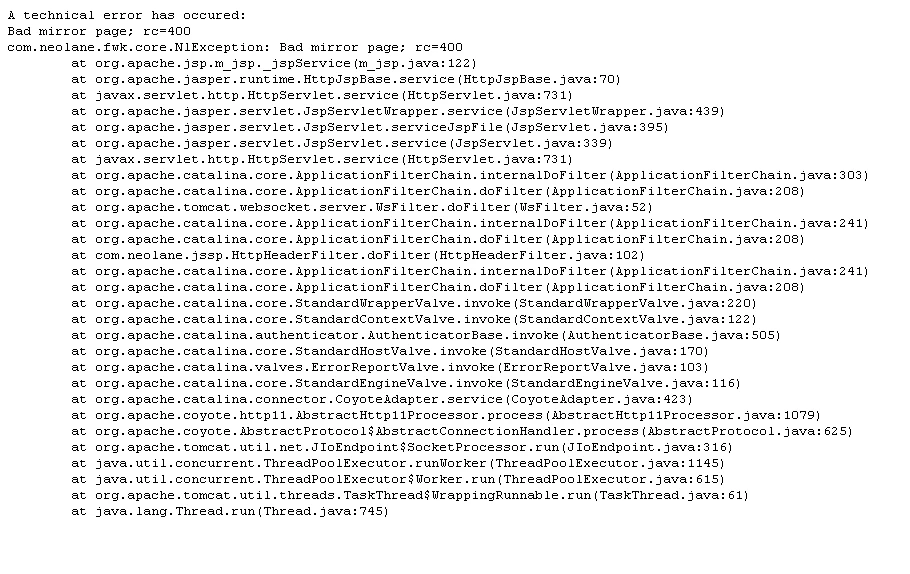
Regards,

Priyanka

This post is no longer active and is closed to new replies. Need help? Start a new post to ask your question.
Best answer by priyankah586599

Yes. ;<a href="<%@ include view='MirrorPageUrl' %>"_label="Mirror Page" _type="mirrorPage" style=" color: #007398; font-weight: none; text-decoration:none;">View in a browser</a></p>

Had missed a quote after _label="Mirror Page.

Regards,

Priyanka

6 replies

Adobe Employee
September 14, 2017

Hi Priyanka,

I suppose you work with a v6 instance?

Can you please share the build number of the server and the client console, and the link to the mirror page you try to access to?

Thanks,

Alice

Level 4
September 14, 2017

Hi Alice,

This issue is resolved. The syntax error while including the mirrorpage in the delivery had caused this issue.

Regards,

Priyanka

smccran
Adobe Employee
Adobe Employee
September 19, 2017

Hi Priyankah,

I'm seeing the same issue.

Can you explain a little more exactly what you did to resolve this problem?

Thanks

Shaun

Level 4
September 20, 2017

Hi Shaun,

There was a missing quote. I added it and resolved.

Regards,

Priyanka

smccran
Adobe Employee
Adobe Employee
September 20, 2017

A missing quote? In the link to the mirror page?

priyankah586599AuthorAccepted solution
Level 4
September 20, 2017

Yes. ;<a href="<%@ include view='MirrorPageUrl' %>"_label="Mirror Page" _type="mirrorPage" style=" color: #007398; font-weight: none; text-decoration:none;">View in a browser</a></p>

Had missed a quote after _label="Mirror Page.

Regards,

Priyanka