Error in connecting Adobe Campaign and MS Dynamics CRM | Community
Skip to main content
joydeep_kundu
Level 2
December 13, 2016
Solved

Error in connecting Adobe Campaign and MS Dynamics CRM

  • December 13, 2016
  • 2 replies
  • 2623 views

Hi All,

We are trying to connect Adobe Campaign with Microsoft Dynamics CRM (version 2016). But facing issue and need help.

Error message : "SyntaxError: XML tag name mismatch (expected parent)'
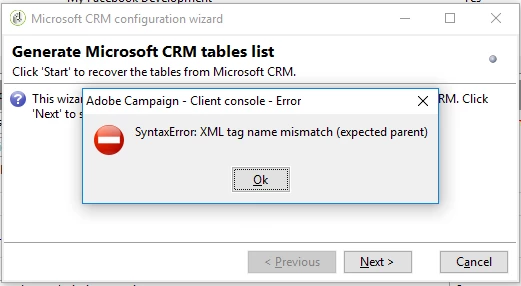
Microsoft Dynamics CRM (version 2016): it is on premises deployment with IFD (internet facing deployment).

Question 1: Why we are facing this issue?

Question 2: Is Microsoft Dynamics CRM (version 2016) version supported ?

Thanks & Regards,

Joydeep

This post is no longer active and is closed to new replies. Need help? Start a new post to ask your question.
Best answer by vraghav

Hi Joydeep,

MSCRM 2016 is not yet support by Adobe Campaign and hence will request you to either lower the CRM version or wait for a build that shows compatibility.

Regards,

Vipul Raghav

2 replies

vraghav
Adobe Employee
vraghavAdobe EmployeeAccepted solution
Adobe Employee
December 20, 2016

Hi Joydeep,

MSCRM 2016 is not yet support by Adobe Campaign and hence will request you to either lower the CRM version or wait for a build that shows compatibility.

Regards,

Vipul Raghav

sarahjohan
Level 2
December 19, 2017

Hello Joydeep, I to had a Related problem to your question can you check this and give me a solution. Here is my issue i.e.  I've already done a good bit of research, but all I get is massive confusion. I don't know how to create/open a ZIP file extension or do the XML process manually. The instructions I find are too choppy or have holes in the them.

I have been  searching in Microsoft Docs https://support.microsoft.com/en-us/help/4020021/after-updating-to-dynamics-365-mismatched-business-process-flow-entity | Microsoft Dynamics

Thanks

Sarahjohn