Enrichment Help | Community
Skip to main content
sqwgglz
Level 3
February 28, 2018
Solved

Enrichment Help

  • February 28, 2018
  • 16 replies
  • 13460 views

Hey everyone,

Hope someone can help.

I'm trying to enrich an email with some custom date fields which will act as the validity dates for the customer - I've added these in an enrichment.

Here's my workflow - you might be able to workout that it's a birthday trigger email.
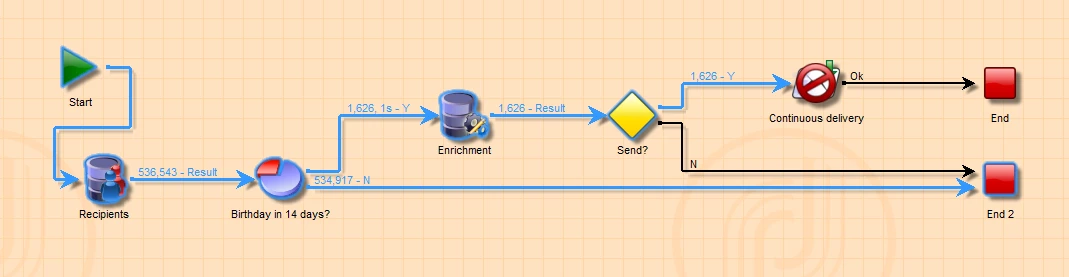
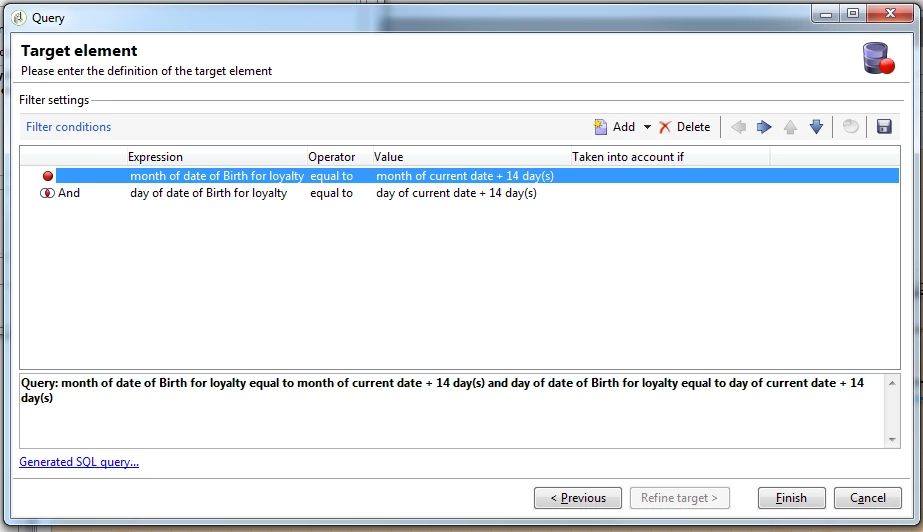
You'll see inside my split is nothing insane:
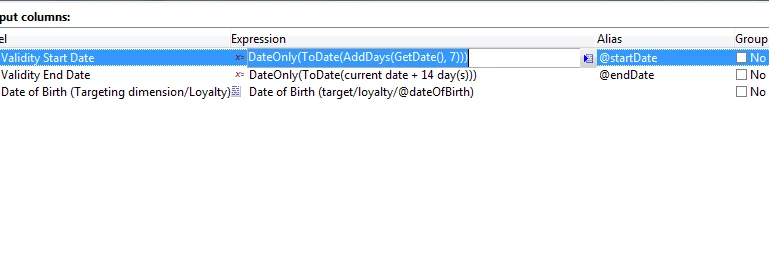
And here's my Enrichment:
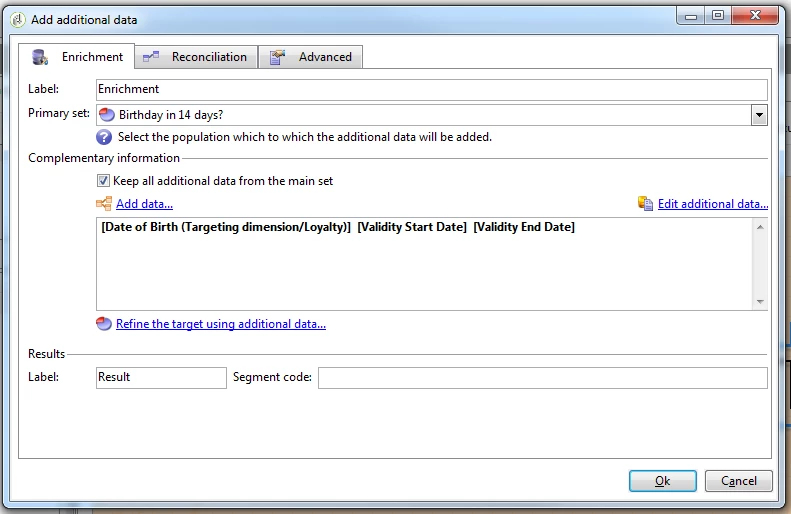
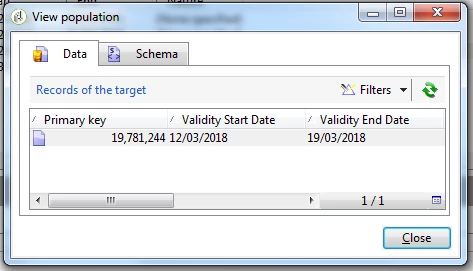
When I hit "Edit Additional data.."
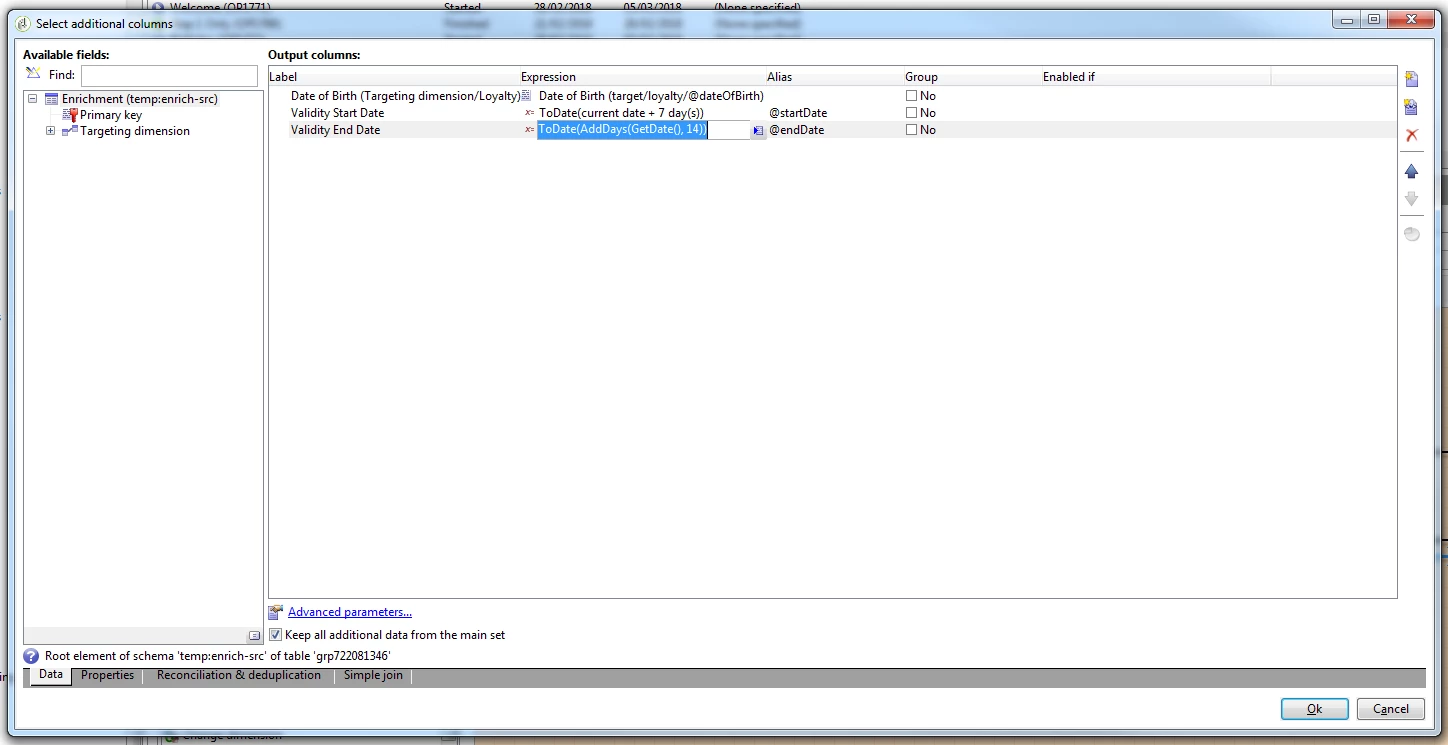
And going back to the Reconciliation table:
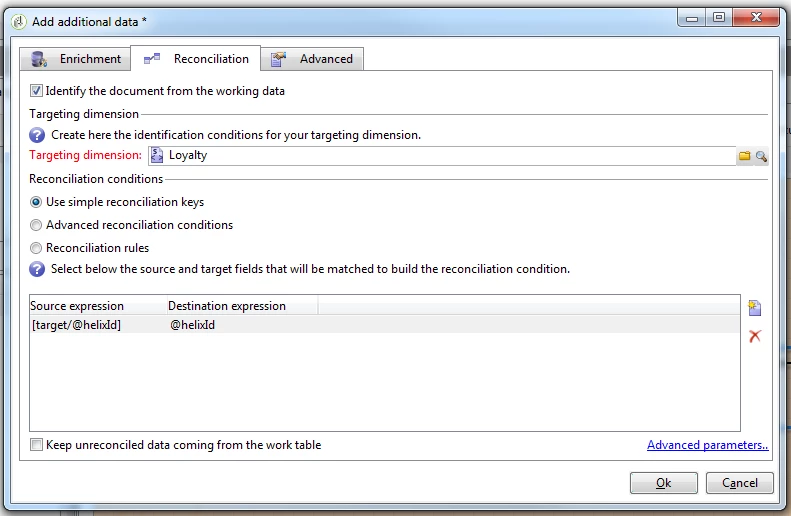
Note: I wasn't sure if this was necessary or not but hey ho!

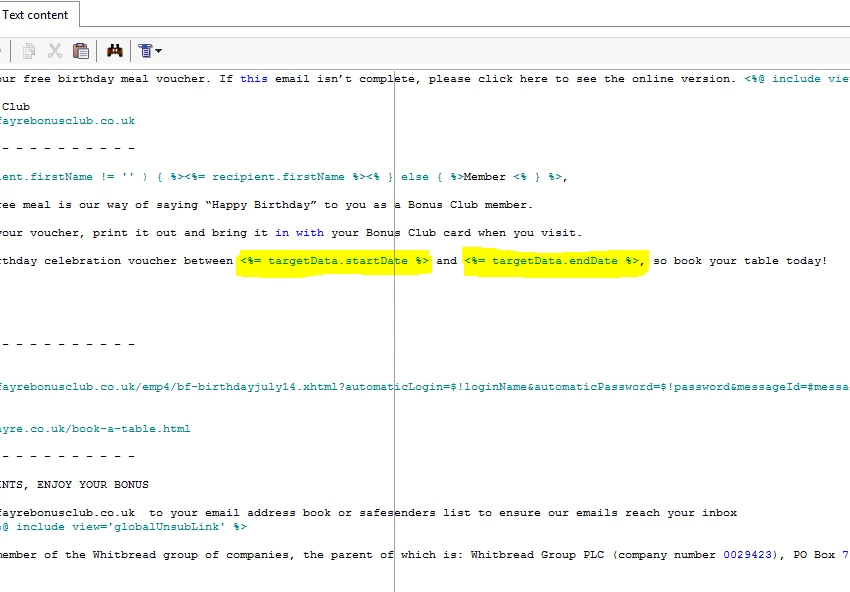
Anyway, when I add these fields into a recurring delivery:
And when I preview... I get this:
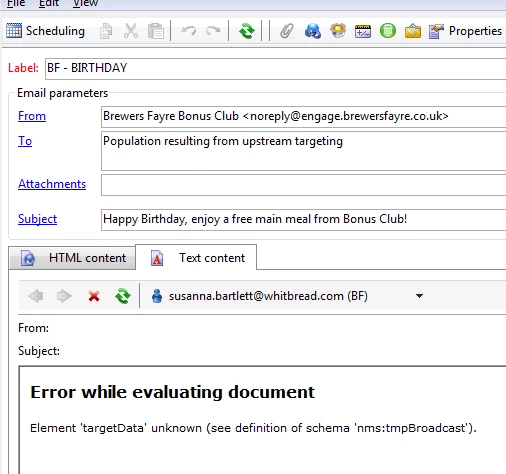
...and in a continuous delivery I get this:
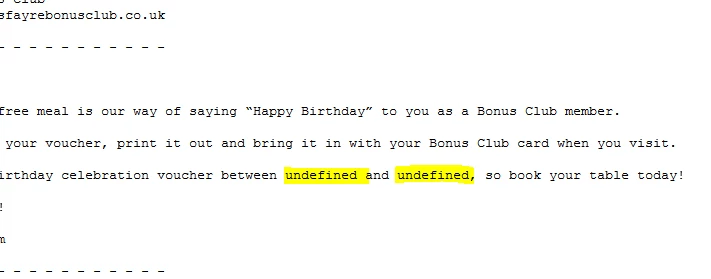
Any help?
This post is no longer active and is closed to new replies. Need help? Start a new post to ask your question.
Best answer by Amit_Kumar

Hi Kevin,

You should use a formatDate function to format your dates in deliveries.

in your case you have two options:

Options 1: efficient solution( if a developer is involved while preparing deliveries.)

add this script in the top of your delivery

<%

var currentDate = new Date();

var startDate = new Date();

var endDate = new Date();

// add a day

startDate.setDate(currentDate.getDate() + 7);

endDate.setDate(currentDate.getDate() +14);

%>

Use below syntax for adding these to your content wherever applicable

<%= formatDate(startDate, "%2D/%2M/%4Y") %>

<%= formatDate(endDate, "%2D/%2M/%4Y") %>

Options 2:

remove all extra formatting apart from adding days to current date and do not use toDate or any other function in your enrichment i.e use only AddDays(GetDate(),7 ) and then Use below option to include your dates.

<%= formatDate(targetData.startDate, "%2D/%2M/%4Y") %>

<%= formatDate(targetData.endDate, "%2D/%2M/%4Y") %>

Regards,

Amit

16 replies

sqwgglz
sqwgglzAuthor
Level 3
March 5, 2018

Note: I was expecting dates like this:

jyotiyadav3
Level 2
March 5, 2018

Hi Kevin,

When you are saving dates in the variable,  save them as :

DateOnly(ToDate(xxx))

You will get only date parameter,  no timestamp.

Thanks,

Jyoti

sqwgglz
sqwgglzAuthor
Level 3
March 5, 2018

Hi Jyoti,

Thanks for reply so quickly.

I added DateOnly() to the enrichment..

but all it did is set the time as 00:00:00.

. I was thinking of using formatdate() in the delivery but it will only work with system date... any other suggestions?

Thanks

Kevin

jyotiyadav3
Level 2
March 5, 2018

Hi Kevin,

Try with this:

Left( ToDate(xxx),12)

This will truncate the time part and stores only initial 12 characters of the string.

Thanks,

Jyoti

Amit_Kumar
Amit_KumarAccepted solution
Level 10
March 5, 2018

Hi Kevin,

You should use a formatDate function to format your dates in deliveries.

in your case you have two options:

Options 1: efficient solution( if a developer is involved while preparing deliveries.)

add this script in the top of your delivery

<%

var currentDate = new Date();

var startDate = new Date();

var endDate = new Date();

// add a day

startDate.setDate(currentDate.getDate() + 7);

endDate.setDate(currentDate.getDate() +14);

%>

Use below syntax for adding these to your content wherever applicable

<%= formatDate(startDate, "%2D/%2M/%4Y") %>

<%= formatDate(endDate, "%2D/%2M/%4Y") %>

Options 2:

remove all extra formatting apart from adding days to current date and do not use toDate or any other function in your enrichment i.e use only AddDays(GetDate(),7 ) and then Use below option to include your dates.

<%= formatDate(targetData.startDate, "%2D/%2M/%4Y") %>

<%= formatDate(targetData.endDate, "%2D/%2M/%4Y") %>

Regards,

Amit

sqwgglz
sqwgglzAuthor
Level 3
March 6, 2018

Thanks Amit,

Option 2 worked for me perfectly.

Thanks

Kevin