Creating a Audience who have clicked on specific link in a delivery | Community
Skip to main content
July 1, 2021
Solved

Creating a Audience who have clicked on specific link in a delivery

  • July 1, 2021
  • 1 reply
  • 2247 views

Hi all,


We are able to target users who has performed a clicked in the delivery under "Audience Target > Delivery > Clicked".

Is there a way to target contacts who have clicked on a specific link in the delivery?


Regards

SS


This post is no longer active and is closed to new replies. Need help? Start a new post to ask your question.
Best answer by ParthaSarathy

Hi @sengsiong ,

Yes it is possible.

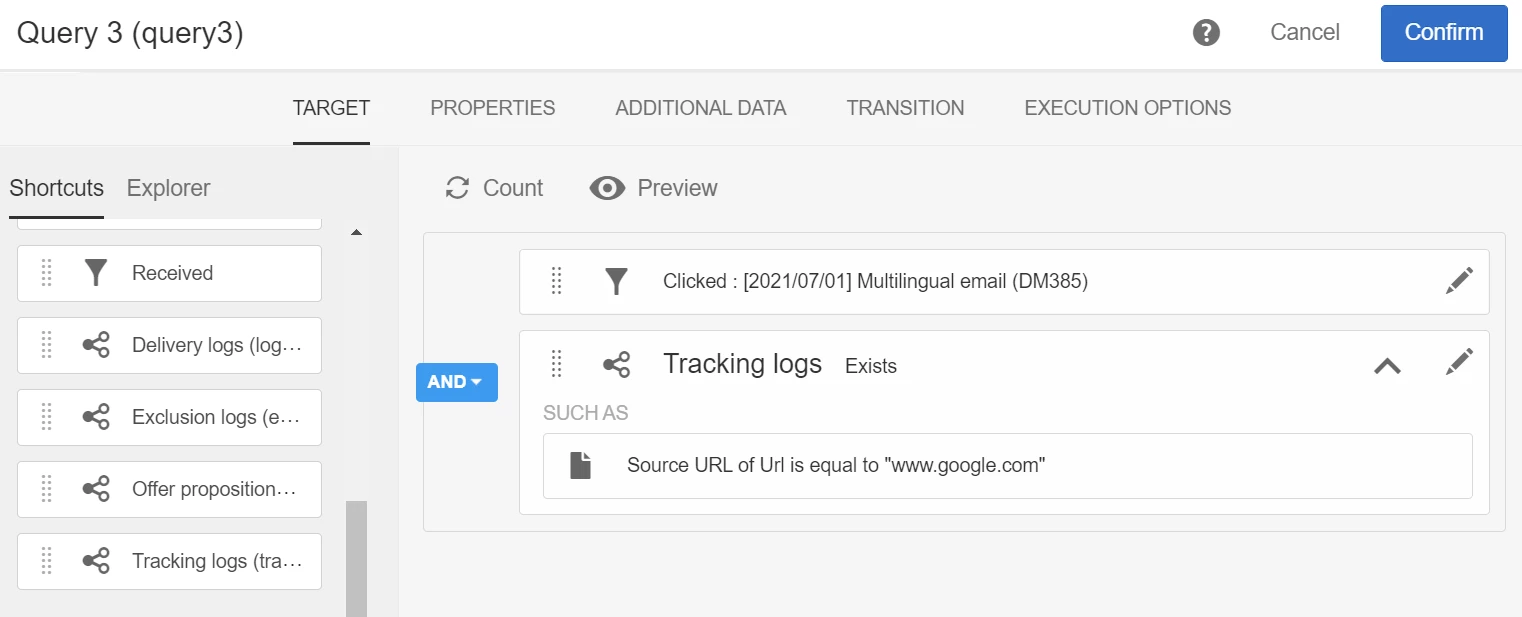
In Query, Select the delivery which you want to target by selecting 'Received' or 'clicked'.

Then under Delivery > drag and drop 'tracking log' > now it will be like 'tracking log exist ', now drag URL under tracking log.

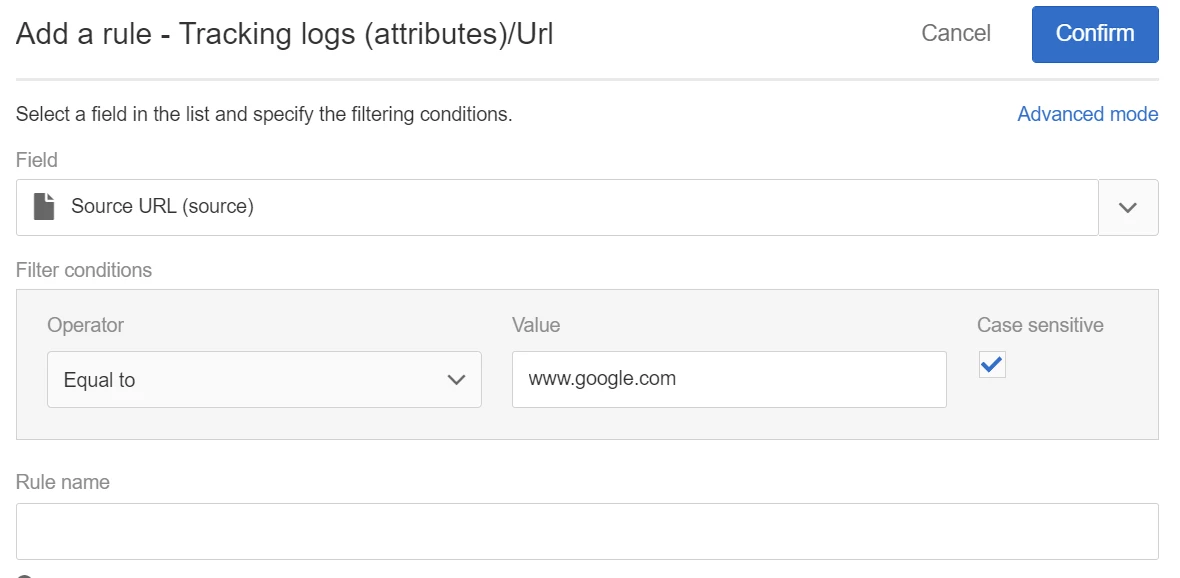
Select 'Source' under URL fields, as below

Click confirm.

Now you will filter out whoever clicked on google.com in that particular Delivery

Regards,

ParthaSarathy S


1 reply

ParthaSarathy
Community Advisor
ParthaSarathyCommunity AdvisorAccepted solution
Community Advisor
July 1, 2021

Hi @sengsiong ,

Yes it is possible.

In Query, Select the delivery which you want to target by selecting 'Received' or 'clicked'.

Then under Delivery > drag and drop 'tracking log' > now it will be like 'tracking log exist ', now drag URL under tracking log.

Select 'Source' under URL fields, as below

Click confirm.

Now you will filter out whoever clicked on google.com in that particular Delivery

Regards,

ParthaSarathy S


~  ParthaSarathy S~  Click here to join ADOBE CAMPAIGN USER GROUP for Quarterly In-person | Hybrid | Virtual Meetups
May 24, 2022

Hello


Is this possible to do at campaign level rather at email level?

So to target all users that have clicked a specific link in any email in a particular campaign?

May 24, 2022

Hi @csoile 

To get the Operations associated to a click, from the tracking Log, you would drill down to the Delivery and form the Delivery you would drill down to Campaign.

You have to go to Advanced mode in the Rules Editor and select the arrow on the right of the Delivery field, scroll down to find Campaign and select the arrow on the right of operations to get the Campaign information.... The query will look like below


Hope this helps,

Thanks

Denis


Hi Denis

Thank you for your prompt response, I have done just that. and that seems to work.

To further specify the URL as above should the query be as below?