Can we add the variables in the URL Labels? | Community
Skip to main content
algerz81927054
Level 2
January 31, 2018
Solved

Can we add the variables in the URL Labels?

  • January 31, 2018
  • 8 replies
  • 6624 views

Hello,

This question is about the "Delivery-Message tracking".
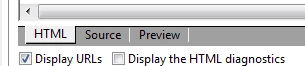
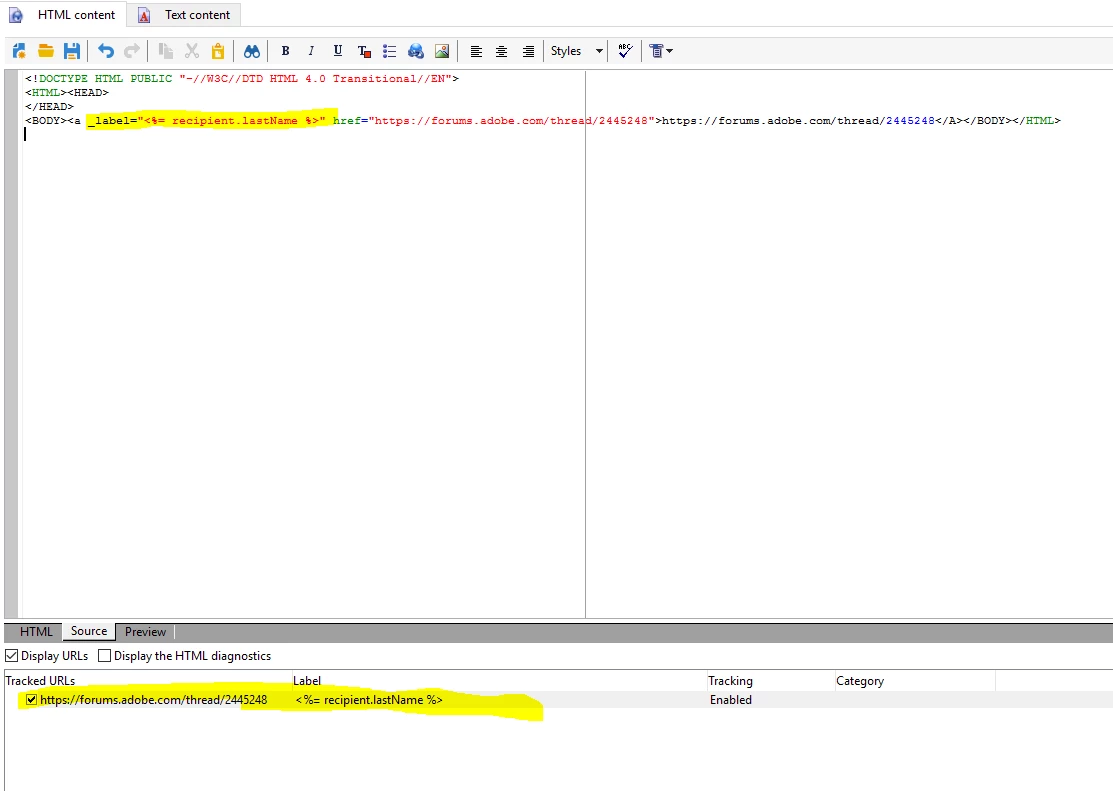
I hope to add some variables to the URL Labels to separate the duplicated named links. So that, when there are multiple versions in one delivery, I could segment the links for each version.

But unfortunately that the variables I added (such as "targetData.segmentCode) were regarded as a "String".  The variables' values won't be actually pulled through the report.
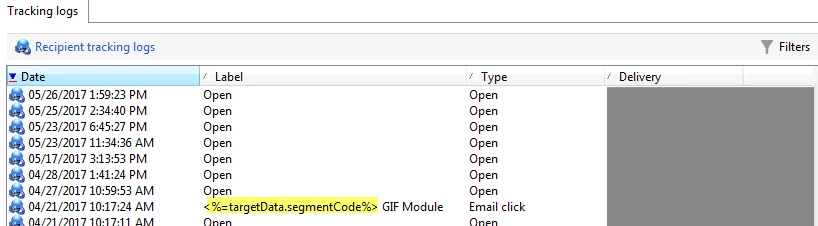
It is just read as "<%= targetData.segmentCode%> GIF Module", but I would like to let it be read as "V1_GIF Module".

Does anyone know why the variable failed to work and is there any method to solve this problem? Or, do we have any other way to version out the links in the delivery tracking?

Thanks a lot!

Regards,

Alger
This post is no longer active and is closed to new replies. Need help? Start a new post to ask your question.
Best answer by Amit_Kumar

Hi Alger,

What you are asking is possible and there are multiple ways to achieve this.

1. Use a content management email template instead of your normal template.

2. Use normal email delivery and you will see this option:

3. Write a new typology rules as control and write following code to achive the samne for all emails.'

var updateLabel = function(){

//use your logic to update the label value to desired value.

}

var deliveryHtmlContent = delivery.content.html.source;


  var links = deliveryHtmlContent.match(new RegExp('<a(.*)>', "g")); //Get all links inside the HTML

  var uniqueLinks = new Object();


for (var idx in links) {

        uniqueLinks[links[idx]] = 1;

    }

  for(var link in uniqueLinks){

    var oldLabel = "" ;

    if(link.match(new RegExp('_label="[^"]+"', "g"))){

      oldLabel = link.match(new RegExp('_label="[^"]+"', "g")).toString();

    }

var newLabel = updateLabel(oldLabel);

delivery.content.html.source =  delivery.content.html.source.replace(oldLabel, newLabel);  


}

8 replies

Amit_Kumar
Amit_KumarAccepted solution
Level 10
January 31, 2018

Hi Alger,

What you are asking is possible and there are multiple ways to achieve this.

1. Use a content management email template instead of your normal template.

2. Use normal email delivery and you will see this option:

3. Write a new typology rules as control and write following code to achive the samne for all emails.'

var updateLabel = function(){

//use your logic to update the label value to desired value.

}

var deliveryHtmlContent = delivery.content.html.source;


  var links = deliveryHtmlContent.match(new RegExp('<a(.*)>', "g")); //Get all links inside the HTML

  var uniqueLinks = new Object();


for (var idx in links) {

        uniqueLinks[links[idx]] = 1;

    }

  for(var link in uniqueLinks){

    var oldLabel = "" ;

    if(link.match(new RegExp('_label="[^"]+"', "g"))){

      oldLabel = link.match(new RegExp('_label="[^"]+"', "g")).toString();

    }

var newLabel = updateLabel(oldLabel);

delivery.content.html.source =  delivery.content.html.source.replace(oldLabel, newLabel);  


}

algerz81927054
Level 2
May 17, 2018

Hi Amit, sorry for the late reply and thank you so much for the answer. I really appreciate it!

I just have a further question on it:

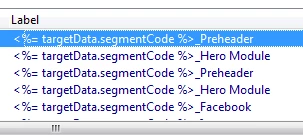
When I trying adding the "_label" attribute to the <a> links. The result doesn't show what I'd like to see in the delivery interface.

Please see the example below:

Though I set the "_label" to be "PreHeader", it still reads "Pre-Header" (with an extra hyphen symbol) in the Adobe delivery interface.

I guess this is a cache problem, but I don't know how to solve it. I don't want the final Label to be "Pre-Header" and need it to be "PreHeader" as what I set in the HTML code.

*I also checked the XML of the delivery and found:

The label I set in the HTML becomes the value of the attribute "guessLabel" (in yellow). However, it is covered by the value of "label" (in pink). But actually, I never set a value "Pre-Header" in my delivery/code.

Do you know why this problem happened and what to do with it?

Many thanks!

Amit_Kumar
Level 10
May 23, 2018

Hi,

I am unable to reproduce the same thing as you did(working for me), can you save and open the delivery(again) and do the preview and check?

Regards,

Amit

algerz81927054
Level 2
May 24, 2018

Hi Amit, thank you for sparing time looking into this issue.

I've tried re-open or re-create the delivery but with no luck to solve this problem.

For the issue I mentioned. The un-expected label is generated because the same link is once set in an old delivery template.

E.g. When I set the label of "https://www.abc.com" in delivery "A" as "Test", and then create a delivery "B" to include the same URL several days later. This link's label will automatically generate as "Test" no matter what I set in the HTML of delivery "B".

So, my question is, is there any method to avoid delivery "A" labels continuing taking effect in other new deliveries?

Amit_Kumar
Level 10
May 24, 2018

Hi,  I tried the same process as, you and it is working without any problem, are you sure you are not using any custom tracking code? It seems there is some code specific to your environment, which will be getting labels based on URL info table and applying the old labels. meanwhile, can you try

<P><a _label="Preheader3" _tagid="tagid133" href="https://instagram.com/mobile">cta text</a></P>

<a _label="PreheaderNew3" _tagid="tagid132" href="https://instagram.com/mobile">cta text</a>

let me know what happens?

algerz81927054
Level 2
May 24, 2018

Hi Amit,

Your code works correctly in my test. I remember I once did so and succeeded as well. But I just can't get it correct when setting the links across multiple deliveries.

Can you tell me more about the "URL info table" you mentioned?

And, we do have some "custom tracking codes" in each link.

Current links I set are usually formatted as"https://BaseURL?marsLinkCategory=general:general&<%= tracking %>". And the variable "tracking" refers to a long tracking info. So, the full URL may be:

Will this cause any problem?

Amit_Kumar
Level 10
May 25, 2018

Hi,

This should not cause the problem but how are you adding this tracking param, some typology rules?

Meanwhile, I have a small script which you can use in control type typologies on in deliveries. This should fix your issue

var nbUrls = delivery.content.html.urlConfig.url.length;

// Loop through all URLs

for (var i = 0; i &lt; nbUrls; i++){

   // Get current label and guessedLabel

  delivery.content.html.urlConfig.url[i].newUrl = true;

  delivery.content.html.urlConfig.url[i].label = delivery.content.html.urlConfig.url[i].guessedLabel;

}

return true;

Regards,

Amit

algerz81927054
Level 2
May 29, 2018

Thank you, Amit,

I just add the tracking param by hard-coding. Copy the all the links' URLs and put them in the <a> tag.

And, could you tell me where to insert the code you provided? I tried it in the HTML but it didn't work.

I can use "delivery.content.html.urlConfig.url[]" to locate the object but just can't edit its value.

Like shown, when I attempted assigning a fixed value "ssss", the system just reminded me "the object is read-only".

For example:

var nbUrls = delivery.content.html.urlConfig.url.length; => nbUrls can get the count correctly.

delivery.content.html.urlConfig.url[0].label = delivery.content.html.urlConfig.url[0].guessedLabel; => Failed