Can't get encryption_aescbcDecrypt to work | Community
Skip to main content
Level 2
May 28, 2020
Solved

Can't get encryption_aescbcDecrypt to work

  • May 28, 2020
  • 3 replies
  • 6975 views

I used the following encrypt function in the Additional Data section of a Query and got a result:

Expression1:

encryption_aescbcEncrypt(@cusCustomerId, '\x5206adc1a5b9b65f', '\xd726544e976ecd02')

Result1:

0823046d09baa5f002e51a709b3462c6
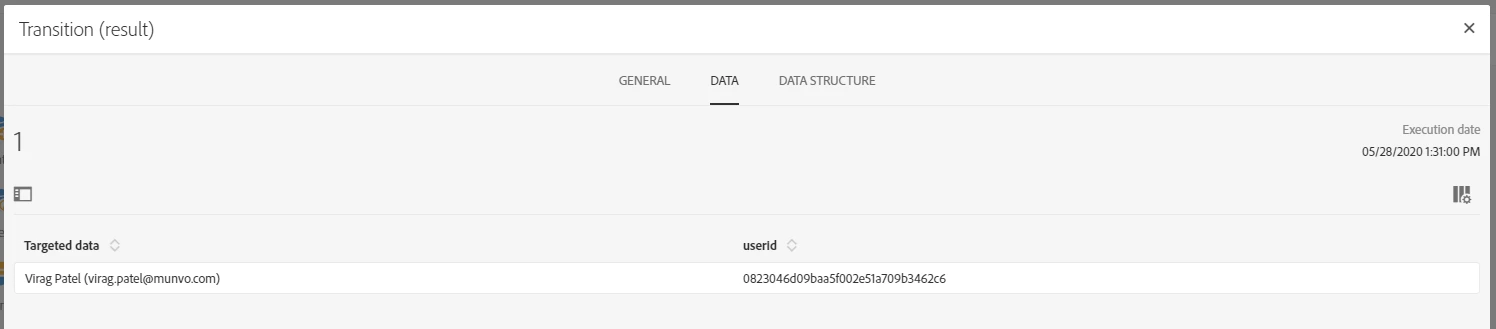
 

I used the following function to decrypt in the Additional Data section of a Query and the result is empty:

Expression2:

encryption_aescbcDecrypt('x0823046d09baa5f002e51a709b3462c6', '\x5206adc1a5b9b65f', '\xd726544e976ecd02')

Result2:

empty


I used the same KEY and INITIALIZATION VECTOR for both functions.


I'm quite certain that I am doing it exactly as stated in the documentation:



What am I doing wrong?

This post is no longer active and is closed to new replies. Need help? Start a new post to ask your question.
Best answer by Craig_Thonis

Hi Virag, 


I might suggest checking the formatting used in:

https://experienceleaguecommunities.adobe.com/t5/adobe-campaign-standard/aes-cbc-encryption-not-working/qaq-p/303878


It looks like you might need additional backslashes.


Regards,

Craig

3 replies

Adobe Employee
May 29, 2020

Just remove the "x" from the first parameter in the decrypt call and it shall work.

i.e.  encryption_aescbcDecrypt('0823046d09baa5f002e51a709b3462c6', '\x5206adc1a5b9b65f', '\xd726544e976ecd02')

Level 2
May 29, 2020

That worked, but there's still something wrong.


When I try a different KEY and IV, it doesn't work. It gives me a blank/empty result again.


Here are the functions:


Encrypt:

encryption_aescbcEncrypt('123456789', '\\x955fc7acba175b916feb8614071e67d9', '\\x955fc7acba175b916feb8614071e67d9')

Result:

671b9e0592ddc5c633bb480235efdaf2


Decrypt:

encryption_aescbcDecrypt('671b9e0592ddc5c633bb480235efdaf2', '\x955fc7acba175b916feb8614071e67d9', '\x955fc7acba175b916feb8614071e67d9')

Result:

BLANK


Craig_Thonis
Adobe Employee
Craig_ThonisAdobe EmployeeAccepted solution
Adobe Employee
June 5, 2020

Hi Virag, 


I might suggest checking the formatting used in:

https://experienceleaguecommunities.adobe.com/t5/adobe-campaign-standard/aes-cbc-encryption-not-working/qaq-p/303878


It looks like you might need additional backslashes.


Regards,

Craig

Level 3
June 9, 2020

I also faced the same issue, after debugging I found that when the length of encrypted string is more than the length of field in which you are storing, then some character will get truncated. This in turn causes the decrypt function to return a blank value. Try encrypting the string in any online tool and compare it with string stored in campaign, if some characters are truncated in campaign try increasing the length of that field in campaign.
