Adobe Campaign Rich Client Crash | Community
Skip to main content
davidl14970702
Level 4
January 30, 2018

Adobe Campaign Rich Client Crash

  • January 30, 2018
  • 3 replies
  • 8905 views

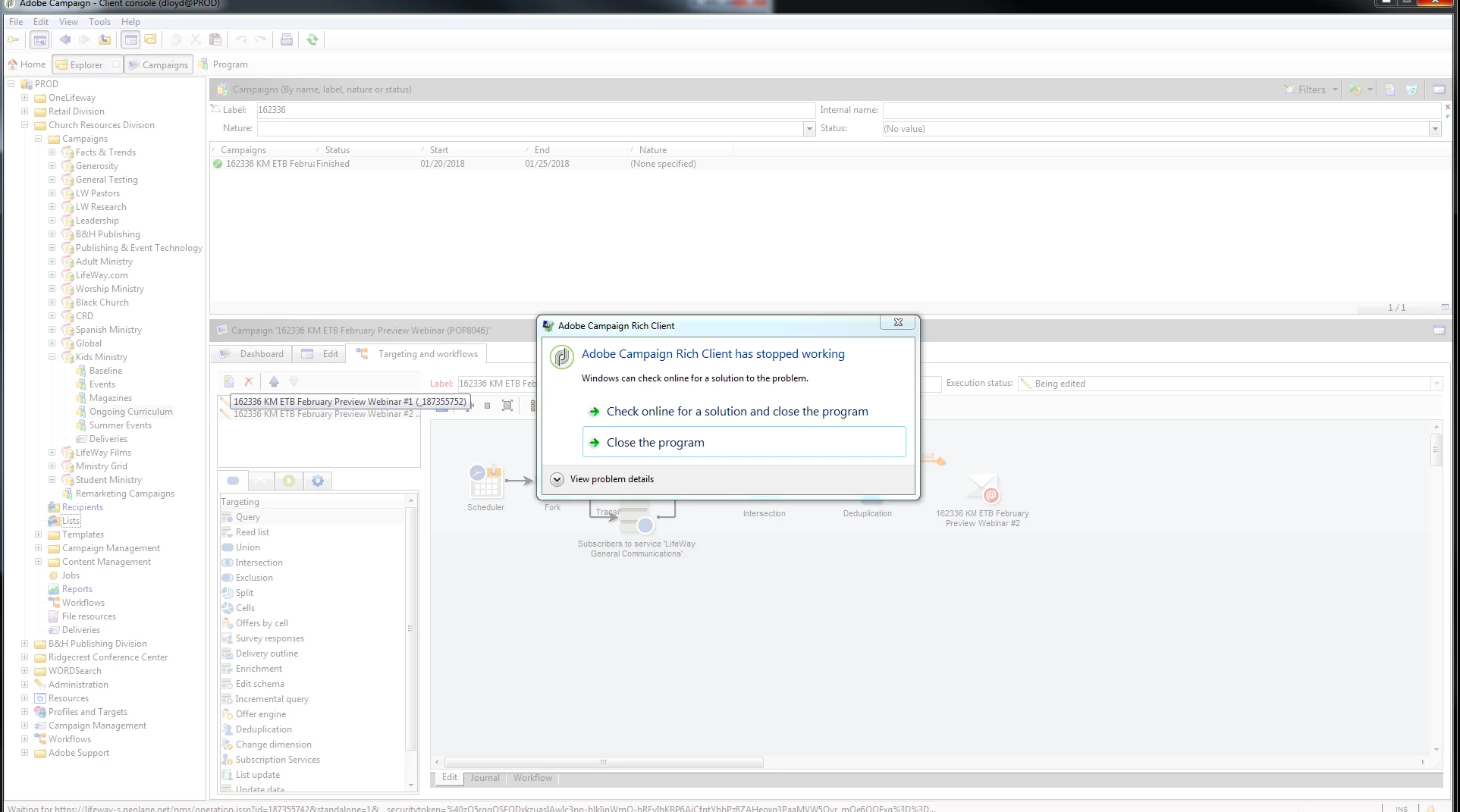
Adobe Campaign keeps crashing. Nothing specifically replicates it. But If I use for about 30-60 seconds it will crash. Usually happens once I click play or save something.

I have uninstalled and re-installed the client on my machine. Our Adobe Rep says he has never seen this behavior. Our IT guy doesn't have any ideas.

Yesterday from 7am to 4pm it crashed 17 times.

Could use all the help I can get.
This post is no longer active and is closed to new replies. Need help? Start a new post to ask your question.

3 replies

vraghav
Adobe Employee
Adobe Employee
January 31, 2018

What is the console and server build numbers

davidl14970702
Level 4
January 31, 2018

Vipul Raghav v6.1.1 - 8770 - server 8757

vraghav
Adobe Employee
Adobe Employee
January 31, 2018

Hi David,

You will have to enable dump creation on your machine and then wait for the application console to crash.

Fetch that dump and raise a ticket with support for them to analyze.

You can refer to this link to enable dump creation on your local machine

https://msdn.microsoft.com/en-us/library/windows/desktop/bb787181%28v=vs.85%29.aspx

Support themselves cannot read these dump logs. Instead, they will reach out to Engineering.

Regards,
Vipul

Adobe Employee
January 31, 2018

I have seen this for a customer but the issue with him was that his system Memory was low . Not sure if that is the same case with you .

i guess a dump creation will be a good option .

davidl14970702
Level 4
January 31, 2018

Vipul Raghav - I now have the DMP files. Do I just zip those up and add them as an attachment?

vraghav
Adobe Employee
Adobe Employee
January 31, 2018

Hi David,

If clearing space on your machine has helped improve the situation, it is good progress.

If you are still facing crashes try to find a loner laptop with minimalistic softwares on it and install the console there. See if the crashes can be reproduced there as well.

If not, then the problem is local to your machine. Space is definitely an issue and so can be the hardware.

If crashes are happening on the loner laptop as well, please log a ticket with support attaching the dump file there (provided it is not too huge in size). If the file is big in size, we can get it downloaded from a cloud service like Good Drive, One Drive, Campaign sFTP (if you have one)

Support will then liaise with Engineering to find answers for you.

Regards,
Vipul

hectorjose_deab
April 17, 2019

I have the same problem in Adobe Campaign. I have the 6.1.1.8886

When i try to create a new template in Message Center, i get this one:


  I unistalled the aplication, reinstalled again in my laptop and in 6 more laptops but i got the same error again.

When i try to log in in a colleague´s laptop with my user and create a new template i don´t have problem.

Could someone help me please?