Add a field to an existing Data Loading File | Community
Skip to main content
Level 2
February 27, 2018
Solved

Add a field to an existing Data Loading File

  • February 27, 2018
  • 2 replies
  • 2146 views

A few new attributes need to be added to an existing Data Loading (file) import workflow.  Is there a way to add fields without rebuilding the entire file format?  The 'add' option is greyed out.  Only the details on an existing row is available.
This post is no longer active and is closed to new replies. Need help? Start a new post to ask your question.
Best answer by davidk21713691

Yes,

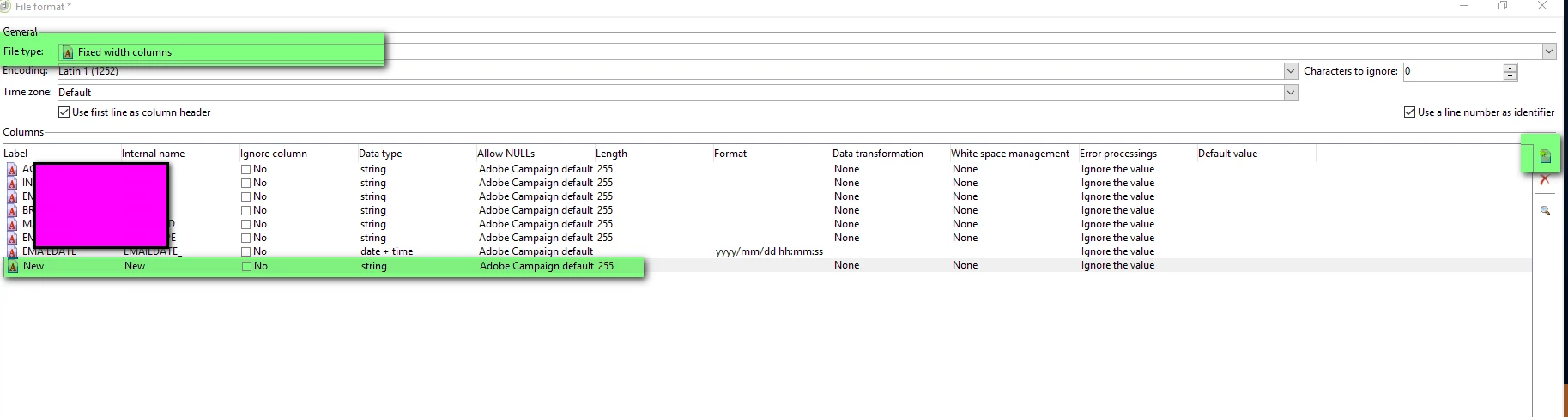
  • Select fixed width column and add your column

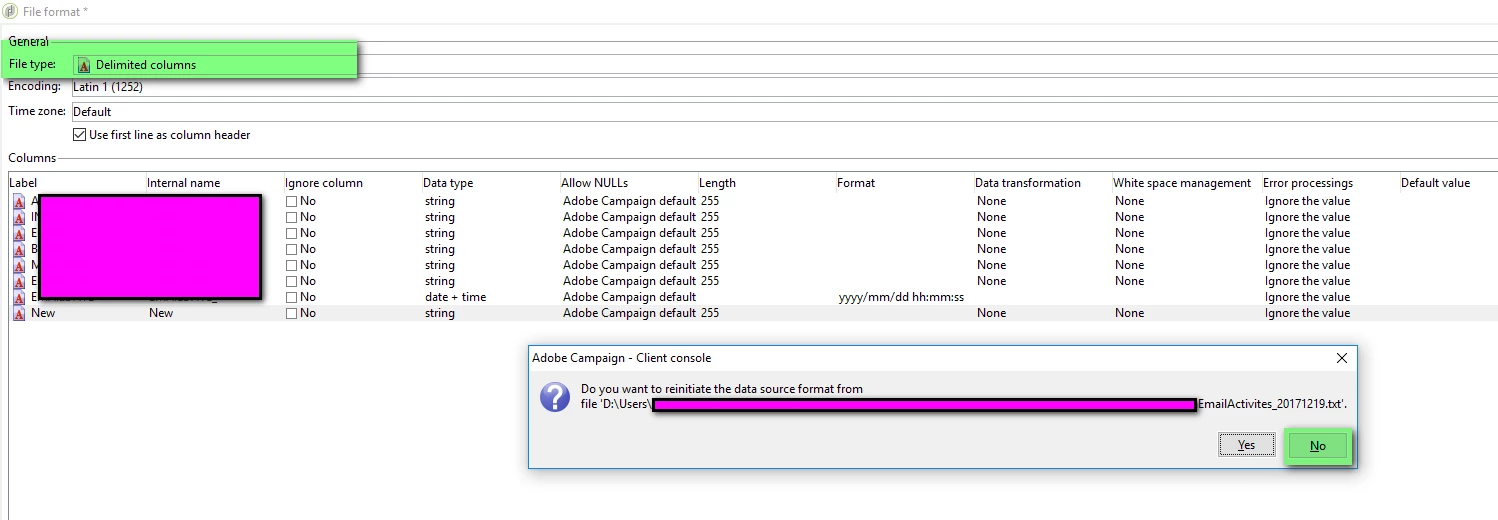
  • Select again delimited column and click No if it asked to reinitialize the format

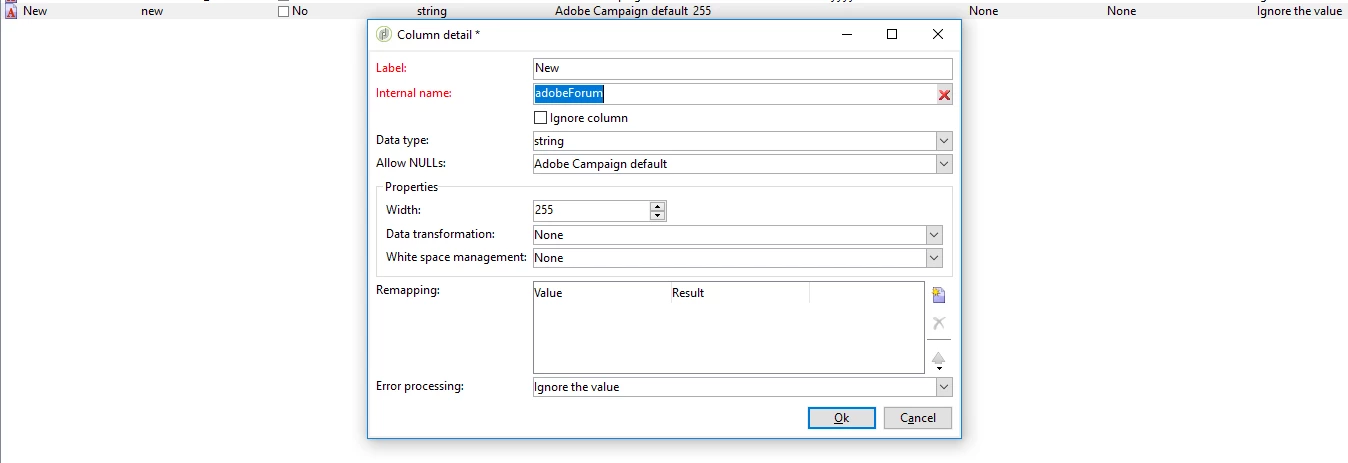
  • Then double click on the new line created and update it

David

2 replies

davidk21713691
davidk21713691Accepted solution
Level 3
February 28, 2018

Yes,

  • Select fixed width column and add your column

  • Select again delimited column and click No if it asked to reinitialize the format

  • Then double click on the new line created and update it

David

karynfAuthor
Level 2
February 28, 2018

Interesting.  It does reset the Internal name of the columns to be the same as the Label from the header in the file, but I can control that by having the header Labels be the same and it should be fine.  It keeps the data field formatting which is a good thing.

Thank You.