Hi Jon,
Here's the source code.
<!DOCTYPE html>
<html>
<head>
<meta charset="ISO-8859-1">
<style>
body {
font-family: Arial, Helvetica, sans-serif;}
* {
box-sizing: border-box;}
/* Add padding to containers */
.container {
padding: 16px;
background-color: white;}
footer{
background-color: black;
color: white;
height:100px;
padding: 5px;
text-align: center;}
/* Full-width input fields */
input[type=text], input[type=password] {
width: 100%;
padding: 15px;
margin: 5px 0 22px 0;
display: inline-block;
border: none;
background: #f1f1f1;}
input[type=text]:focus, input[type=password]:focus {
background-color: #ddd;
outline: none;}
/* Overwrite default styles of hr */
hr {
border: 1px solid #f1f1f1;
margin-bottom: 25px;}
/* Set a style for the submit button */
.registerbtn {
background-color: #4CAF50;
color: white;
padding: 16px 20px;
margin: 8px 0;
border: none;
cursor: pointer;
width: 100%;
opacity: 0.9;}
.registerbtn:hover {
opacity: 1;}
/* Add a blue text color to links */
a {
color: dodgerblue;}
/* Set a grey background color and center the text of the "sign in" section */
.signin {
background-color: #f1f1f1;
text-align: center;}
#otpDiv{
display:none}
</style>
<script>
function showverifyotp() {
document.getElementById("otpDiv").style.display = "block";
}
</script>
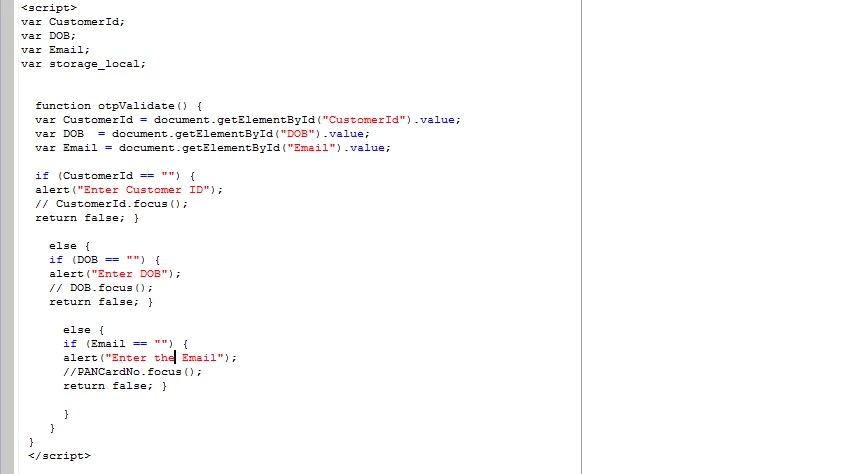
<script>
var storage_local;
function otpValidate() {
var CustomerId = document.getElementById("CustomerId").value;
var DOB = document.getElementById("DOB").value;
var Email= document.getElementById("Email").value;
if (CustomerId == "") {
alert("Enter Customer ID");
// CustomerId.focus();
return false; }
else {
if (DOB == "") {
alert("Enter DOB");
// DOB.focus();
return false; }
else {
if (Email== "") {
alert("Enter the Email");
//email.focus();
return false; }
}
}
}
</script>
</head>
<body style="" class="">
<form>
<div class="container">
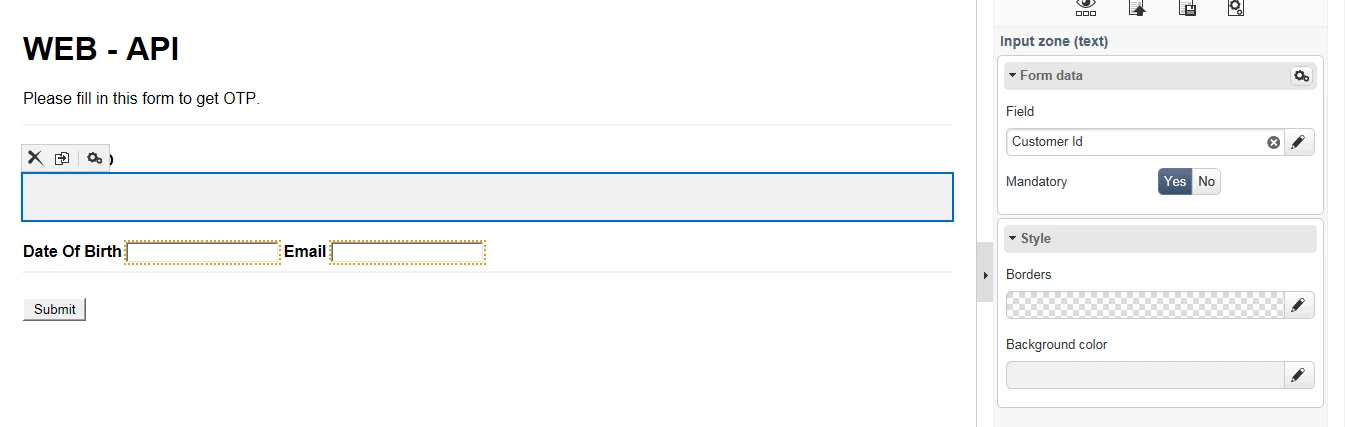
<h1>WEB - API</h1>
<p>Please fill in this form to get OTP.</p>
<hr />
<b>CustomerID</b> <input id="CustomerId" required="" type="text" placeholder="CustomerId" data-nl-label="Customer Id" data-nl-xpath="@customerId" data-nl-bindto="xpath" />
<b>Date Of Birth</b> <input id="DOB" required="" type="date" placeholder="DOB" data-nl-label="Date of birth" data-nl-xpath="@birthDate" data-nl-bindto="xpath" />
<b>Email</b> <input id="Email" required="" type="string" placeholder="Email" data-nl-label="email" data-nl-xpath="@email" data-nl-bindto="xpath" /><hr />
<button id="input154744421481711" onclick="otpValidate()" data-nl-bindto="action" data-nl-transition="next" data-nl-action="next">Submit</button></div>
</form>
</body>
</html>
Thanks,
Kartikeya