XTK-170024 The temporary 'temp:enrich' schema is not defined in the current context. | Adobe Higher Education
Skip to main content
Level 2
September 26, 2017
Beantwortet

XTK-170024 The temporary 'temp:enrich' schema is not defined in the current context.

  • September 26, 2017
  • 10 Antworten
  • 9459 Ansichten

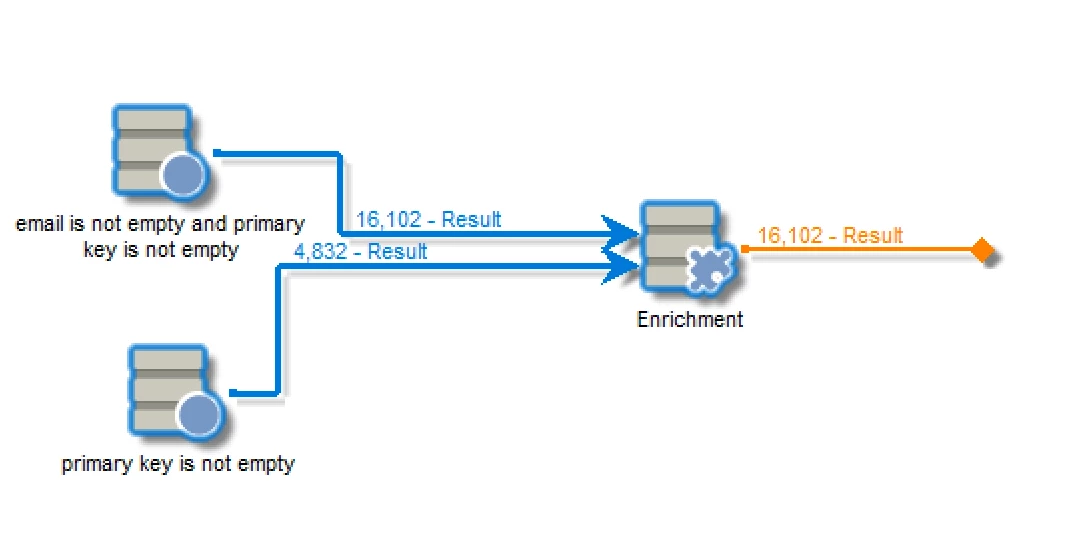
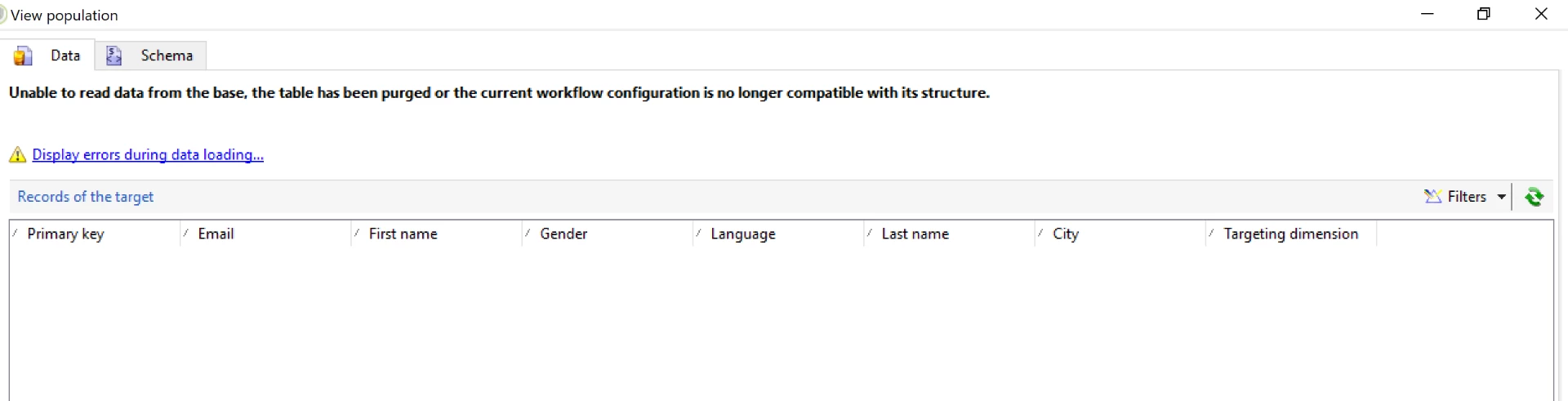
I'm getting this error while i'm trying to see data in worktable. The out bound transition is not connected and I tried using interim population check box as well. Please help.
Dieses Thema wurde für Antworten geschlossen.
Beste Antwort von harshalt9231438

Have you upgraded recently?  Is your client console version matching the upgraded server version?

We had a similar issue and were informed to upgrade our Adobe client version.

10 Antworten

Jean-Serge_Biro
Level 10
September 26, 2017

Hi Krishna,

Please, first of all, you should always put an End activity in all your workflows. Otherwise, the cleanup batch process (see technical workflow documentation) can't do the cleansing operations as it should and the temporary data remains a while.

With the interim population checkbox activated, you would be able to see the result set, after an execution. Please add the End activity, relaunch it and confirm it. Many thanks.

Regards
J-Serge

Level 2
September 26, 2017

Hi Jean,

I have used end activity and checked the interim population checkbox as well still I'm unable to see the results.

Here are the screenshots.

Also the error I encountered is here

Please help.

Thanks,

Krishna

vraghav
Adobe Employee
Adobe Employee
September 26, 2017

Hi Krishna,

Did you copy paste activities on your workflow. This error is indicating towards it.

Well when you open the target data and see this error, apply a filter like @id not equal to 0 (whichever is applicable) and you will be able to see the result.

Regards,
Vipul

Level 2
September 26, 2017

Hi Vipul,

I created this workflow by drag drop of activities.

Also as you suggested, I applied the filter with @id not equal to 0 and still persisting the issue. Please refer screenshot.

Thanks,

Krishna

Level 2
September 27, 2017

Is this an environmental issue? Please help.

Level 2
September 27, 2017

Have you upgraded recently?  Is your client console version matching the upgraded server version?

We had a similar issue and were informed to upgrade our Adobe client version.

Jean-Serge_Biro
Level 10
September 27, 2017

Hi Krishna,

Please create a new enrichment activity (not copy/paste), delete the current one, check the new internal name of the enrichment activity (temp:enrich), and reexecute. Sometimes it happens some bug in Adobe Campaign resolved by this manipulation. 

If not resolved, I recommend you to open a ticket at Adobe Campaign support, it would be up to them rather community to manage your issue.

Regards
J-Serge

florentlb
Level 10
October 10, 2017

Hi Krishna,

Were you finally able to find what was causing the issue and get through it?

As Jean-Serge suggested, sometimes even minor errors can cause this kind of issue, or the fact that the workflow has been running many times with errors. Best thing is to create it from scratch again. If that did not resolve your issue, Campaign support team will be able to investigate it further.

Let us know,

Florent

Level 2
October 12, 2017

In our case, upgrading the client version to match the server resolved the issue.

Regards,

Harshal

Level 2
October 18, 2017

Thank you.