Unable to Upload File in Webapp | Community
Skip to main content
justinat1137566
Level 2
November 19, 2018
Solved

Unable to Upload File in Webapp

  • November 19, 2018
  • 4 replies
  • 2711 views

Hello! I have created a simple webapp with a page and an file upload field. But upon selecting a file and then clicking on the upload button, it will always get stuck on the upload step.
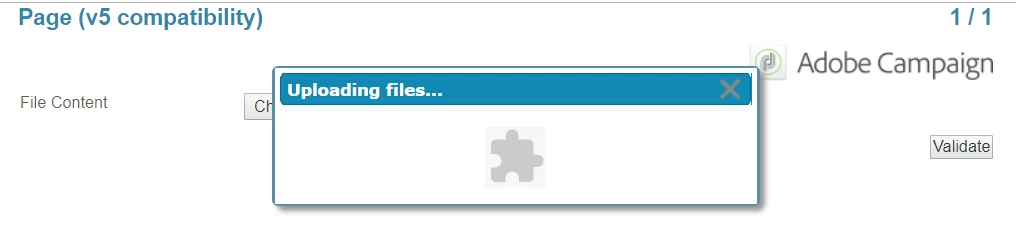
When I checked on the network tab of Chrome to see what could be the error, the response from /nl/jsp/uploadFile.jsp is always  "Error during authentication". What could be the issue and how do I solve this? I have also tried both anonymous and restricted access. With restricted access, on the login page I will always get the error that my IP address is not allowed access even though it has been whitelisted. Thanks in advance!

This post is no longer active and is closed to new replies. Need help? Start a new post to ask your question.
Best answer by Venu_Reddy

Hi Justin,

Can you check with your internal team to whitelist your IP address to upload the files in webapp as it is an issue with the proxy settings.

See this answer. Hope it helps

How to Upload a file using Webapp Adobe Campaign?

Regards,

Venu

4 replies

SachinDhir
Level 2
December 5, 2018

Hi....did you find solution to this problem??

I am facing the same is its particularly with File Upload functionality.

justinat1137566
Level 2
December 5, 2018

Hi Sachin,

Nope, still haven't managed to resolve it....

Venu_Reddy
Venu_ReddyAccepted solution
Level 6
December 5, 2018

Hi Justin,

Can you check with your internal team to whitelist your IP address to upload the files in webapp as it is an issue with the proxy settings.

See this answer. Hope it helps

How to Upload a file using Webapp Adobe Campaign?

Regards,

Venu

SachinDhir
Level 2
December 17, 2018

This functionality only works with Authenticated web apps and not on Landing pages with Anonymous access.

Behind the scene is called uploadFile.jsp which does not process the request if the user is anonymous (unauthenticated) and hence the page gets stucked.