Unable to add target data fields in direct mail delivery with custom target mapping | Community
Skip to main content
Level 2
March 7, 2024
Question

Unable to add target data fields in direct mail delivery with custom target mapping

  • March 7, 2024
  • 1 reply
  • 905 views

Hi team,


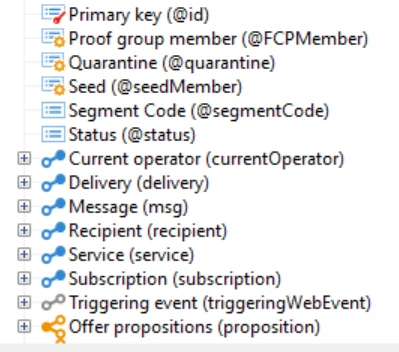
While configuring the extract format in direct mail delivery, we are unable to add additional fields from the target data extension. This issue is observed when we use custom target mapping. Please find the attached screenshot comparing the delivery configured with custom target mapping. 


with regards,

Richa Chaubey

This post is no longer active and is closed to new replies. Need help? Start a new post to ask your question.

1 reply

LakshmiPravallika
Community Advisor
Community Advisor
March 8, 2024

Hi @richach ,


Please try adding all the additional Data fields into the Enrichment activity and use it in the Direct mail Delivery activity. Once you connect Enrichment to the Direct Mail delivery activity in the Workflow , all the Additional data will get displayed and a delivery Template will also be created during the Direct Mail delivery execution.


Regards,

Pravallika.

RichaChAuthor
Level 2
March 8, 2024

Hi @lakshmipravallika 


Even after adding enrichment activity (with all additional fields) I am unable to see the additional fields. My understanding is that it is because of custom target mapping used is causing the issue


with regards,

Richa Chaubey

LakshmiPravallika
Community Advisor
Community Advisor
March 8, 2024

Hi @richach ,


Please check if your custom Target Mapping has the Postal Address and the Direct Mail Parameters mapped to it in the "Address" Tab.


Example is as shown below:


Regards,

Pravallika.