Sending Email Once after Form Submitting | Community
Skip to main content
Level 4
January 27, 2024
Solved

Sending Email Once after Form Submitting

  • January 27, 2024
  • 3 replies
  • 805 views

Hi 

I'm trying to send a confirmation email while they have submitted the form.
1. I have a custom schema to store all the form field data.

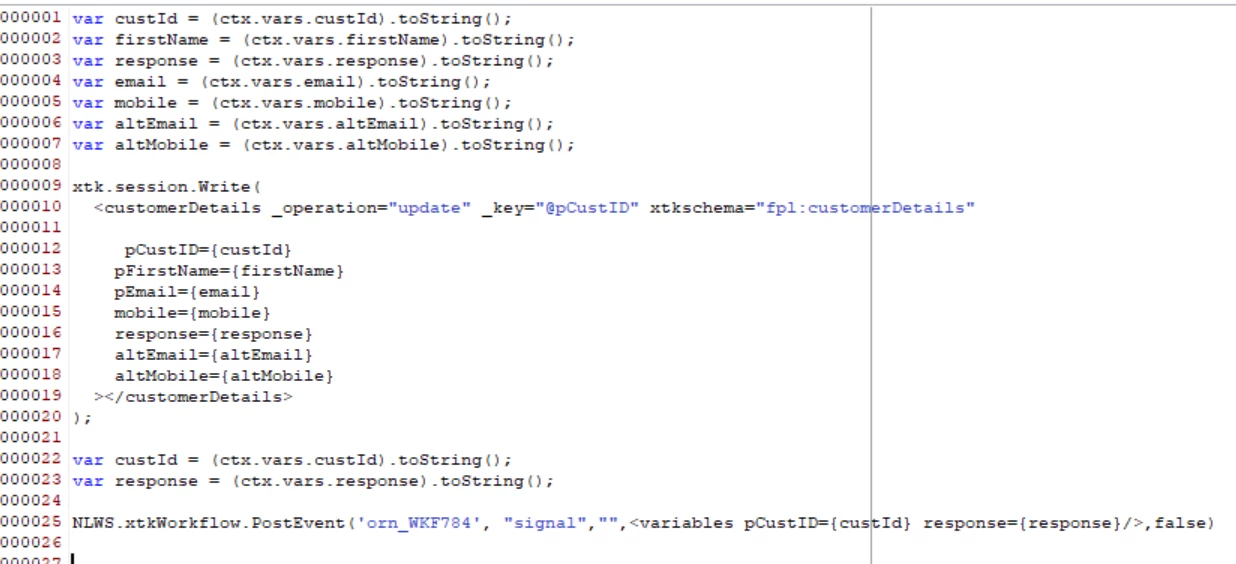
And here is the javascript activity to pass values from the ctx variable to the temp variable, and I am updating those values in the data schema.
2. After I have given a post event to trigger the workflow using the signal method
 

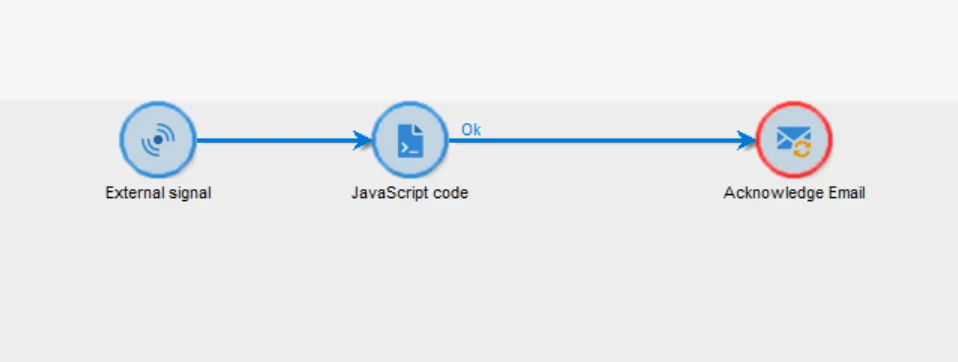
3.This is the workflow that I have created. In this javascript activity, I am not going to call any delivery; I am supposed to deliver in the campaign workflow.
Here is the java script code that I added in the workflow 
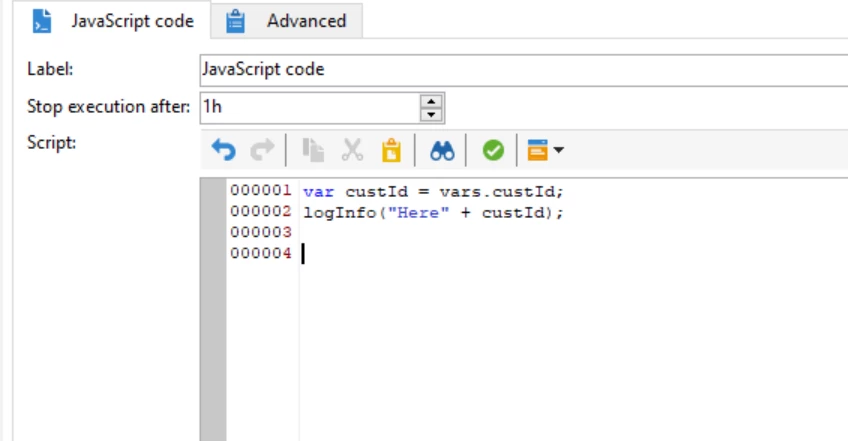
but here I'm getting log as undefined, which means the cust id has no value but in the schema has value.
Can someone explain how I can send emails through custom schema and in the campaign workflow as well?
What would be the changes in recurring delivery?



This post is no longer active and is closed to new replies. Need help? Start a new post to ask your question.
Best answer by LakshmiPravallika

Hi @vani97 ,


Please change the variable in your 3rd Javascript from 'vars.custId' to 'vars.pCustID' and then the Value comes in the JS Logs.


Also, to send the emails using your Custom schema, once after data Insertion, Please use the query/Enrichment activity in your 3rd Workflow and use the Recurring delivery 


PFA Sample WF Screenshot for 3rd point


Regards,

Pravallika.

3 replies

Manoj_Kumar
Community Advisor
Community Advisor
January 27, 2024

Hello @vani97 


Add an reconciliation/enrichment activity in the workflow mentioned in point #3 and then link it with recipient table on the basis of custId.


That will fix the issue.

Manoj     Find me on LinkedIn
LakshmiPravallika
Community Advisor
LakshmiPravallikaCommunity AdvisorAccepted solution
Community Advisor
January 29, 2024

Hi @vani97 ,


Please change the variable in your 3rd Javascript from 'vars.custId' to 'vars.pCustID' and then the Value comes in the JS Logs.


Also, to send the emails using your Custom schema, once after data Insertion, Please use the query/Enrichment activity in your 3rd Workflow and use the Recurring delivery 


PFA Sample WF Screenshot for 3rd point


Regards,

Pravallika.

Sukrity_Wadhwa
Community Manager
Community Manager
March 8, 2024

Hi @vani97,

Were you able to resolve this query with the help of the given solutions or do you still need more help here? Do let us know. In case the given solutions were helpful, then kindly choose the one that helped you the most as the 'Correct Reply'.
Thanks!

Sukrity Wadhwa