Schedule a report in ACC | Community
Skip to main content
Level 3
November 20, 2019
Solved

Schedule a report in ACC

  • November 20, 2019
  • 4 replies
  • 4952 views

Hi Team,

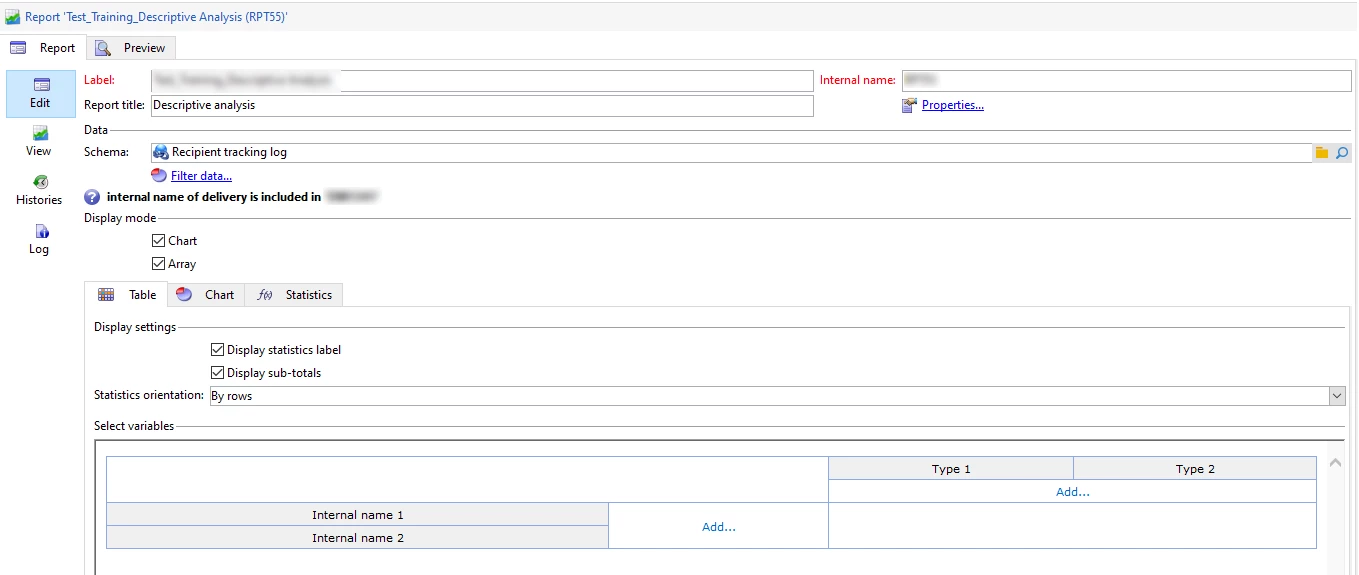
I have report which needs to be schedule at 10AM daily to the me and another one. Can you guys help me to support on this? Attached screenshot is for your reference.

Thanks,

Shama.
This post is no longer active and is closed to new replies. Need help? Start a new post to ask your question.
Best answer by asktam1410

You can automate the report through java script.

vars.AshokDeliveryRpt="/usr/local/neolane/nl6/var/xxxxxxxxx/export/Ashok_DS_1.xls";

      var reportName = "CustomDeliveryStatistics";

      var path = vars.AshokDeliveryRpt;

      var exportFormat = "XLS";

      isAdHoc = false;

      var _ctx = <ctx _context="selection" _selectionCount="1" _selection={campId} _schema="nms:delivery" _reportContext={reportName} />

      xtk.report.export(reportName,_ctx,exportFormat,path,isAdHoc);

Once report is generated in the export directory - you can add it as an attachment and send it everyday in a specified time.

4 replies

asktam1410
asktam1410Accepted solution
Level 3
November 21, 2019

You can automate the report through java script.

vars.AshokDeliveryRpt="/usr/local/neolane/nl6/var/xxxxxxxxx/export/Ashok_DS_1.xls";

      var reportName = "CustomDeliveryStatistics";

      var path = vars.AshokDeliveryRpt;

      var exportFormat = "XLS";

      isAdHoc = false;

      var _ctx = <ctx _context="selection" _selectionCount="1" _selection={campId} _schema="nms:delivery" _reportContext={reportName} />

      xtk.report.export(reportName,_ctx,exportFormat,path,isAdHoc);

Once report is generated in the export directory - you can add it as an attachment and send it everyday in a specified time.

Level 3
November 22, 2019

Hi Ashok,

Thanks for getting me back.

I have created the report by using descriptive analysis mode. Then how should we able to use the above script in the report? Sorry. Since I am new to create reports in Adobe Campaign Classic, I need your guidance on this.

Much appreciated.

Shama.

asktam1410
Level 3
November 22, 2019

Create a new report - whatever you are trying to view in Descriptive analysis - you could do it through report query then create a output page. Refer the query whatever you created as 'contextual data'. Save and publish.

Then Call that report internal name in the above mentioned Java script.

Level 3
November 25, 2019

Hi Vinod,

Thanks for getting me back.

I haven't used Javascript by creating report.

Could you share any screenshot reference on how did you create the report with query builder plus Javascript functionality on ACC please?

Thanks,

Shama.