Registering Tracking Servers | Community
Skip to main content
sergio_NYC
Level 2
August 31, 2020
Solved

Registering Tracking Servers

  • August 31, 2020
  • 2 replies
  • 1594 views

Hello all and happy Monday,


I am doing the registration of the servers per the documentation, entered the internal URLs, and uncheck the Externalize option, enter the internal URLs, and register the servers: 
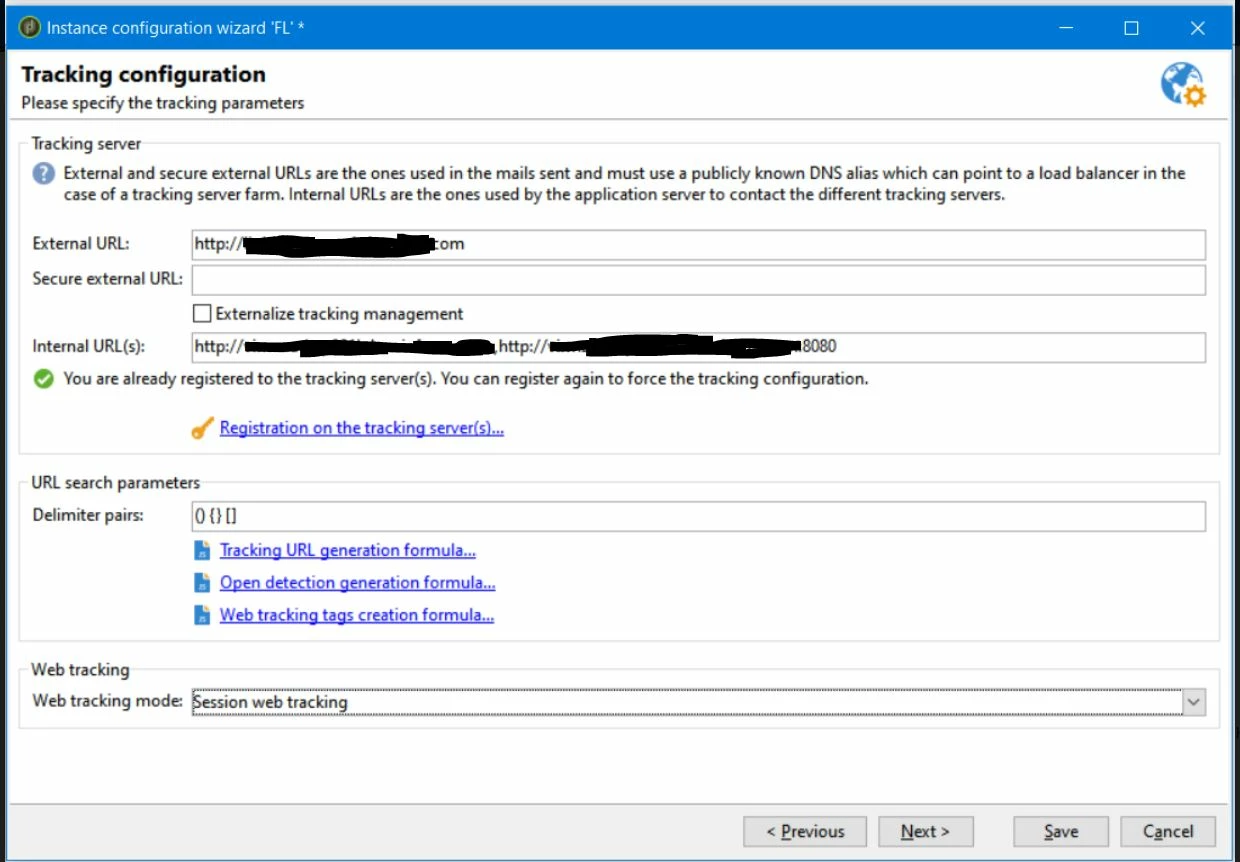


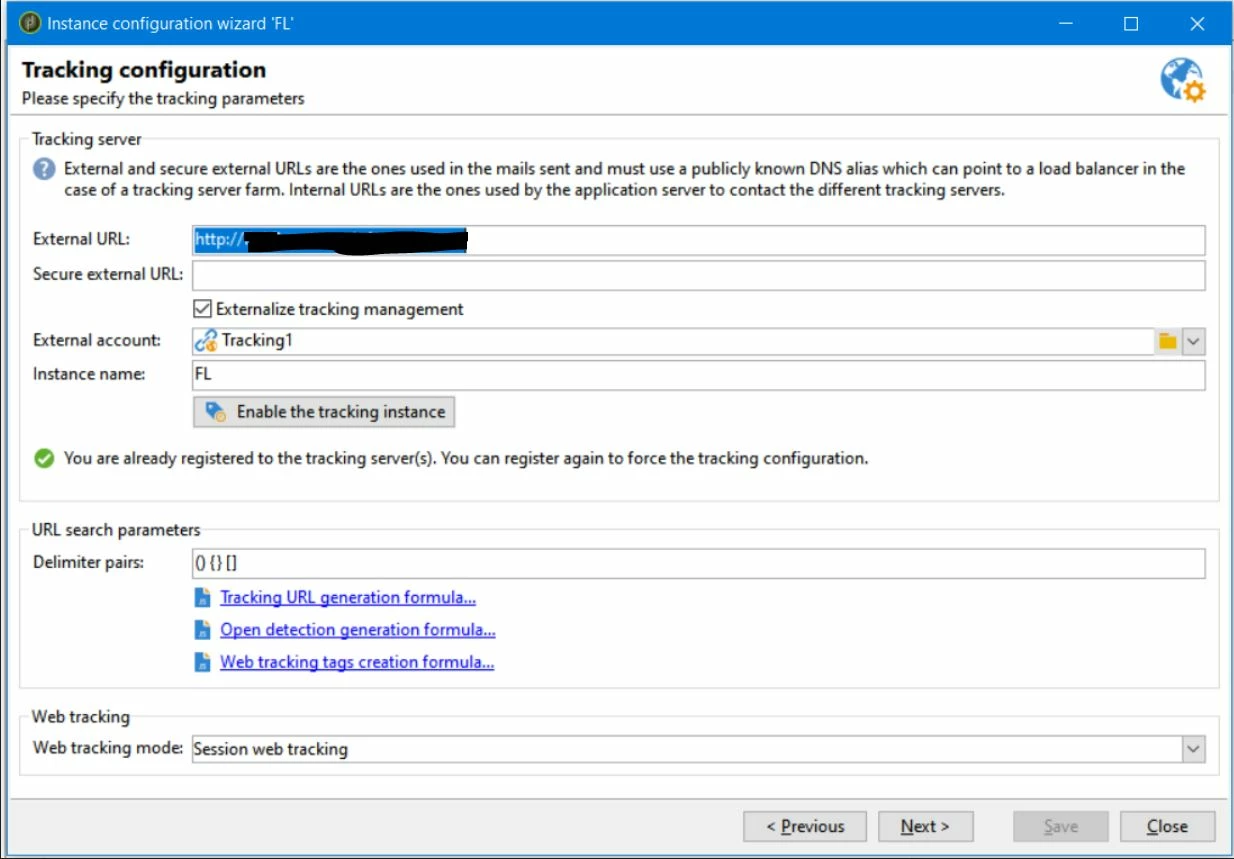
I do the registration and everything looks good. However, whenever I go back to it I see that the Externalize Tracking Management box is selected again (see below). Does anyone have any idea why this is happening?


Thank you so much for your time.


-sergio-


This post is no longer active and is closed to new replies. Need help? Start a new post to ask your question.
Best answer by Milan_Vucetic

Hi @sergio_nyc 

looks like a small bug.

Just empty two fields in Externalize (External account and Instance name) and then de-check Externalize option and make Save.

If you ensure that these two fields are emtpy, it will work for you otherwise will show this option enabled.

Regards,

Milan

2 replies

Milan_Vucetic
Milan_VuceticAccepted solution
Level 9
August 31, 2020

Hi @sergio_nyc 

looks like a small bug.

Just empty two fields in Externalize (External account and Instance name) and then de-check Externalize option and make Save.

If you ensure that these two fields are emtpy, it will work for you otherwise will show this option enabled.

Regards,

Milan

sergio_NYC
Level 2
September 8, 2020

Thank you so much Milan!  That did the trick!