Question about Split workflow into different segments | Community
Skip to main content
Level 2
August 13, 2020
Solved

Question about Split workflow into different segments

  • August 13, 2020
  • 5 replies
  • 4645 views

Hi there,


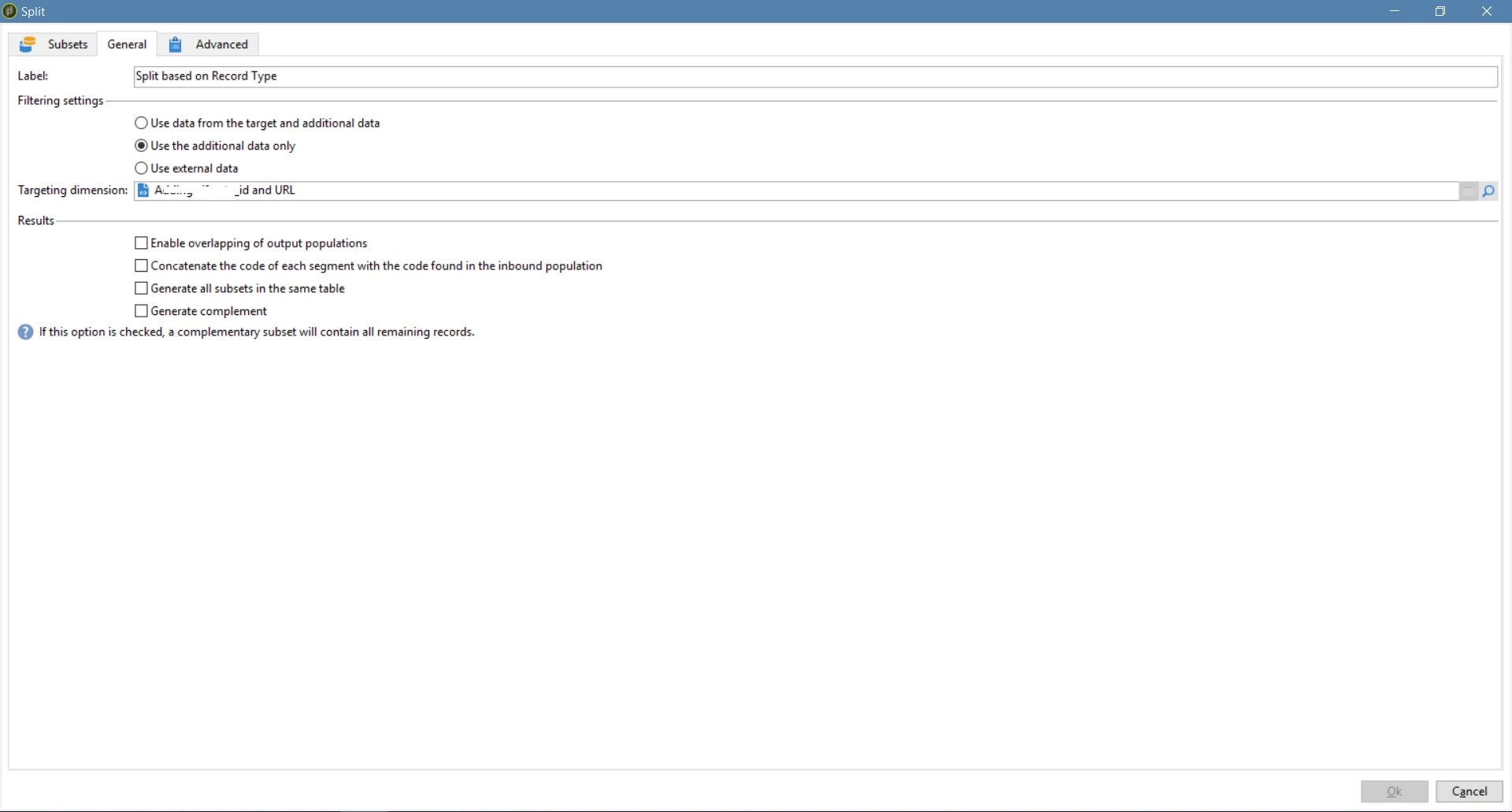
When I was splitting the workflow into different segments, the records from upstream didn't segment correctly based on the criteria.

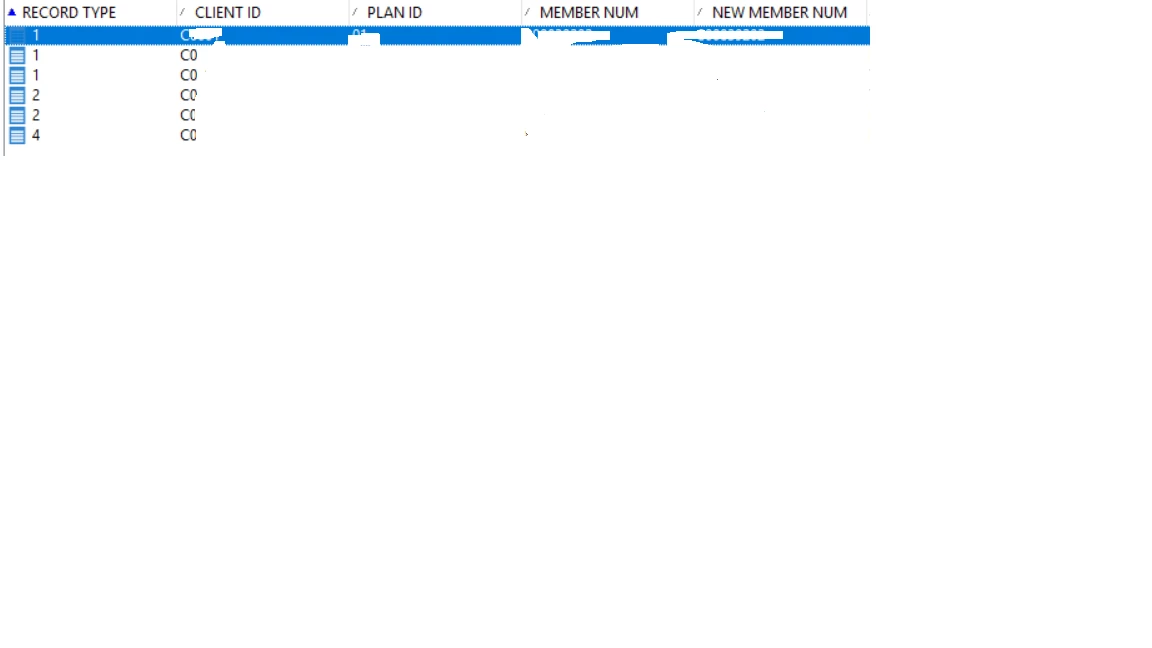
The upstream records before split are shown in pic 1. It has six records, three in record type 1, two in record type 2, and one in record type 4. The settings of split are shown in pic 2   
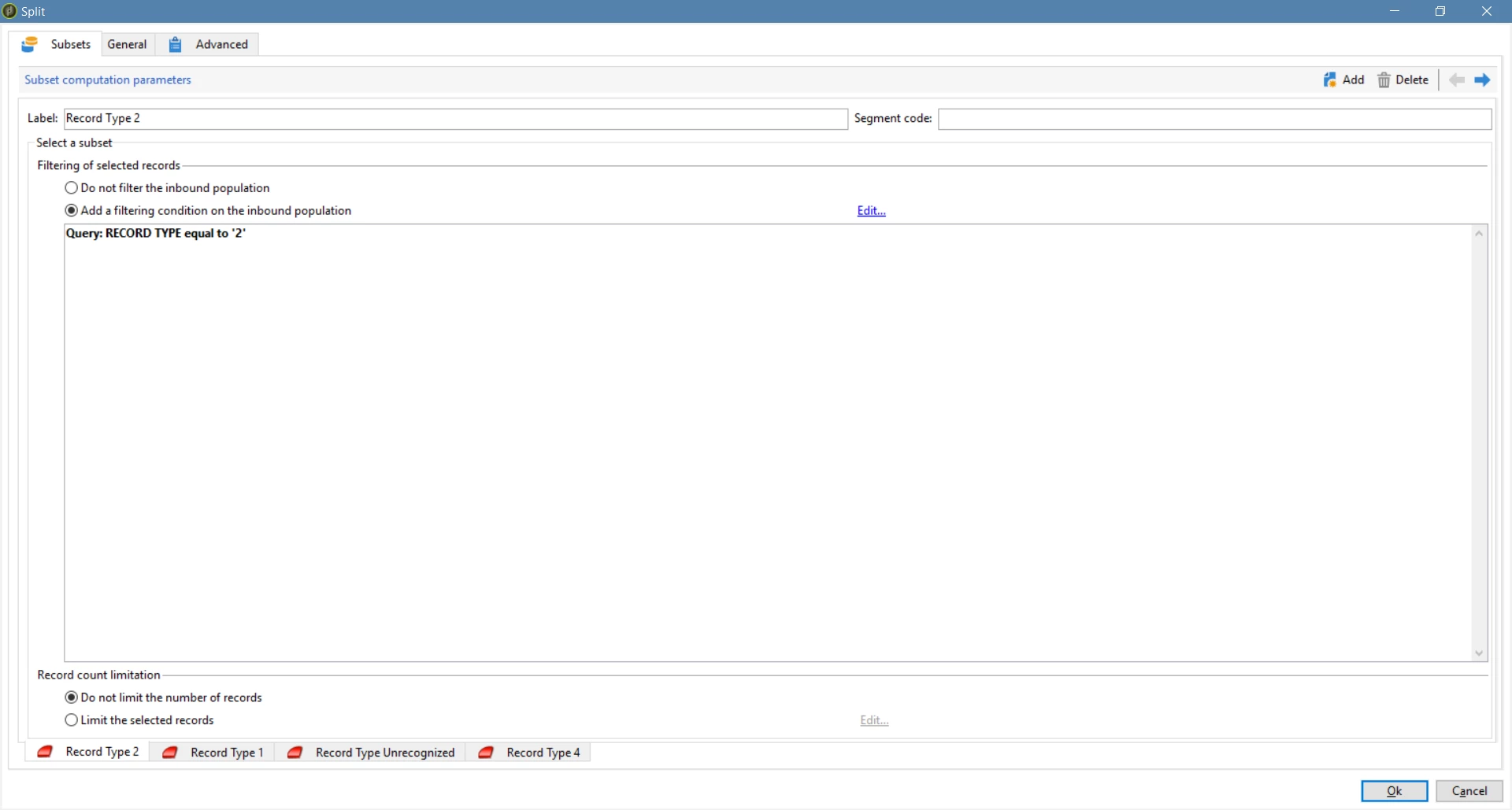
It splits the records based on record type. So, if I uncheck 'Enable overlapping of output populations' box, then I got the result shown as pic 4:
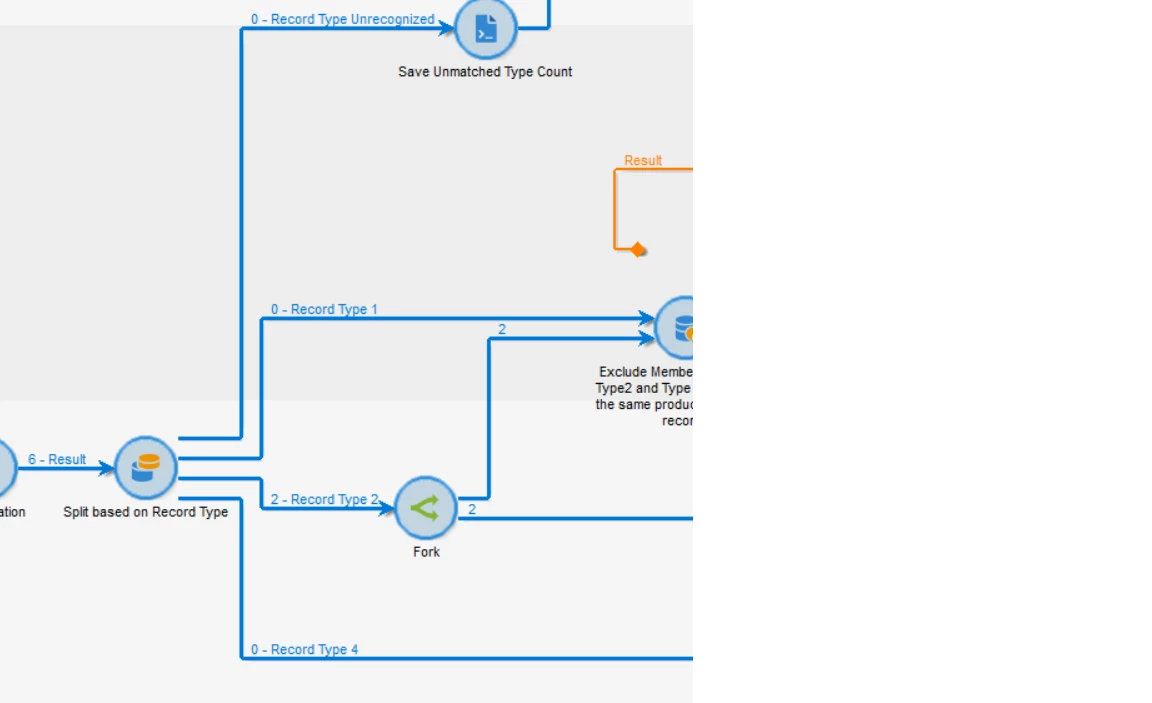
It only evaluates if the record type =2, then ignore other conditions. But if I check 'Enable overlapping of output populations' box, then everything works fine. I do understand if 'Enable overlapping of output populations' option is unchecked, then the sequence of each segment is important.


But in my understanding, if I uncheck 'Enable overlapping of output populations', then the split activity evaluates the condition like ' if then, else if then, else then'. It evaluates the condition starting from the first condition, if it meets the condition then skip other conditions. If it doesn't meet the condition, then evaluates the second condition. If I check 'Enable overlapping of output populations', then it evaluates the condition like ' if then, if then, if then'.


I have no idea why I was getting only two records after the split if I unchecked 'Enable overlapping of output populations'. Any ideas? Thanks!

This post is no longer active and is closed to new replies. Need help? Start a new post to ask your question.
Best answer by Marcel_Szimonisz

Hello @kevinwang_ ,

it seems like your records are duplicates so the split basically chooses type two 2 records and other 4 are just deduped.. when you check the overlapping population the deduplication is not happening and all records are passed to each split.


All activities such split union intersection.. the do "auto deduplication" based on targeting dimension


Marcel

5 replies

Level 3
August 13, 2020

Hi, 


Please click on the generate complement button in the SS below to see what are the records that are not fulfilling the above conditions.


Level 2
August 13, 2020
Hello, thanks for the reply. I've checked the Generate complement and no record goes into the compliment
Level 2
August 13, 2020

After checked 'Generate Complement', no record goes into the complement. The last flow '0-Unrecognized Type' is the complement.

August 14, 2020

Hi Kevin,

Look like when you uncheck 'Enable overlapping of output populations'. It will do as you said:

"But in my understanding, if I uncheck 'Enable overlapping of output populations', then the split activity evaluates the condition like ' if then, else if then, else then'. It evaluates the condition starting from the first condition, if it meets the condition then skip other conditions. If it doesn't meet the condition, then evaluates the second condition. If I check 'Enable overlapping of output populations', then it evaluates the condition like ' if then, if then, if then'."


You have put the Record Type 2 as first condition. Then when 6 records come, it will check on Record Type 2 first. That's mean 2 records passed the condition. Then it end the checking process.


But if you check 'Enable overlapping of output populations'. All 6 records will check on all Types.

Please correct if I'm wrong.

Thanks.


Level 2
August 14, 2020
Hi NaiyapornS, if so, when I uncheck 'Enable Overlapping of output populations', 6 records first check with if they are Record Type 2, 2 records meet the condition. Other 4 records should skip the evaluation of Record Type 2, then evaluates if they are Record Type 1. And 3 records meet that condition. But why I was getting 0 for Record Type 1? Thanks
kapilKochar
Level 6
August 18, 2020

Hi,

Can you check option "keep the results of interim population" and display the result set to see if you are getting expected results for all the different segments. Also check if you are using the same field added in the initial query as a part of additional data for all these record types in the split activity.


Thanks,

Kapil


Marcel_Szimonisz
Community Advisor
Marcel_SzimoniszCommunity AdvisorAccepted solution
Community Advisor
August 18, 2020

Hello @kevinwang_ ,

it seems like your records are duplicates so the split basically chooses type two 2 records and other 4 are just deduped.. when you check the overlapping population the deduplication is not happening and all records are passed to each split.


All activities such split union intersection.. the do "auto deduplication" based on targeting dimension


Marcel

Level 2
August 18, 2020

Thank you Marcel! That's correct, the split automatically deduplicated the records based on targeting dimension. And "all activities such split union intersection" do auto deduplication. Does that mean there will be no duplicate records after these activities? For example, if client_id is the targeting dimension, then after "UNION", there will be no duplicate records with the same client_id?