Nee help to read multiple files from nlserver module | Community
Skip to main content
ukender
Level 3
January 4, 2022
Solved

Nee help to read multiple files from nlserver module

  • January 4, 2022
  • 4 replies
  • 3359 views

Hi All


Can anyone please help me to understand, how to read multiple files from the SFTP location. the below command picks one file per run.


package -instance: [instance_name] -export:sftp/adobe/export/test.xml -spec:cus:PKGXXX -verbose


Note: The above script is used in nlserver module.

Thank you!

This post is no longer active and is closed to new replies. Need help? Start a new post to ask your question.
Best answer by Krishnanunni

Hi @ukender ,

If the purpose is to export packages, then I think you may be able to use the JS code. I had defined my packages in package definition. So the following code would export packages in package definition one by one. We can filter out any packages based on the namespace or package name.

var query = xtk.queryDef.create(

<queryDef schema="xtk:specFile" operation="select">
  <select>
  <node expr="@name"/>
  <node expr="@namespace"/>
  <node expr="data"/>
  </select>
</queryDef>
);

var res = query.ExecuteQuery();
var exported = 0;
for (var i = 0;i<Object.keys(res).length; i++){
  logInfo("Exporting Package " + res[i].@name + " to xml");
  if(res[i].@namespace == "cus") {
    try{
      var specFile = xtk.specFile.create(res[i]);
      var package = specFile.GenerateDoc();
      var fileName = "<SFTP path>/PKG_" + res[i].@name.toLowerCase() + ".xml";
      saveXmlFile(package, fileName);
      exported++;
     }catch(err){
           logWarning("Package " + res[i].@name + "has not been exported due to an error.");
     }
   } else {
      continue;
   }   
}


4 replies

Jyoti_Yadav
Level 8
January 4, 2022

Hi @ukender 


Try with below script:

package -instance: [instance_name] -export:sftp/adobe/export/*.xml -spec:cus:PKGXXX -verbose


Thanks,

Jyoti


ukender
ukenderAuthor
Level 3
January 4, 2022

Hi Jyoti


Thanks for the response, I have tried that option but it is expecting the proper file name in nlmodule.


Thank you!

Jyoti_Yadav
Level 8
January 4, 2022

Hi @ukender ,


You can use the command: ls -la to list all the files.

Once you have the name and number of files, run the loop to pick each file name and then execute your command.


What is your purpose to run this command? May be you can use some alternative suggestion as well.


Thanks,

Jyoti

adithyacs86
Level 5
January 4, 2022

Hi Ukender, 


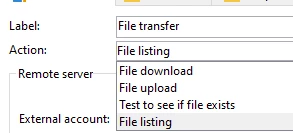
Did you try the File transfer activity.  


Thanks,
Adithya


ukender
ukenderAuthor
Level 3
January 4, 2022

Hi Adithya,

Thanks for the response, would like to understand how to count the number of files available in the directory and feed the xml name dynamically in nlserver module.

Thank you!

adithyacs86
Level 5
January 4, 2022

Hi Ukender, 


Not sure if you have to really use the nlserver module for SFTP things. 


Can you check if you can use something like below in JS 

logInfo(execCommand("ls -ls /usr/local/neolane.../<your directory to search for the files>"))


Thanks,
Adithya

Krishnanunni
KrishnanunniAccepted solution
Level 4
January 6, 2022

Hi @ukender ,

If the purpose is to export packages, then I think you may be able to use the JS code. I had defined my packages in package definition. So the following code would export packages in package definition one by one. We can filter out any packages based on the namespace or package name.

var query = xtk.queryDef.create(

<queryDef schema="xtk:specFile" operation="select">
  <select>
  <node expr="@name"/>
  <node expr="@namespace"/>
  <node expr="data"/>
  </select>
</queryDef>
);

var res = query.ExecuteQuery();
var exported = 0;
for (var i = 0;i<Object.keys(res).length; i++){
  logInfo("Exporting Package " + res[i].@name + " to xml");
  if(res[i].@namespace == "cus") {
    try{
      var specFile = xtk.specFile.create(res[i]);
      var package = specFile.GenerateDoc();
      var fileName = "<SFTP path>/PKG_" + res[i].@name.toLowerCase() + ".xml";
      saveXmlFile(package, fileName);
      exported++;
     }catch(err){
           logWarning("Package " + res[i].@name + "has not been exported due to an error.");
     }
   } else {
      continue;
   }   
}
ukender
ukenderAuthor
Level 3
January 6, 2022

Thank you for your inputs @krishnanunni. I will try that option, Is it possible to import the exported xml package from an SFTP location?
If you have an idea pls share it, would be really helpful.

Thank you!

Krishnanunni
Level 4
January 6, 2022

@ukender ,

I haven't used it but the xtk.builder InstallPackage function might be useful for this. Please see the below function:
https://experienceleague.adobe.com/developer/campaign-api/api/sm-builder-InstallPackage.html.

You may try reading the xml file and passing the content to the installpackage function.

Sukrity_Wadhwa
Community Manager
Community Manager
January 13, 2022

Hi @ukender,

Were you able to resolve this query with any of the given solutions or do you still need more help here? Do let us know.
Thanks!

Sukrity Wadhwa