Solved
Monthly and weekly Email campaign schedule
Hi team ,
Two email campaigns should be sent every month by 20th and a weekly campaign on Fridays.The campaign should be sent the day prior if the intended date falls on a weekend or holiday.
Thanks,
Hi team ,
Two email campaigns should be sent every month by 20th and a weekly campaign on Fridays.The campaign should be sent the day prior if the intended date falls on a weekend or holiday.
Thanks,
Hi @vijaymvj ,
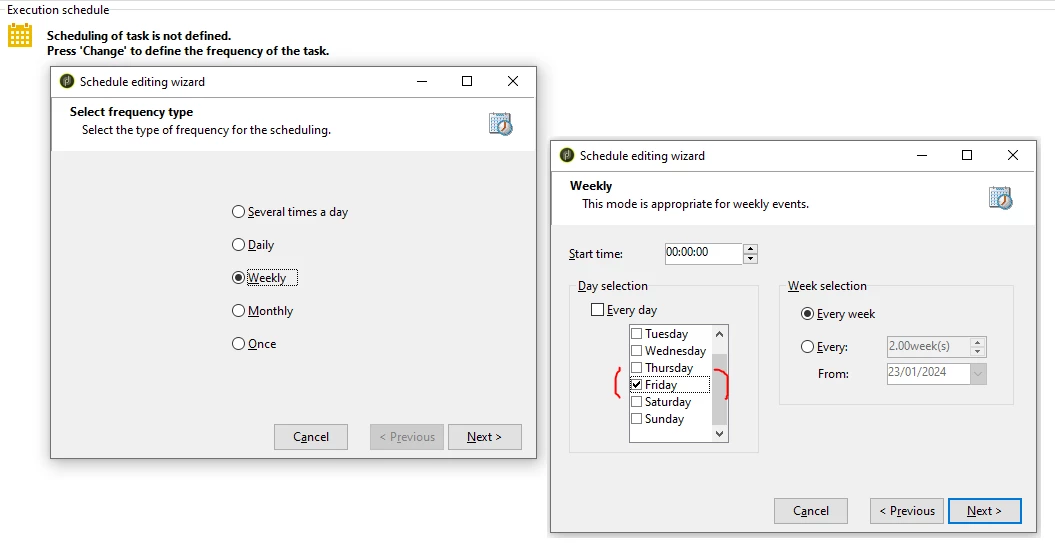
Campaign to Run on every Friday:
Configure the scheduler as per below screenshot,
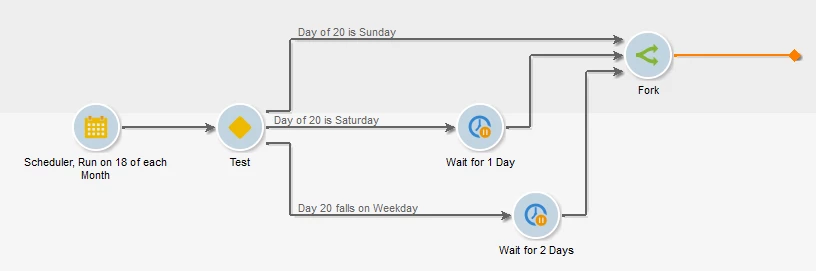
Campaign to Run on every 20th of the month and to Run the campaign on Friday if 20th is on Weekend (Sat /Sun) :
Create the Workflow as below,
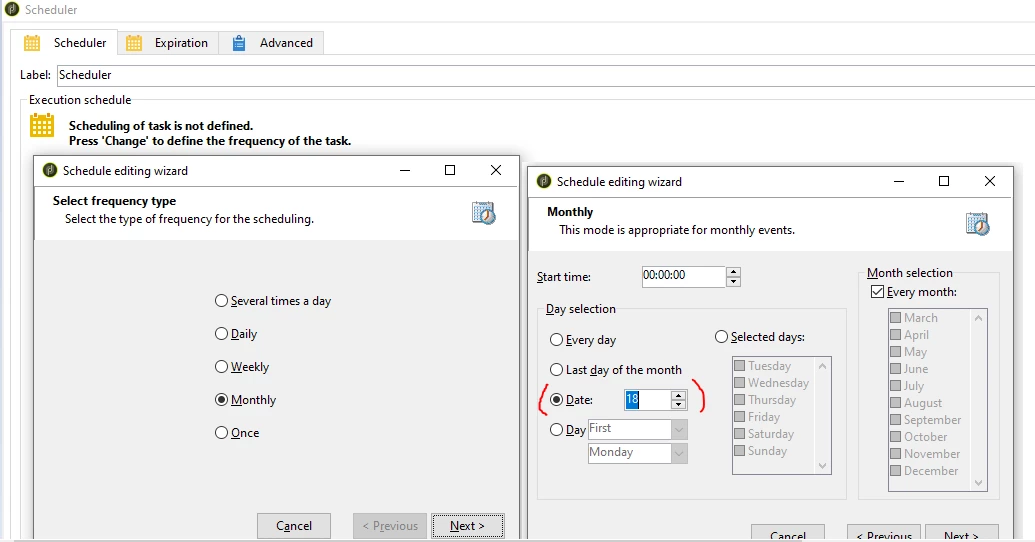
Scheduler:
Configure the scheduler to Run on every 18th of the month as per below screenshot,
Open Scheduler > Advance tab > Initialization script and paste the below code,
var getDayOf20 = new Date();
getDayOf20.setDate(getDayOf20.getDate() + 2);
getDayOf20 = formatDate(getDayOf20, "%2A");
vars.dayOf20 = getDayOf20;
Test Activity:
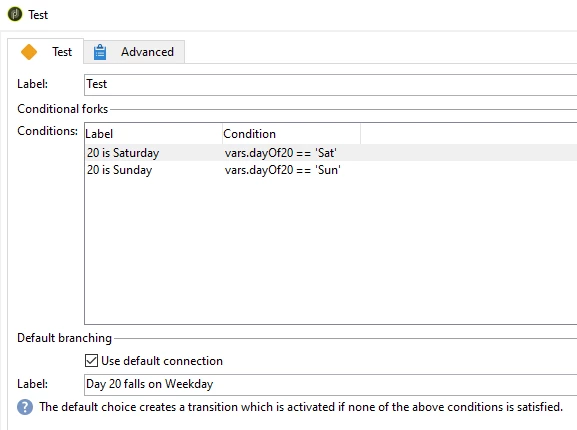
//Condition1: (Label: Day of 20 is Saturday)
vars.dayOf20 == 'Sat'

//Condition2: (Label: Day of 20 is Sunday)
vars.dayOf20 == 'Sun'

//Default connection Label as 'Day 20 falls on Weekday'
Wait Activity:
Define duration of 1d for Saturday's transition and 2d for weekend transition.
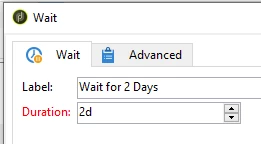
And connect all 3 transitions to a fork activity (Refer workflow diagram)
So, As a result, now when the workflow runs on 18th of a month, it will calculate the day of 20.
If 20 is on Sunday (weekend), the workflow will get executed on 18th itself (Friday - Weekday).
If 20 is on Saturday (weekend), the workflow will wait for 1 day (using wait activity) and get executed on 19th (Friday - Weekday).
If 20 is on any weekday, as the workflow triggers on 18th of a month, it will wait for 2 days (using wait activity) and get executed on 20th.
Hope this logic helps!
Enter your E-mail address. We'll send you an e-mail with instructions to reset your password.