Load data issue with long character | Community
Skip to main content
Level 2
August 24, 2022
Solved

Load data issue with long character

  • August 24, 2022
  • 2 replies
  • 1180 views

Hi! Im currently working on a workflow where we will start importing a new file in the database. But Im having a issue when loading the data. It adds "," on the int64 column.

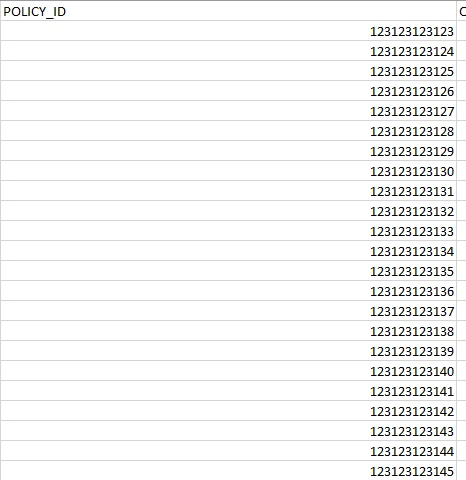
How it looks like in the file:
 

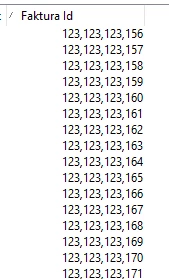
How it looks like when loading it to adobe campaign application.
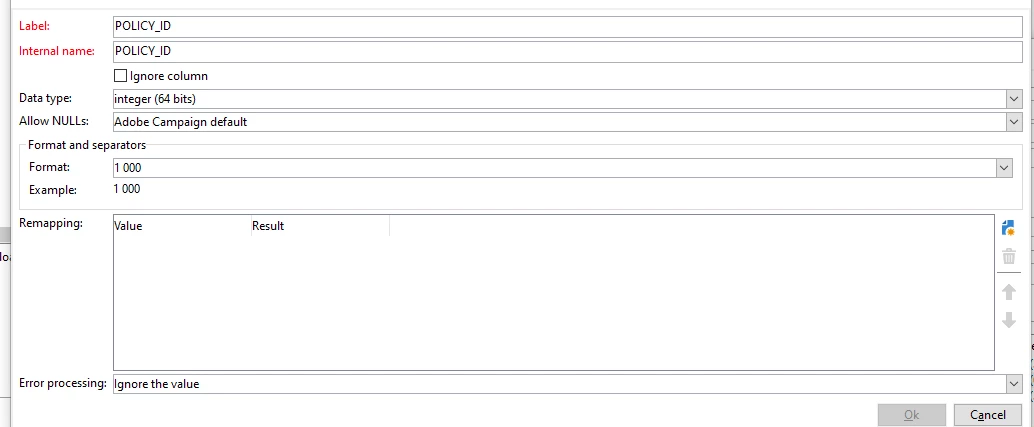
And this is the settings for it:
 

What do I need to do to remove the "," from the data? So it only will be for example: "123123123123" and not "123,123,123,123"


Best,

Martin

This post is no longer active and is closed to new replies. Need help? Start a new post to ask your question.
Best answer by imicu

That is the thousands separator for any integer. The raw data is still the same, but it is displayed with comma separator for better reading. It should not affect your queries or expressions.


If you want to send that as invoice ID within the delivery without comma thousands separator, then you can use function ToString(@POLICY_ID)


Alternatively, you can also alter the schema and change the element type to string.

2 replies

ParthaSarathy
Community Advisor
Community Advisor
August 24, 2022

Hi @marting66652718 

I had tried the same, this seems to be the expected format for int64 in data tab.

To display as 123123123156 instead of 123,123,123,156 you can store the value as String


~  ParthaSarathy S~  Click here to join ADOBE CAMPAIGN USER GROUP for Quarterly In-person | Hybrid | Virtual Meetups
imicuAdobe EmployeeAccepted solution
Adobe Employee
August 24, 2022

That is the thousands separator for any integer. The raw data is still the same, but it is displayed with comma separator for better reading. It should not affect your queries or expressions.


If you want to send that as invoice ID within the delivery without comma thousands separator, then you can use function ToString(@POLICY_ID)


Alternatively, you can also alter the schema and change the element type to string.