Include view in HTML appears a large space or invisible block in Newsletter | Adobe Higher Education
Skip to main content
AdobeCampaignProxd
Level 2
November 28, 2023
Resuelto

Include view in HTML appears a large space or invisible block in Newsletter

  • November 28, 2023
  • 4 respuestas
  • 1874 visualizaciones

Hello, 


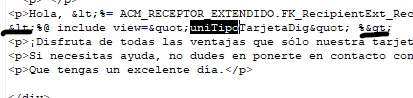
The Newsletter has been created using AEM + synced with AC, when I set the "include view" picture1:
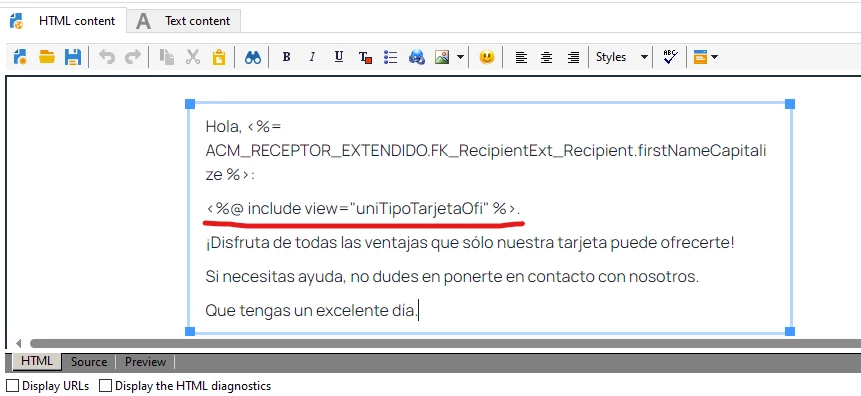
Personalization block:
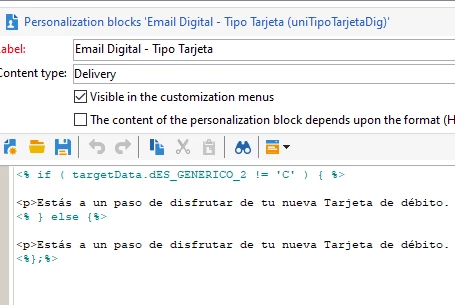
As you can see, there's no <br> or unusual spaces, only a <p>


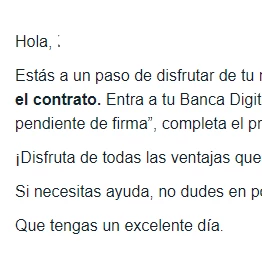
And this is the final output when you get the test in mail:
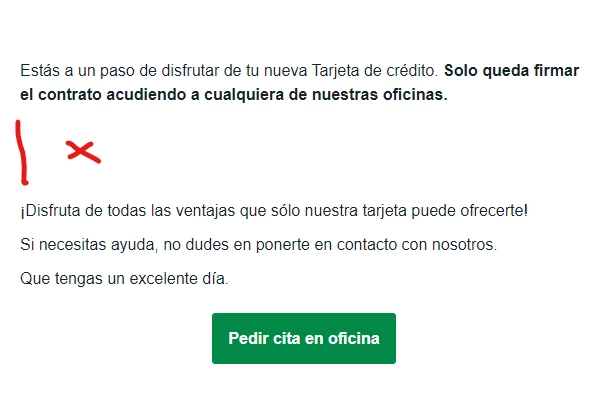
What I'm doing wrong. 


Thank you guys,


Este tema ha sido cerrado para respuestas.
Mejor respuesta de AdobeCampaignProxd

Hello,


It was not about the spaces in the personalization block, that does not matter. I had to delete <p> manually inside the source tab in the HTML template like the picture below:


Adobe Experience Manager was creating those <p> in the include script.

Thank you.

4 respuestas

AkshayAnand
Community Advisor
Community Advisor
November 28, 2023

Hi @adobecampaignproxd 


You can once view the code in the personalization block which you are trying to include in the template. 

Also don't try to edit the template from the HTML tab, please use the source tab to make any edits.


Regards

Akshay

AdobeCampaignProxd
Level 2
November 28, 2023

Hello @akshayanand 


I'm not editing the template, just showing you where the include is located in the template.


But that's not my question.

AkshayAnand
Community Advisor
Community Advisor
November 28, 2023

Hi @adobecampaignproxd 


That was my suggestion and a best practice, as stated earlier I would suggest to look into the code of personalization block which is being included in the template for any breaks or spaces.


Thanks

Akshay

LakshmiPravallika
Community Advisor
Community Advisor
November 28, 2023

Hi @adobecampaignproxd ,


Please check the source Tab html code inside the Delivery Template is having any line break's between the "Hola firstname" and the "Personalization Block Declaration".


Also try removing extra line spaces in the personalization block, If possible try adding if else loop in single line.


Regards,

Pravallika.


ParthaSarathy
Community Advisor
Community Advisor
November 28, 2023

Hi @adobecampaignproxd ,

Modify the personalization block and delivery HTML content as below steps,

Step 1:

In your personalization block, remove the <p> </p> tags in both contents inside the IF and ELSE conditions

Step-2:

In Delivery, Go to Source tab, and paste the blow script where you want to have your personalized block content


<p><%@ include view='internal_name_of_your_personalization_block' %></p>


Now trigger the delivery and check it!

~  ParthaSarathy S~  Click here to join ADOBE CAMPAIGN USER GROUP for Quarterly In-person | Hybrid | Virtual Meetups
AdobeCampaignProxd
AdobeCampaignProxdAutorRespuesta
Level 2
November 29, 2023

Hello,


It was not about the spaces in the personalization block, that does not matter. I had to delete <p> manually inside the source tab in the HTML template like the picture below:


Adobe Experience Manager was creating those <p> in the include script.

Thank you.

Manoj_Kumar
Community Advisor
Community Advisor
November 29, 2023

@adobecampaignproxd 


You have a lot of whitespace in the personalization block.


remove this whitespace and it will work fine.

Manoj     Find me on LinkedIn
AdobeCampaignProxd
Level 2
November 29, 2023

No, that does not work, no effect.