Inbox rendering Icon missing in Delivery Template | Community
Skip to main content
jayakrishnant75
Level 2
January 7, 2020
Solved

Inbox rendering Icon missing in Delivery Template

  • January 7, 2020
  • 1 reply
  • 4160 views

Hello everyone,


We have created a litmus account and Imported Inbox rendering package as well in our adobe campaign classic on-premise instance (version - 8850).

We completed the necessary configuration and able to send proof without error ('Analyze' button).

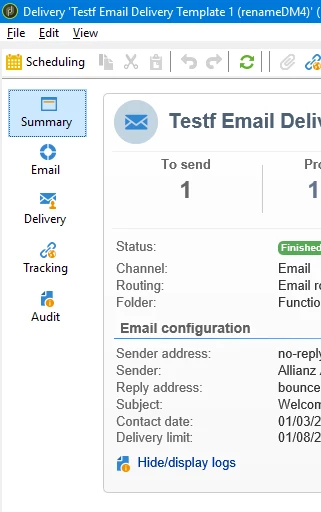
But the Inbox rendering Icon missing in Delivery Template and please refer the screenshot below.Please guide me to fix the same.


Regards

JK

This post is no longer active and is closed to new replies. Need help? Start a new post to ask your question.
Best answer by Jonathon_wodnicki

Hi,


Install the deliverability package.


Thanks,

-Jon

1 reply

Jonathon_wodnicki
Community Advisor
Jonathon_wodnickiCommunity AdvisorAccepted solution
Community Advisor
January 8, 2020

Hi,


Install the deliverability package.


Thanks,

-Jon

January 10, 2020

Hi Jon,


Thanks so much ... This works after installing the deliverability package followed by a resart.


Regards

Aneesh