Import the data from a specific location | Community
Skip to main content
Level 5
March 19, 2024
Solved

Import the data from a specific location

  • March 19, 2024
  • 2 replies
  • 1506 views

Hi everyone,


I have a workflow set to run on a scheduler every day at 9:00 AM PST. The new requirement is that I'll receive a file via email from the client containing customer data (specifically, one column - CID) that needs to be excluded from the workflow each time it runs.


Could someone please suggest how to accomplish this?


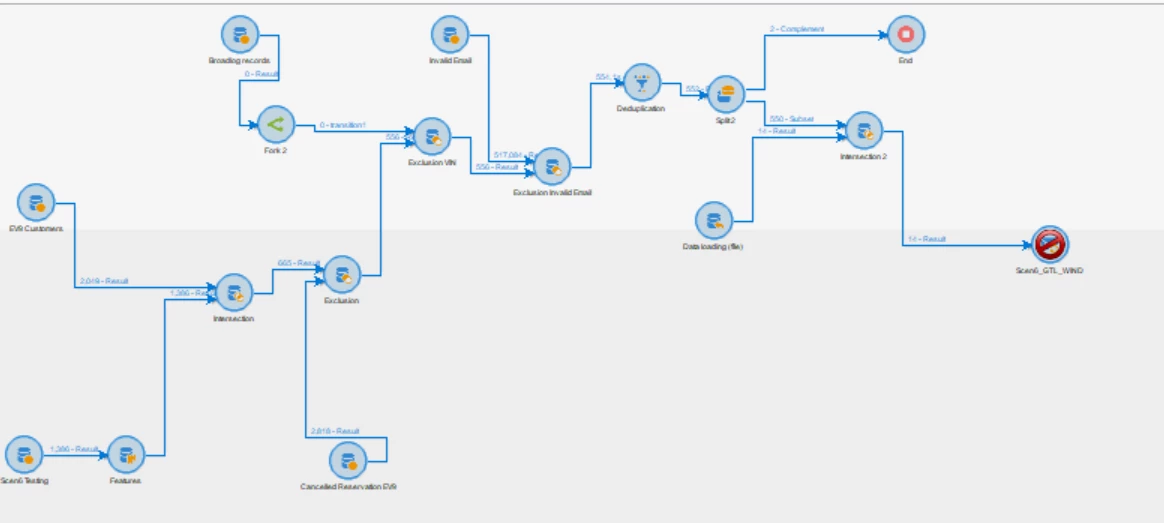
Below is a screenshot of my current workflow setup. It currently does not have a scheduler, but I plan to add one once I determine how to import the file provided by the client:
 

Thank you in advance
This post is no longer active and is closed to new replies. Need help? Start a new post to ask your question.
Best answer by InMo

Hi @rvnth,


As you mentioned above, you are receiving a suppression file with CID via email on daily basis.


Can you please ask client to share this file over SFTP (instead of email), this way you don't have to upload it manually to SFTP or Adobe workflow.


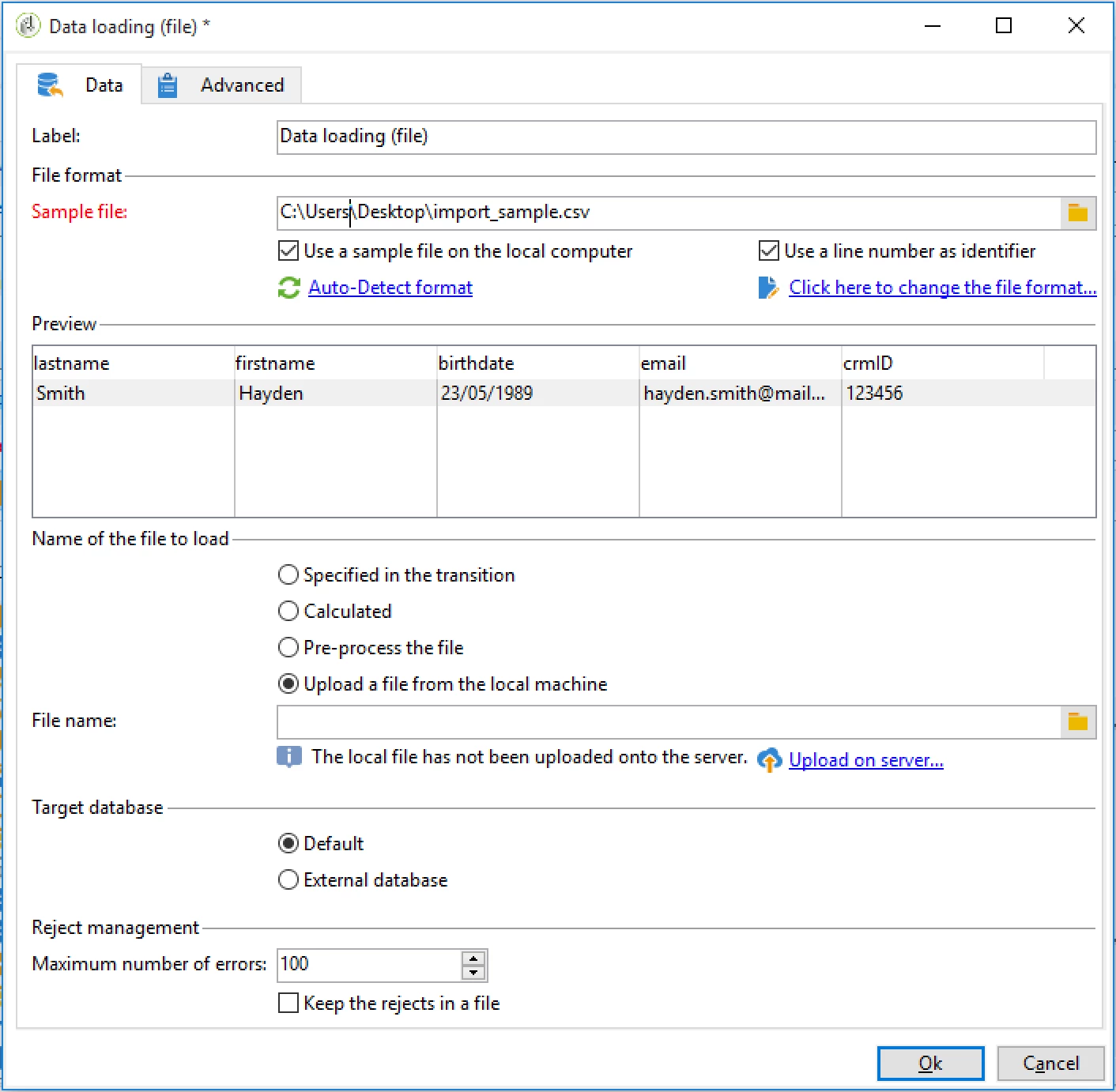
If you are manually uploading it every day (or may be once in a week or monthly), then you can either upload it to SFTP or directly in workflow using 'Data loading(file)' activity.


Regards,

2 replies

InMoAccepted solution
Level 3
March 19, 2024

Hi @rvnth,


As you mentioned above, you are receiving a suppression file with CID via email on daily basis.


Can you please ask client to share this file over SFTP (instead of email), this way you don't have to upload it manually to SFTP or Adobe workflow.


If you are manually uploading it every day (or may be once in a week or monthly), then you can either upload it to SFTP or directly in workflow using 'Data loading(file)' activity.


Regards,

rvnthAuthor
Level 5
March 20, 2024

Hi InMo

I see the campaign-specific workflows do not support Event activities, the option itself is not available. please can you suggest if I use file-related activities in a general workflow, how can I pull this file into my campaign-specific workflow? 


Thank you in advance

rvnthAuthor
Level 5
March 20, 2024

Can I create a list from the file transfer activity and then use that list in my workflow?


please suggest

Sukrity_Wadhwa
Community Manager
Community Manager
April 17, 2024

Hi @rvnth,

Were you able to resolve this query with the help of the given solutions or do you still need more help here? Do let us know. In case the given solutions were helpful, then kindly choose the one that helped you the most as the 'Correct Reply'.
Thanks!

Sukrity Wadhwa