How to use javascript variable to check condition and use in email delivery template | Community
Skip to main content
Level 4
April 4, 2023
Solved

How to use javascript variable to check condition and use in email delivery template

  • April 4, 2023
  • 3 replies
  • 3721 views

Hi,


I have used Javascript code to make a functional call using API. I have stored that value in a variable. Now, I'm trying to use the value to check if the value of variable is greater than static value and if yes, I want to go ahead in further step in workflow. If not, I want to end the workflow.


Also, I want to use the variable value in email delivery.


I have tried few things to do this however, I was just able to fetch variable in Javascript code block and after that, there are only errors.


Can anyone help with first part of question - that is, trying to check variable value against static value ?
 

This post is no longer active and is closed to new replies. Need help? Start a new post to ask your question.
Best answer by ParthaSarathy

Hi @vinay16 ,

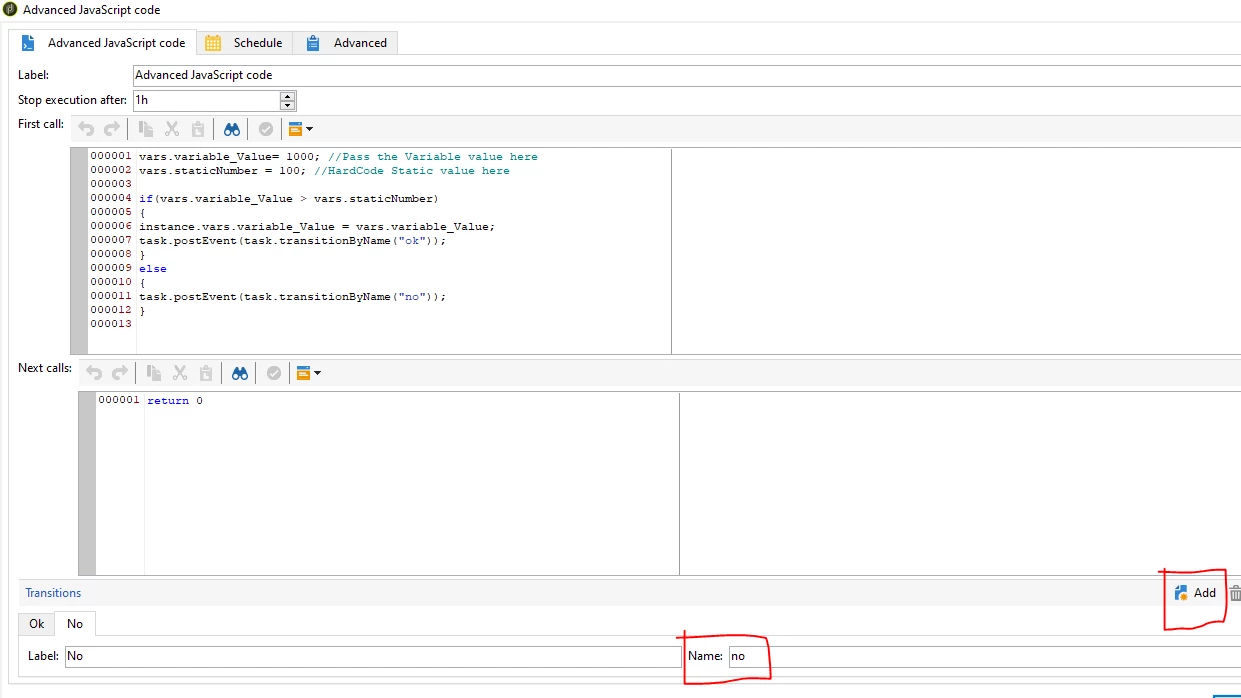
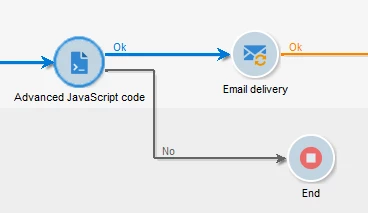
You can use 'Advanced JavaScript Code' Activity for your use case.

Copy paste the script in Advanced JS, and pass your variable value as mentioned below,

vars.variable_Value= 1000; //Pass the Variable value here vars.staticNumber = 100; //HardCode Static value here if(vars.variable_Value > vars.staticNumber) { instance.vars.variable_Value = vars.variable_Value; task.postEvent(task.transitionByName("ok")); } else { task.postEvent(task.transitionByName("no")); }

To add the variable in Delivery,

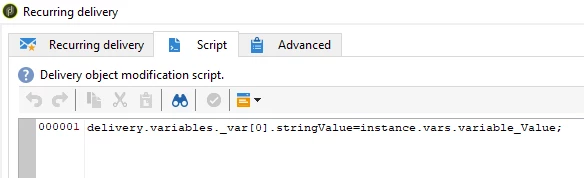
1) Delivery > script tab,

delivery.variables._var[0].stringValue=instance.vars.variable_Value;

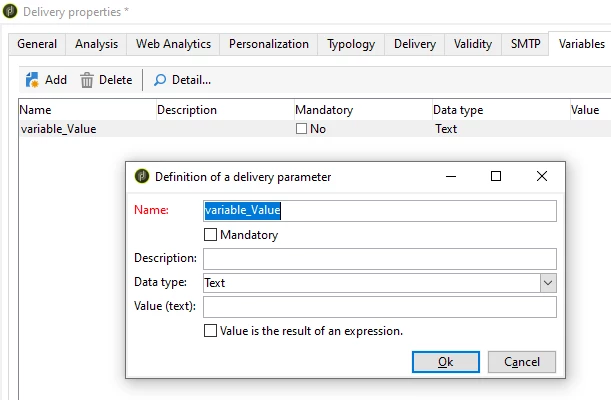
2) Delivery > Property > Variable's tab > Add > Name: variable_Value > Ok

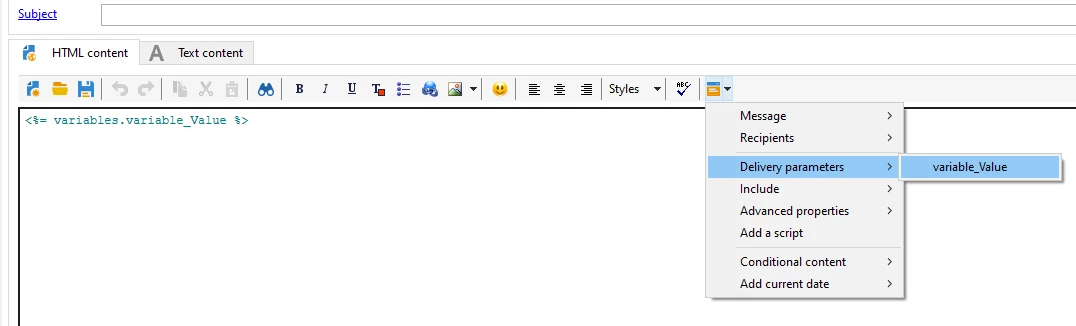
3) Now you can call this variable in email body, Delivery Parameters > variable_Value


3 replies

Marcel_Szimonisz
Community Advisor
Community Advisor
April 4, 2023

Hello @vinay16,

Take a look at this for taking variable to the delivery
https://experienceleaguecommunities.adobe.com/t5/adobe-campaign-classic-questions/how-to-display-a-workflow-variable-value-in-email-delivery/td-p/256527


In any filtering condition you can bring the variable in by following expression

$(vars/@myvar) $(instance/vars/@myvar)


Marcel

ParthaSarathy
Community Advisor
ParthaSarathyCommunity AdvisorAccepted solution
Community Advisor
April 5, 2023

Hi @vinay16 ,

You can use 'Advanced JavaScript Code' Activity for your use case.

Copy paste the script in Advanced JS, and pass your variable value as mentioned below,

vars.variable_Value= 1000; //Pass the Variable value here vars.staticNumber = 100; //HardCode Static value here if(vars.variable_Value > vars.staticNumber) { instance.vars.variable_Value = vars.variable_Value; task.postEvent(task.transitionByName("ok")); } else { task.postEvent(task.transitionByName("no")); }

To add the variable in Delivery,

1) Delivery > script tab,

delivery.variables._var[0].stringValue=instance.vars.variable_Value;

2) Delivery > Property > Variable's tab > Add > Name: variable_Value > Ok

3) Now you can call this variable in email body, Delivery Parameters > variable_Value


 ~  ParthaSarathy S~  Click here to join ADOBE CAMPAIGN USER GROUP for Quarterly In-person | Hybrid | Virtual Meetups
vinay16Author
Level 4
April 6, 2023

Hi,


Thanks for your reply.


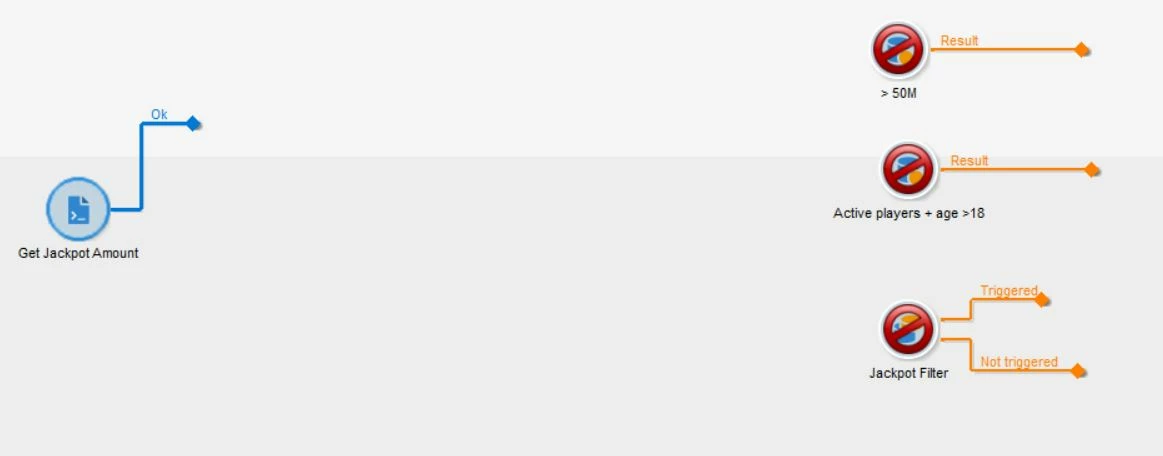
I have used "Advanced Javascript Code" and wrote the following code -


vars.jackpotAmount = function for fetching the value --- I was able to fetch the value.


After that I have used query in which I'm comparing the value of this variable against static value and I could get result out of this step as well. Also, added jackpotAmount as complementary information in this query. 


In delivery - I have used <% targetData.jackpotAmount %> - but I am getting empty result. I am not sure what is the reason behind that?


Can you please help ?


I have attached relevant images.

Marcel_Szimonisz
Community Advisor
Community Advisor
April 7, 2023

If you pause delivery and run the workflow can you see that variable populated in target data?

Sukrity_Wadhwa
Community Manager
Community Manager
April 19, 2023

Hi @vinay16,

Were you able to resolve this query with the help of the given solutions or do you still need more help here? Do let us know. In case the given solutions were helpful, then kindly choose the one that helped you the most as the 'Correct Reply'.
Thanks!

Sukrity Wadhwa
vinay16Author
Level 4
May 29, 2023

It is done..