How to restore UI for workflows in a Campaign | Community
Skip to main content
New Member
October 15, 2021
Solved

How to restore UI for workflows in a Campaign

  • October 15, 2021
  • 2 replies
  • 1830 views

Hi all,


I have accidentally changed the UI for a Campaign in Adobe Campaign Classic and don't know how to switch it back.


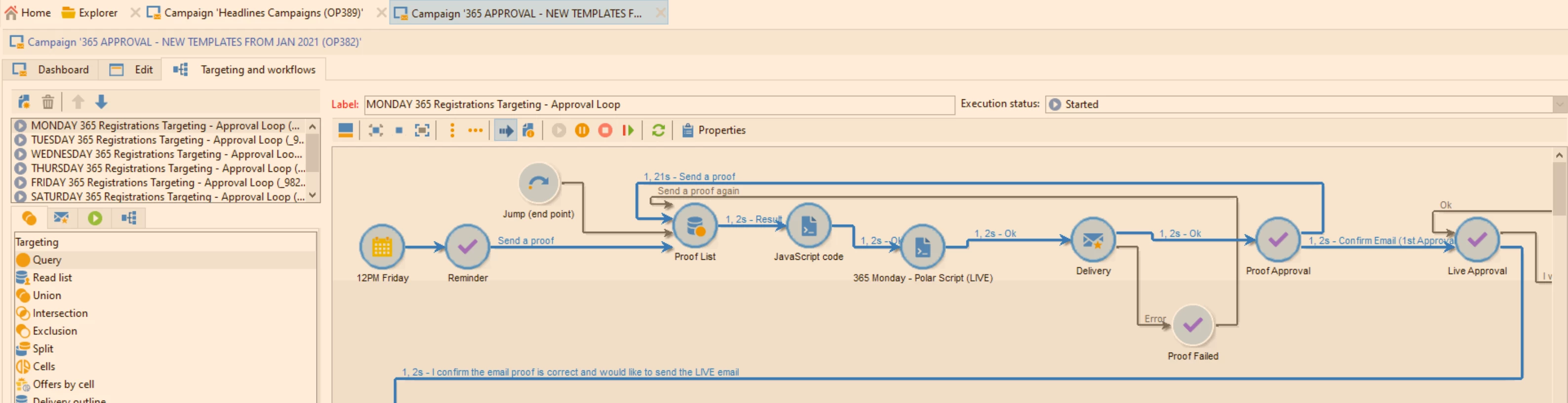
Please can someone advise on how to fix this? Normally I would expect it to look like the following image, with a workflow preview and drop down lists of nodes:
 

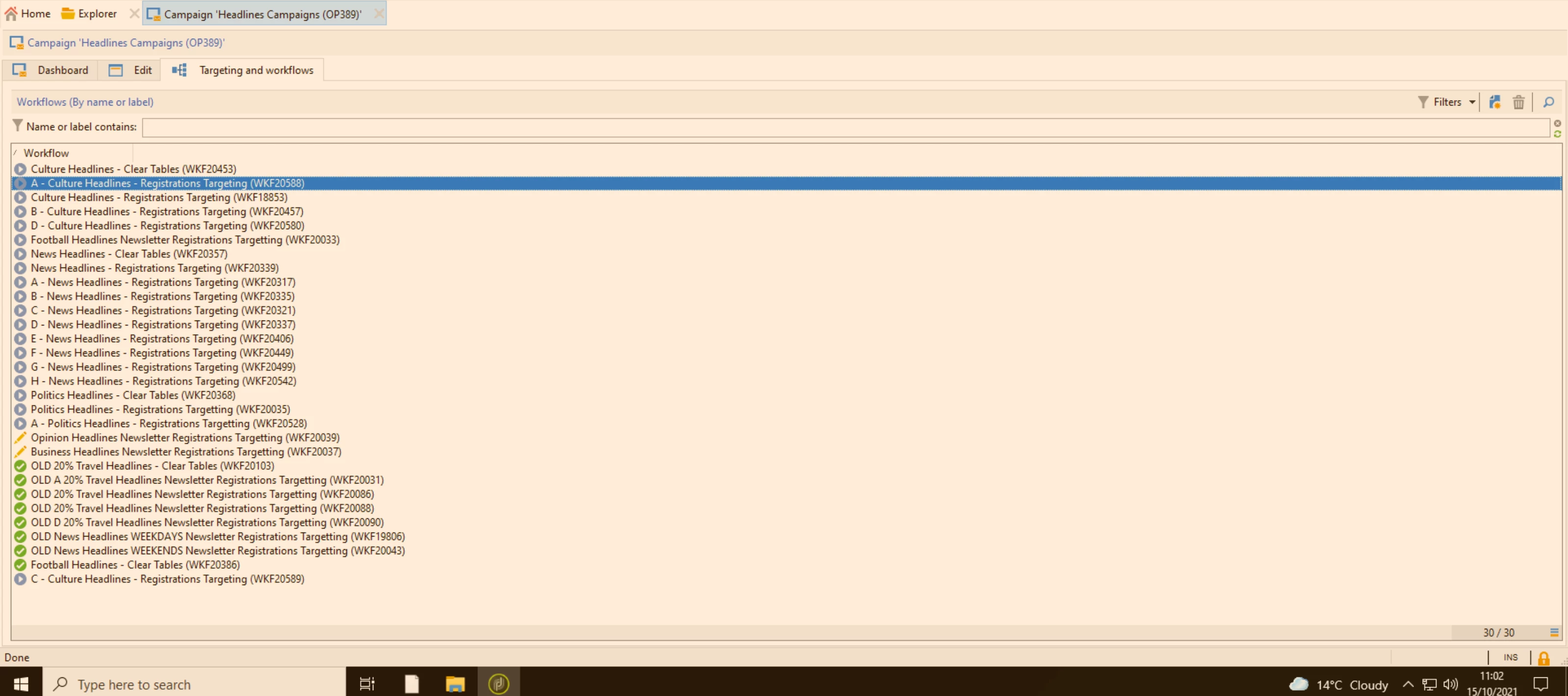
However, when I enter the Campaign I've changed, I just get list previews:
 

This post is no longer active and is closed to new replies. Need help? Start a new post to ask your question.
Best answer by kapilKochar

This must be happening only to one campaign. As I can see from above  image your campaign is having 30 workflows. This view comes when you have more than 29 workflows in same campaign. Delete one workflow and view will come back to normal view. 

2 replies

LaurentLam
Level 5
October 15, 2021

Hello,
did you try to clean the local cache (file menu) and then to logout / login?

New Member
October 18, 2021

yes i have tried this, but doing so did not resolve the issue

October 18, 2021

One campaign can store up to 28 workflows as I know and it seems more than that.


Can you try to move few workflows into another campaign or try to delete unnecessary workflows in this campaign.


Thanks,

Chinna.

kapilKochar
kapilKocharAccepted solution
Level 6
October 18, 2021

This must be happening only to one campaign. As I can see from above  image your campaign is having 30 workflows. This view comes when you have more than 29 workflows in same campaign. Delete one workflow and view will come back to normal view.