How to give access to specific fields of input form to opeartor groups ? | Community
Skip to main content
Adobe Employee
June 20, 2022
Solved

How to give access to specific fields of input form to opeartor groups ?

  • June 20, 2022
  • 2 replies
  • 1479 views

Hi everyone, 
Can someone tell me that in adobe campaign classic how can we give access to specific fields of input form to operator groups?

Example: I have a input form and for 3 fields of that form, I want that my operator group have the access to all the fields except those 3 fields.

Kindly suggest.
This post is no longer active and is closed to new replies. Need help? Start a new post to ask your question.
Best answer by Parvesh_Parmar

Hello @ashish_gra


I think your first main goal is to hide the data of these fields from the operators of these groups. 

To hide the data you can implement PII view restrictions.


1. First add the accessibleIf condition in the scheme for these fields. Then they can not see the data of these fields in the input form view or with any other activity.  

https://experienceleague.adobe.com/docs/campaign-classic/using/configuring-campaign-classic/editing-schemas/restricting-pii-view.html?lang=en


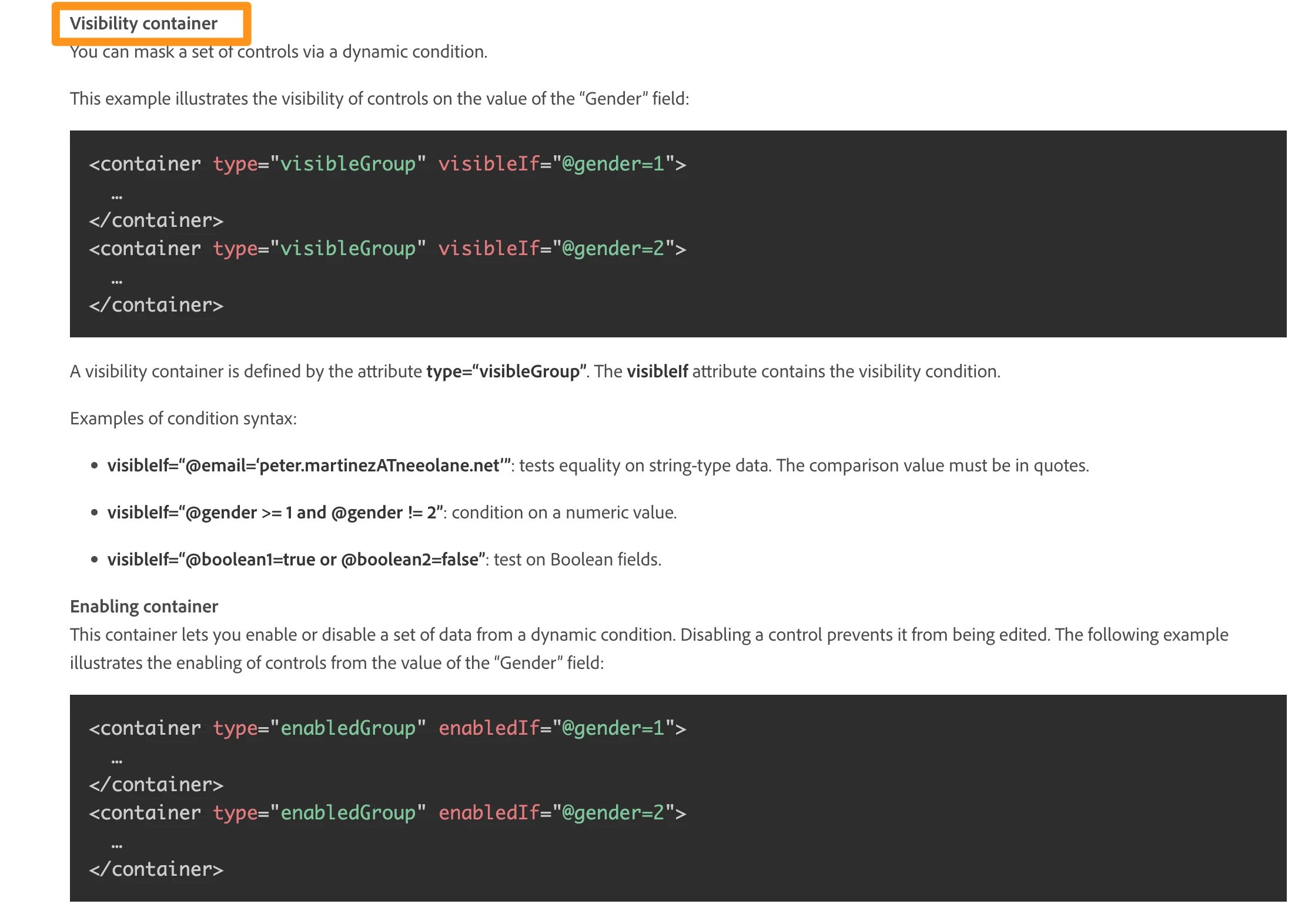
2. If you want to hide these fields to access via scheme or input forms, then add visibleIf


3. If you want to hide these fields based on operator access in an input form then try to use visibleIf. There you need to try to add the condition of  HasNamedRight or $(login).  It might work. 


https://experienceleague.adobe.com/docs/campaign-classic/using/configuring-campaign-classic/input-forms/form-structure.html?lang=en#


Thanks.

Parvesh.


2 replies

Adobe Employee
June 20, 2022

Hi @ashish_gra 

You would use a specific named rights and use the visibleIf property on the field only for operator having the specific named right...You will find principles and sample in the Restricted PII section of the documentation. The property is accessible in form too but you might want to do it as data schema level that it propagates everywhere for the impacted fields.

Hope this helps,

Thanks

Denis

Parvesh_Parmar
Community Advisor
Parvesh_ParmarCommunity AdvisorAccepted solution
Community Advisor
June 20, 2022

Hello @ashish_gra


I think your first main goal is to hide the data of these fields from the operators of these groups. 

To hide the data you can implement PII view restrictions.


1. First add the accessibleIf condition in the scheme for these fields. Then they can not see the data of these fields in the input form view or with any other activity.  

https://experienceleague.adobe.com/docs/campaign-classic/using/configuring-campaign-classic/editing-schemas/restricting-pii-view.html?lang=en


2. If you want to hide these fields to access via scheme or input forms, then add visibleIf


3. If you want to hide these fields based on operator access in an input form then try to use visibleIf. There you need to try to add the condition of  HasNamedRight or $(login).  It might work. 


https://experienceleague.adobe.com/docs/campaign-classic/using/configuring-campaign-classic/input-forms/form-structure.html?lang=en#


Thanks.

Parvesh.


Parvesh Parmar – Adobe Community Advisor https://www.linkedin.com/in/parvesh-parmar/
Adobe Employee
June 20, 2022

Hi Parvesh 
Thanks for the reply. I am able to do that on the operator that I had created. Can I do the same on my operator group also?

It is working for my single operator. I want to do that on my operator group How can I do that?
Can I write my operator group name instead of capHistoryA1?

DavidKangni
Community Advisor
Community Advisor
June 21, 2022

Hi @ashish_gra 


Create a name right and assign it to you operator group. Then in your form use HasNamedRight('abcdefgh') = true" instead of $(login)


Thanks,

David


David Kangni