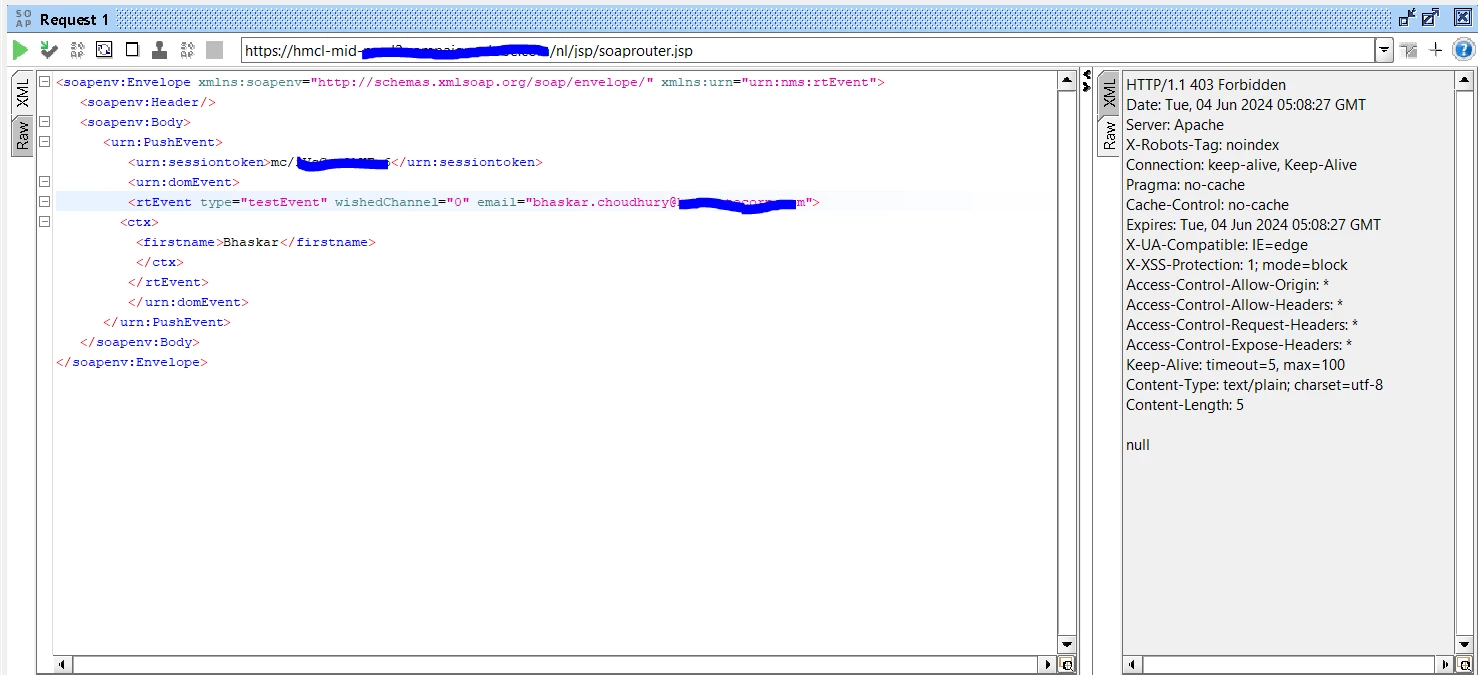
Getting HTTP/1.1 403 Forbidden when I Try Transactional Messaging via SOAP UI | Community
Skip to main content
This post is no longer active and is closed to new replies. Need help? Start a new post to ask your question.
Best answer by CampaignerForLife

You've to use first a logon call to your instance, like this:

<soapenv:Envelope xmlns:soapenv="http://schemas.xmlsoap.org/soap/envelope/" xmlns:urn="urn:xtk:session"> <soapenv:Header/> <soapenv:Body> <urn:Logon> <urn:sessiontoken></urn:sessiontoken> <urn:strLogin>xxxxxx</urn:strLogin> <urn:strPassword>xxxxxxx</urn:strPassword> <urn:elemParameters></urn:elemParameters> </urn:Logon> </soapenv:Body> </soapenv:Envelope>

And with SOAPAction=xtk:session#Logon as header. 


it will give you a session token, which you have to use in your actual call, between sessiontoken brackets. Remember to change the header, now it must be SOAPAction=nms:rtEvent#PushEvents


If this fails, check instance url, instance users and that you're using a technical operator or one with enough rights
3 replies

Manoj_Kumar
Community Advisor
Community Advisor
June 4, 2024

@bhaskarjc 


If you are on v8.5 and above then you will have to use the technical operator.


Documentation is available here: https://experienceleague.adobe.com/en/docs/campaign/technotes-ac/tn-new/ims-migration

Manoj     Find me on LinkedIn
DavidKangni
Community Advisor
Community Advisor
June 4, 2024

@bhaskarjc 

Your URL seems to point to mid. Please check if you have the correct URL and try again.

Also per default username/password is not enabled (excepted if you request the support to allow it), so you may need to use logon method to get the session method.


Thanks,

David

David Kangni
CampaignerForLife
CampaignerForLifeAccepted solution
Level 5
June 5, 2024

You've to use first a logon call to your instance, like this:

<soapenv:Envelope xmlns:soapenv="http://schemas.xmlsoap.org/soap/envelope/" xmlns:urn="urn:xtk:session"> <soapenv:Header/> <soapenv:Body> <urn:Logon> <urn:sessiontoken></urn:sessiontoken> <urn:strLogin>xxxxxx</urn:strLogin> <urn:strPassword>xxxxxxx</urn:strPassword> <urn:elemParameters></urn:elemParameters> </urn:Logon> </soapenv:Body> </soapenv:Envelope>

And with SOAPAction=xtk:session#Logon as header. 


it will give you a session token, which you have to use in your actual call, between sessiontoken brackets. Remember to change the header, now it must be SOAPAction=nms:rtEvent#PushEvents


If this fails, check instance url, instance users and that you're using a technical operator or one with enough rights